# md
**Repository Path**: Doocs/md
## Basic Information
- **Project Name**: md
- **Description**: ✍ WeChat Markdown Editor | 一款高度简洁的微信 Markdown 编辑器:支持 Markdown 语法、自定义主题样式、内容管理、多图床、AI 助手等特性
- **Primary Language**: JavaScript
- **License**: WTFPL
- **Default Branch**: main
- **Homepage**: https://md.doocs.org
- **GVP Project**: Yes
## Statistics
- **Stars**: 1478
- **Forks**: 437
- **Created**: 2019-11-01
- **Last Updated**: 2026-06-13
## Categories & Tags
**Categories**: markdown-utils
**Tags**: Markdown, editor, wechat, Frontend, Doocs
## README
[](https://github.com/doocs/md)
WeChat Markdown Editor
[](https://github.com/doocs/md/actions) [](https://nodejs.org/en/about/previous-releases) [](https://github.com/doocs/md/pulls) [](https://github.com/doocs/md/stargazers) [](https://github.com/doocs/md)
[中文](./README.md) | English
## Overview
**Instantly renders Markdown into WeChat-ready articles**, so you never have to wrestle with formatting in the WeChat Official Account editor again. Standard Markdown syntax is all you need to produce clean, well-styled articles.
If this project is useful to you, a Star ⭐️ is always appreciated.
## Online Editor
[https://md.doocs.org](https://md.doocs.org)
> Chrome is recommended for the best experience.
## Motivation
Most open-source WeChat Markdown editors suffer from overly complex styles that require manual tweaking after every paste. This project aims to provide a simpler, more focused editor so content creators can spend their time writing rather than fixing layout.
Pull requests are welcome. You can also share ideas in [Discussions](https://github.com/doocs/md/discussions).
## Features
- Standard Markdown syntax and math formulas (KaTeX)
- Mermaid diagrams, PlantUML, and [GFM alert blocks](https://github.com/orgs/community/discussions/16925)
- Ruby annotation extension: `[text]{ruby}` and `[text]^(ruby)` formats
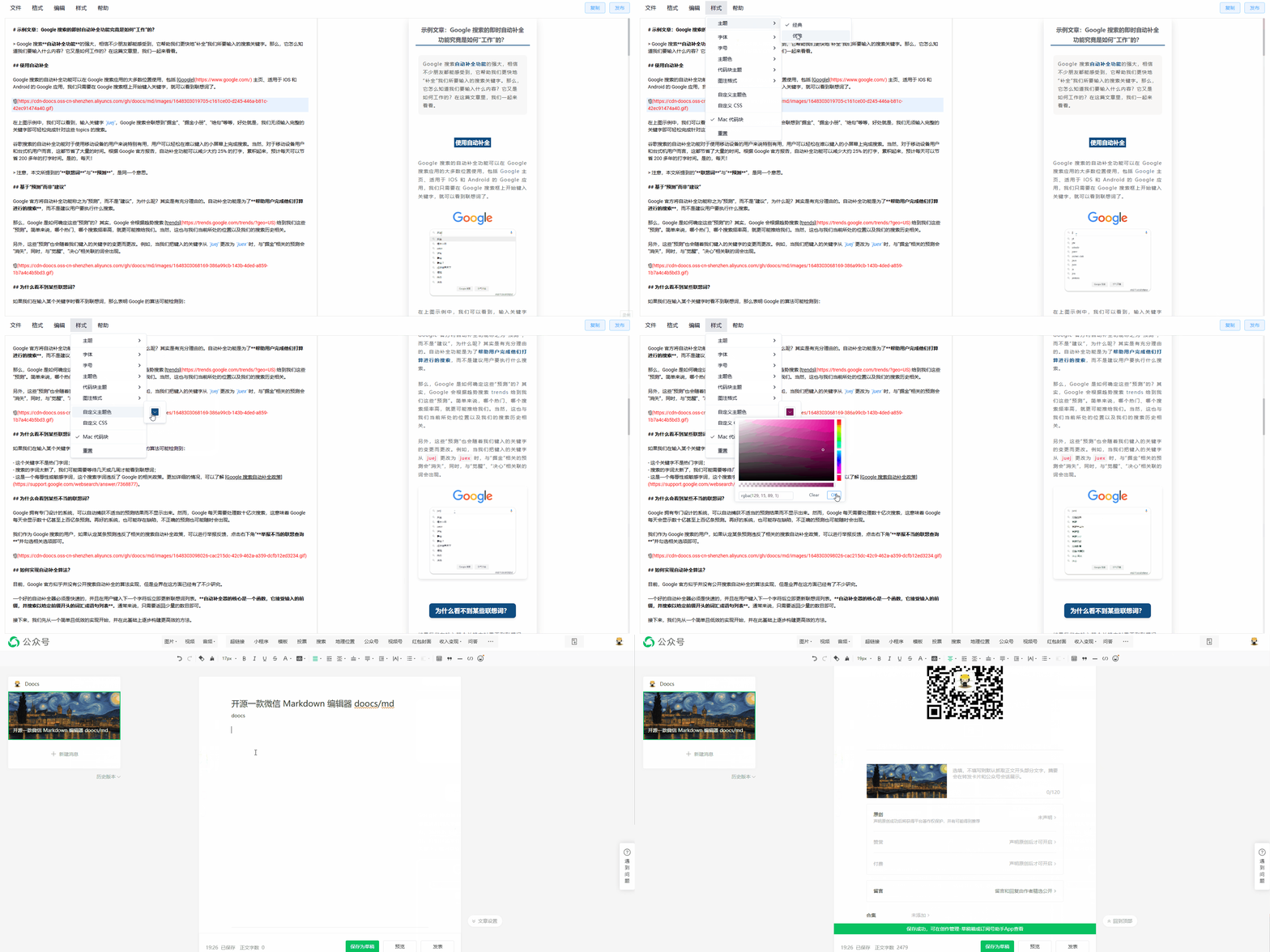
- Multiple code highlight themes; customizable theme colors and CSS
- Local draft management with auto-save
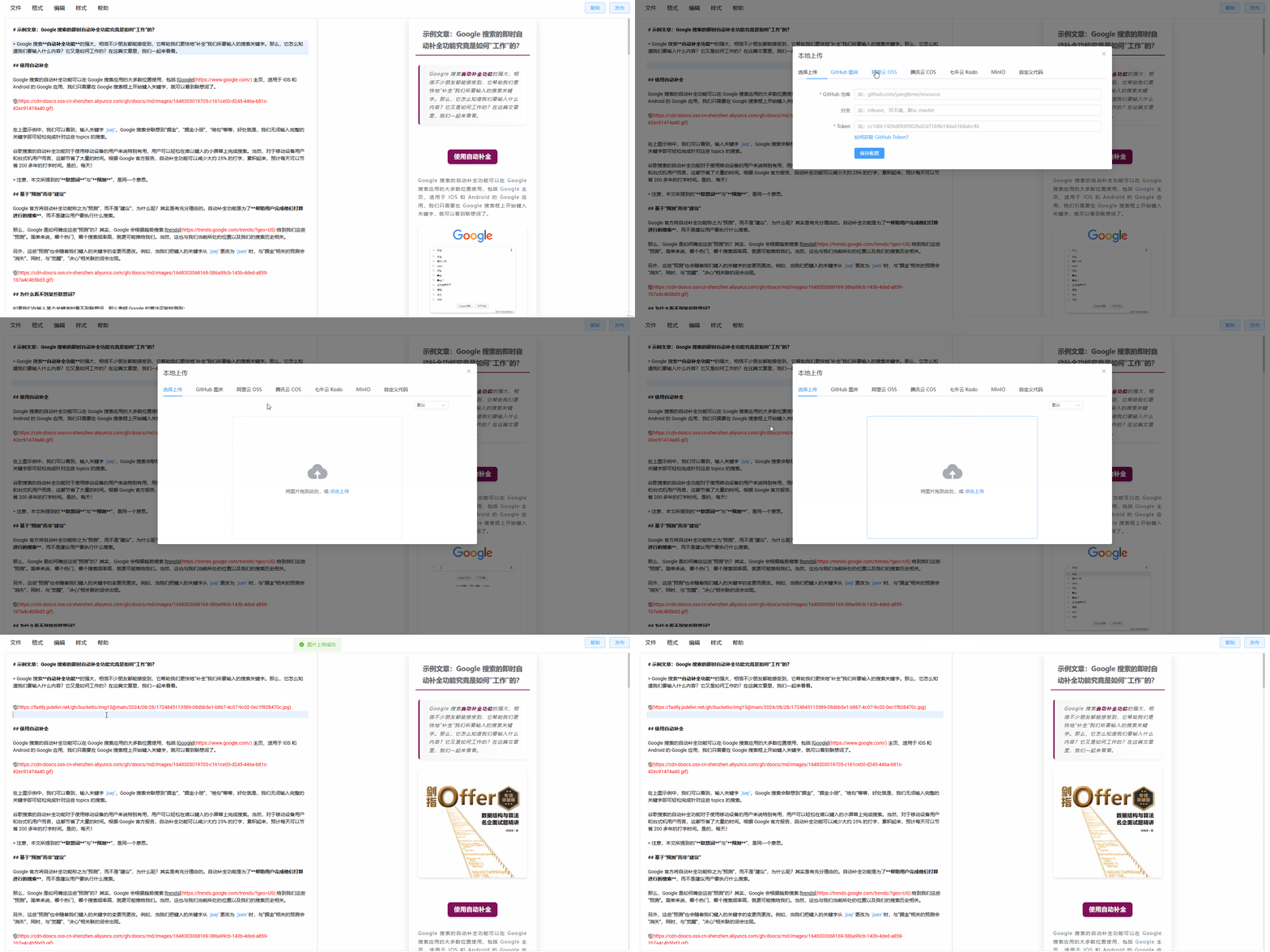
- Multiple image hosting options (GitHub, Alibaba Cloud OSS, Tencent COS, Qiniu, MinIO, S3, Cloudflare R2, and more)
- File import and export
- AI assistant integration (DeepSeek, OpenAI, Tongyi Qianwen, Tencent Hunyuan, Volcengine, 302.AI, etc.)
## Supported Image Hosts
| # | Service | Configuration required | Notes |
| --- | ------------------------------------------------------- | ---------------------------------------------------------------- | ------------------------------------------------------------------------------------------------------------------------ |
| 1 | Default | No | - |
| 2 | [GitHub](https://github.com) | `Repo`, `Token` | [How to get a GitHub token](https://docs.github.com/en/github/authenticating-to-github/creating-a-personal-access-token) |
| 3 | [Alibaba Cloud OSS](https://www.aliyun.com/product/oss) | `AccessKey ID`, `AccessKey Secret`, `Bucket`, `Region` | [Docs](https://help.aliyun.com/document_detail/31883.html) |
| 4 | [Tencent COS](https://cloud.tencent.com/act/pro/cos) | `SecretId`, `SecretKey`, `Bucket`, `Region` | [Docs](https://cloud.tencent.com/document/product/436/38484) |
| 5 | [Qiniu Kodo](https://www.qiniu.com/products/kodo) | `AccessKey`, `SecretKey`, `Bucket`, `Domain`, `Region` | [Docs](https://developer.qiniu.com/kodo) |
| 6 | [MinIO](https://min.io/) | `Endpoint`, `Port`, `UseSSL`, `Bucket`, `AccessKey`, `SecretKey` | [Docs](http://docs.minio.org.cn/docs/master/) |
| 7 | [S3-compatible](https://aws.amazon.com/s3/) | `Endpoint`, `Region`, `Bucket`, `AccessKey`, `SecretKey` | Supports AWS S3, Oracle, DigitalOcean, and other S3-compatible storage |
| 8 | [WeChat Official Account](https://mp.weixin.qq.com/) | `appID`, `appsecret`, proxy domain | [Tutorial](https://md-pages.doocs.org/tutorial) |
| 9 | [Cloudflare R2](https://developers.cloudflare.com/r2/) | `AccountId`, `AccessKey`, `SecretKey`, `Bucket`, `Domain` | [S3 API docs](https://developers.cloudflare.com/r2/api/s3/api/) |
| 10 | [Upyun](https://www.upyun.com/) | `Bucket`, `Operator`, `Password`, `Domain` | [Docs](https://help.upyun.com/) |
| 11 | [Telegram](https://core.telegram.org/api) | `Bot Token`, `Chat ID` | [Usage guide](https://github.com/doocs/md/blob/main/docs/telegram-usage.md) |
| 12 | [Cloudinary](https://cloudinary.com/) | `Cloud Name`, `API Key`, `API Secret` | [Docs](https://cloudinary.com/documentation/upload_images) |
| 13 | Custom upload | Yes | [How to configure](/docs/custom-upload.md) |
## Demo
| Theme switching | Image upload |
| :-----------------------------------------------------------------------------------: | :-----------------------------------------------------------------------------------: |
|  |  |
| Style customization | One-click formatting |
| :-----------------------------------------------------------------------------------: | :-----------------------------------------------------------------------------------: |
|  |  |
## Development & Build
```sh
# Install the required Node version
nvm i && nvm use
# Install dependencies
pnpm i
# Start the dev server, available at http://localhost:5173/md/
pnpm web dev
# Production build, served under /md/
pnpm web build
# Production build, served at the root path
pnpm web build:h5-netlify
# Chrome extension dev mode
# After starting, open chrome://extensions/, enable Developer mode,
# then load the unpacked extension from apps/web/.output/chrome-mv3-dev
pnpm web ext:dev
# Package the Chrome extension
pnpm web ext:zip
# Package the Firefox extension — output: apps/web/.output/md-{version}-firefox.zip
pnpm web firefox:zip
# Package the uTools plugin — output: apps/utools/release/md-utools-v{version}.zip
pnpm utools:package
# Cloudflare Workers development and deployment
pnpm web wrangler:dev
pnpm web wrangler:deploy
```
## Self-hosting
### Option 1: npm CLI
```sh
# Install globally
npm i -g @doocs/md-cli
# Start (default port: 8800)
md-cli
# Start with a custom port
md-cli port=8899
```
Supported CLI options:
- `port`: Listening port. Defaults to `8800`; a random port is chosen if occupied.
- `spaceId`: dcloud service space ID
- `clientSecret`: dcloud service space secret
### Option 2: Docker
```sh
docker run -d -p 8080:80 doocs/md:latest
```
Then open http://localhost:8080 in your browser. For more details on the Docker image, see https://github.com/doocs/docker-md.
## Star History
## Who's Using It
See [USERS.md](USERS.md) for a list of WeChat Official Accounts using this project.
## Contributing
PRs and Issues are welcome. Please read [CONTRIBUTING.md](./CONTRIBUTING.md) for the contribution workflow and guidelines.
## Support
If this project has been helpful, you're welcome to support its continued development.
## Feedback
For bug reports or feature requests, please open an [Issue](https://github.com/doocs/md/issues). You can also scan the QR code below to join the WeChat discussion group. If the QR code has expired, add the account as a friend with the note `md`.