# 6.9.9
## Improvements
- **macOS 26.3+**: When in **Sync Mode** with **Sync Nits** enabled, entering the XDR brightness range on the source display now sets all target displays to max brightness instead of trying to map the fluctuating XDR nits values
# 6.9.8
## Improvements
- Update Sparkle framework
- Disable nits syncing when Sync Mode is enabled in XDR
- Implement slow ramp up when enabling XDR to avoid washed out colors
- Unify XDR and SDR sliders and OSD and approximate the nits value so that it appears in the XDR range as well
- Add *"Force keep System Adaptive Brightness disabled"* to the right click menu of each display
## Known issues
- *Check for updates* dialog is unclickable for the first few seconds after the first click on it *(still investigating)*
# 6.9.7
## Fixes
- Remove **Unlock preset** functionality on macOS 26.3 and later since it no longer works
- Fix hang detection not getting the right callstack
# 6.9.6
## Features
- New app hang detection and mitigation logic
## Fixes
- Fallback to tone-mapping XDR logic since macOS 26.3 blocked the native XDR algorithm
- Disable `Enhance Contrast` features since macOS 26.3 blocked them from working
## Improvements
- Allow passing inputs to the CLI as seen in the UI
- Example: `lunar set input "HDMI 1 (LG specific)"`
- Disable error reporting by default
# 6.9.5
## Fixes
- Work around macOS issue where the license code text field is not visible until clicked
## Improvements
- Allow pausing/unpausing adaptive brightness via a new `adaptivePaused` property using the CLI or Shortcuts
# 6.9.4
## Fixes
- Fix crash on launch when checking previously disconnected displays
- Add support for MacBook Pro M5
# 6.9.3
## Fixes
- Fix activation when license code seats have been used up
# 6.9.2
## Features
- New [Layout Setting](https://app.lunar.fyi/layout): **Force System OSD**
- When enabled, the native macOS OSD will be shown instead of Lunar's custom OSD on displays supporting the *Apple Native* protocol (built-in displays and some external monitors)
- In macOS 26, this won't apply to external monitors that don't support the Apple Native protocol, as the native OSD doesn't work anymore there
- Allow enabling/disabling DDC, Network, Apple Native, and Gamma control per display from the CLI
Example on enabling DDC and disabling Apple Native in one go:
```bash
lunar displays ultrafine appleNativeEnabled off; lunar displays builtin ddcEnabled on
```
# 6.9.10
## Fixes
- Hide raw values on non-DDC monitors
- Restore sub-zero dimming when the app restarts on crash or hang
## Improvements
- Add support for M5 MacBooks and MacBook Neo
# 6.9.1
## Fixes
- Make OSD text more visible on white backgrounds
- Fix wrong brightness value in OSD on fine adjustments
# 6.9.0
## Features
- Native macOS 26 OSD support
- Allow Enhanced Contrast to work even when Overlay dimming is used
## Fixes
- Fix contrast slider moving erronously
- Fix issue with Paddle window not being clickable
# 6.8.9
## Fixes
- Fix Clock Mode not applying the correct contrast value in the Merged Brightness and Contrast mode
- Show advanced settings by default in the Display Settings window
- Keep Enhanced Contrast applied correctly in Sub-zero Dimming after nits change events come in
- Allow lux readings to go up to 10000 lux instead of 2000 lux
# 6.8.8
## Fixes
- Don't show Full Range as available on Studio Displays
- Keep shell config symlink if it already exists when installing the CLI
# 6.8.7
## Improvements
- Compatibility with MacBook Air M4 2024
# 6.8.6
## Fixes
- Fix possible hang when trying to send a brightness command to HDR monitors
- Fix possible crash when updating to macOS Sequoia
- Document `nits` as possible event in the `lunar listen` command
# 6.8.5
## Improvements
- Return early if manual location is being used for coordinates
- Flush stdout when using `lunar listen` CLI command
## Fixes
- Fix auto-learning in Location mode before sunrise and after sunset
# 6.8.4
## Improvements
- Add support for MacBook Pro M4 2024
## Known issues
Lunar's Shortcuts actions don't seem to appear on macOS 15.1 for some people. There was no change in Lunar's Shortcuts code that caused this, it's a problem that appeared with a macOS update.
I'm still looking for ways to debug this.
# 6.8.3
## Fixes
- Fix overlay dimming not appearing on virtual displays like **DisplayLink**
# 6.8.2
# Fixes
- Fix crashes related to DDC resets
- Improve stability in multi threaded code
- Fix **"Set screen as Main"** Shortcut when used with *"screen with cursor"*
- Make sure **System Adaptive Brightness** gets re-enabled correctly when getting below 800 nits manually
- Move hang detection to 40s instead of 60s to avoid constant app hang restarts
- Hide Sub-zero Dimming OSD instantly when going above 0% to avoid duplicate OSD
# Improvements
- Run re-adaptation routines both on wake and on monitor connect/disconnect
# 6.8.1
## Improvements
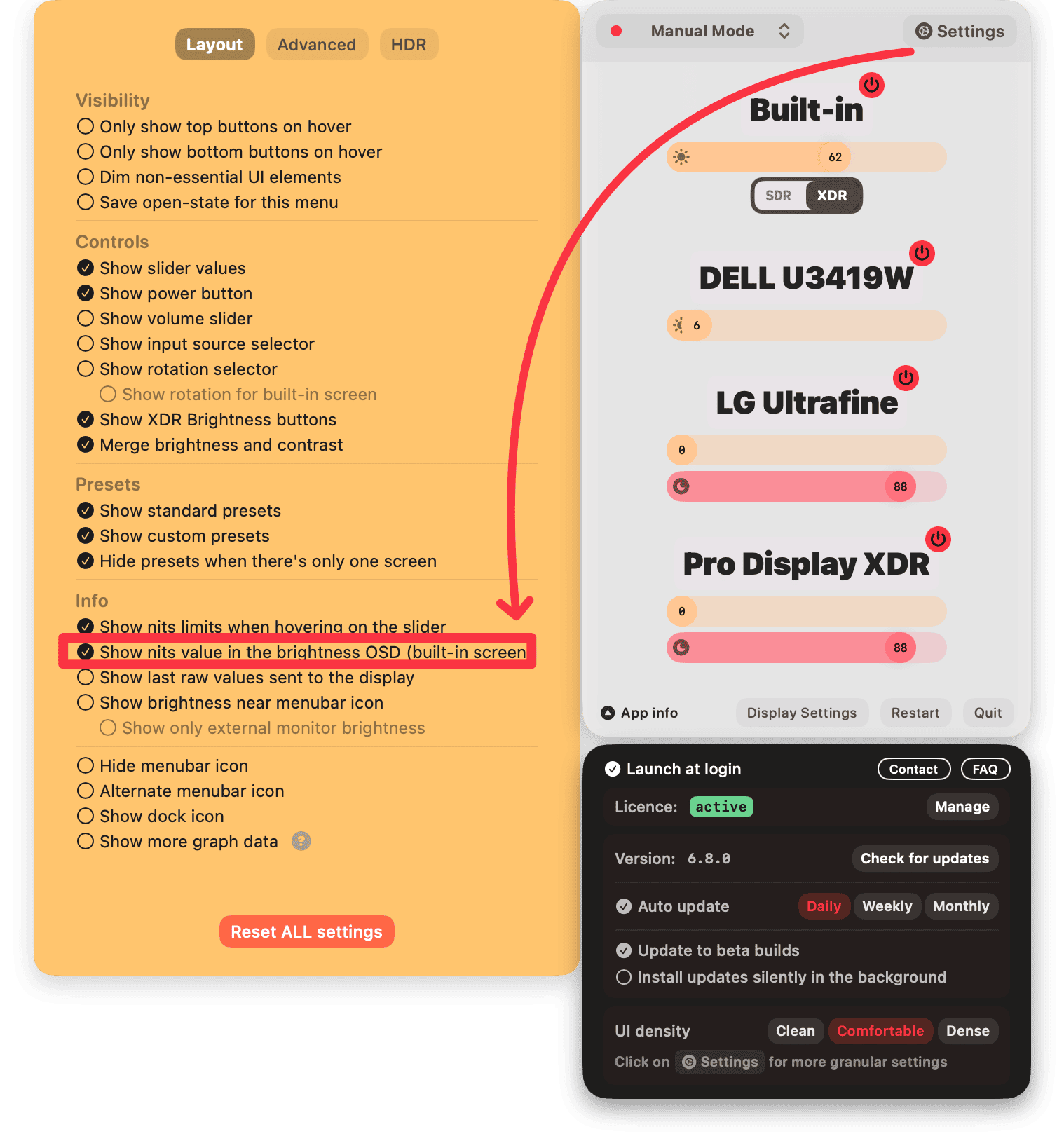
- Allow disabling the `nits` reading in the brightness OSD for the MacBook screen
## Fixes
- Fix overlay staying on the wrong screen after changing main display or the resolution
- Fix `Not` conditions in Shortcuts not working correctly
- Fix **XDR Contrast** being applied on **Unmanaged** displays erroneously *(resulting in darkening of monitors when XDR was enabled)*
- Remove unnecessary brightness refresh when some background apps are launched/quit
## Features
- New **Get ambient light in lux** Shortcut action
- Make `lunar displays` CLI faster in specific scenarios
- Add `-q/--quiet` to `lunar displays` to quickly check if specific displays are connected or not
# 6.8.0
## Features
- Re-organize advanced settings
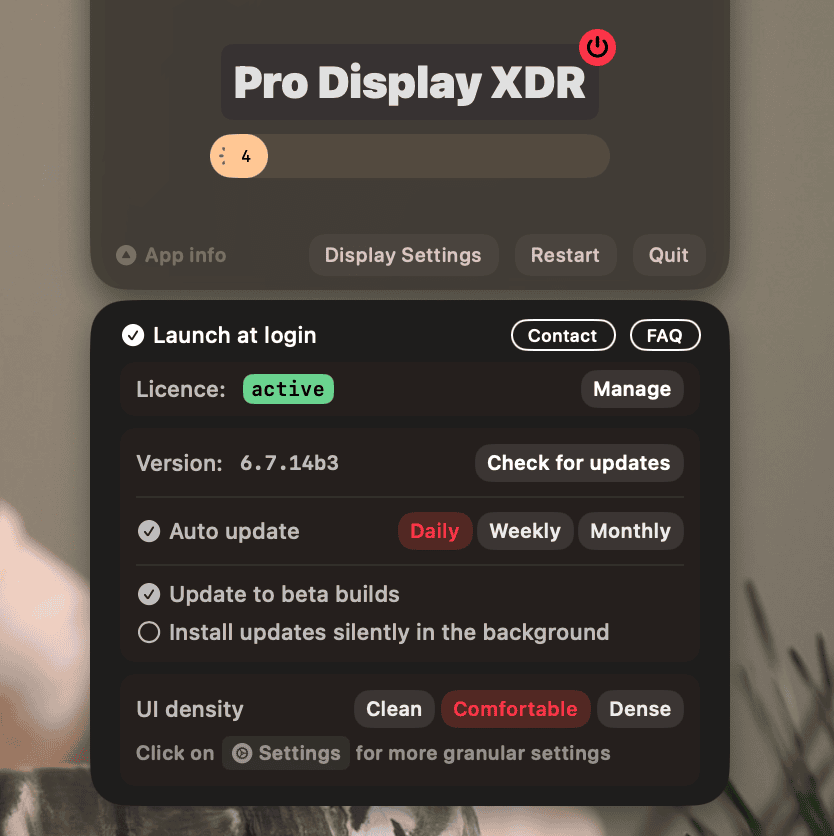
- Isolate **App Info** UI into its own little window and hide it by default on first launch
## Improvements
- Ask about **Full Range XDR** at onboarding and default to it for new users
- Make HDR redraw dot less visible when using XDR Brightness
- Allow disabling "bad display" detection through the `ignoreDisplaysWithMissingMetadata` setting:
```sh
defaults write fyi.lunar.Lunar ignoreDisplaysWithMissingMetadata false
```
Only to be used in cases where:
- BlackOut wrongly reconnects the screen 5-10 seconds after disconnecting it
- screen remains black after disabling BlackOut
## Fixes
- Adapt software dimming dynamically if **Invert Colors** is used often while Lunar is running *(previously it needed an app restart when changing the Invert Colors setting)*
- Fix **Full Range XDR** for `macOS Sequoia beta 3`
- Fix re-applying the wrong stored brightness after wake
# 6.7.9
## Improvements
- Disable volume keys handler on sleep and re-enable on wake to prevent CoreAudio from hanging and cause system lag
- Speed up CLI startup time
## Fixes
- Fix a long-standing issue where **LED Cinema** and **Thunderbolt** displays would overflow the brightness value, causing the display to go dark at specific brightness levels (`39` and `78`)
- Fix Location Mode not being selectable when using manual coordinates
# 6.7.8
## Fixes
- Move max DDC brightness back to `255` for Cinema and Thunderbolt displays
- Fix brightness being sent to the monitor continuously in Sensor Mode, even if the value hasn't changed
- Ensure the Sensor Mode *Lux update interval* is correctly used with wireless sensors
# 6.7.7
## Fixes
- Fix nits OSD appearing erroneously when HDR state is being changed
# 6.7.6
## Fixes
- Fix flickering in smooth transitions when holding the brightness keys
- Fix nits value not updating all the time
# 6.7.5
## Features
- **Smoother Sync Mode** brightness adaptation
## Fixes
- Fix printing `SentryCrashExceptionApplication` by mistake in the CLI output
- Fix nits OSD not appearing where it should after resolution change
- Ensure **Full Range** remains enabled even when the system reports an incomplete status
## Improvements
- Add hidden setting `syncModeBrightnessKeyPressedExpireSeconds`
Showing OSD on target monitors in Sync Mode requires only taking into account the changes that happen within a waiting period after the brightness key press.
That period was previously 0.5 seconds, which was now increased to 1 second and made configurable via the `syncModeBrightnessKeyPressedExpireSeconds` hidden setting. Some systems take longer to propagate the brightness change events and this setting should help with that.
- Optimise code path leading from the Sync source brightness change to the Sync target brightness adaptation
- More intuitive nits range calculation in Sync Mode
# 6.7.4
## Fixes
- Fix color adjustments not being applied anymore on some screens
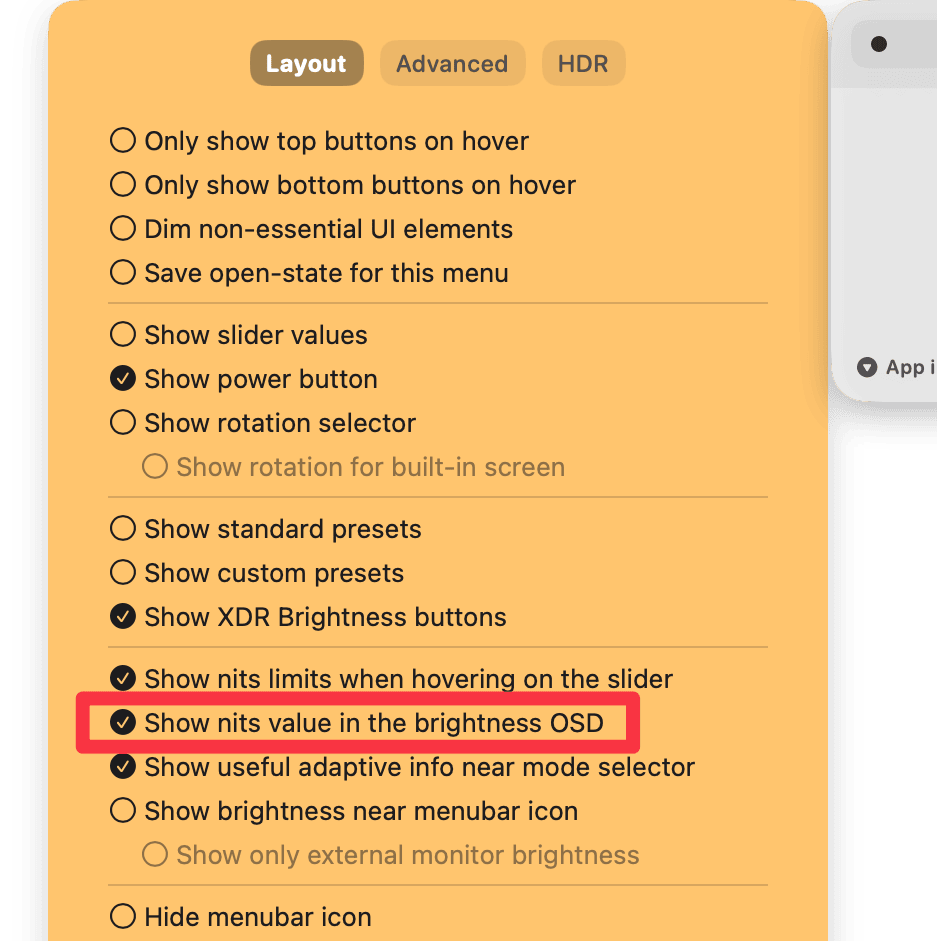
- Don't show nits values by default in the OSD since it can cause it to not appear on some screens
- Revert the max DDC brightness for LED Cinema and Thunderbolt displays back to 100 instead of 255
- Make DCP matching on `IODisplayLocation` optional to avoid DDC not working with some displays
- Fix **Full Range** toggle disappearing sometimes after a display connection
- Fix volume hotkeys not working anymore if CoreAudio times out
## Improvements
- Move the CoreAudio device fetching back to main thread where if it stalls, it will restart the app automatically
- Allow hiding the nits value from the brightness OSD
# 6.7.3
## Hotfix
- Ensure UI is not instantiated until the user opens it
- Fixes too much energy usage on some systems
# 6.7.2
## Features
- Allow setting main monitor using the CLI. Example: `lunar displays LG main true`
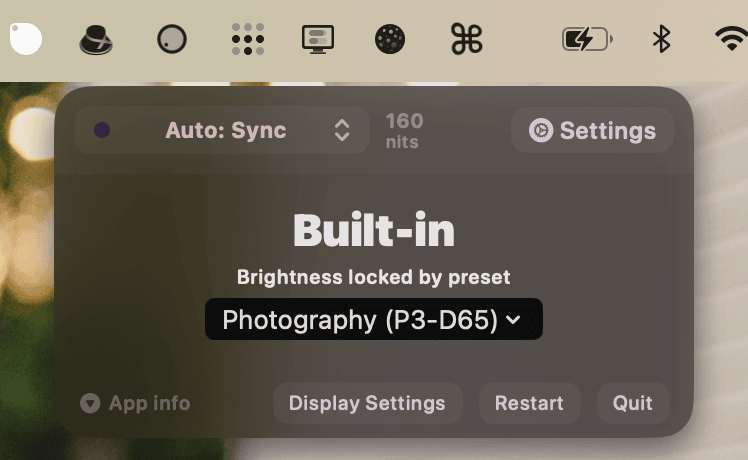
- Show when brightness is locked by the reference preset in the UI
## Improvements
- More accurate nits readings for Apple displays
- Precise nits-based Sync Mode even when HDR content is visible
- Improved detection of virtual displays
- Improved DDC-to-monitor matching by using the hardware port where possible
- More responsive Full Range switching in cases where the system generates a lot of logs
- Allow skipping missing displays when using the "Set Monitor as Main" shortcut
## Fixes
- Prepare for upcoming macOS 15
- Don't use Gamma APIs unless absolutely necessary to avoid unwanted HDR clipping
- Fix app presets taking too long to apply
- Fix possible crash when fetching reference presets on external monitors
- Fix system lag when CoreAudio devices take too long to respond
# 6.7.13
## Features
- Allow HDR monitors to use the superior **Apple Native** brightness control instead of **DDC** on macOS Sequoia
## Fixes
- Ignore displays named **"Unknown Display"** which may appear when the monitor's connection is not ready for DDC
## Improvements
- Ensure Software Dimming does dim the screen instead of whiten it when Invert Colors is enabled in Accessibility settings
- *This will force a white Overlay instead of Gamma dimming since gamma tables can't be inverted in a precise enough way*
- Make sure menu does not end up behind the menu bar when that is set to autohide
# 6.7.12
## Improvements
- Improve **Auto Blackout** by ignoring displays with empty or incomplete name
- Print CLI location and restart shell after installation
## Fixes
- Fix **Software Dimming** not being applied instantly when using the `lunar displays` CLI
# 6.7.11
## Fixes
- Fix **Sync Mode** not using nits on MacBook Air and iMac (Apple Silicon only)
# 6.7.10
## Improvements
- Shave off another 250 milliseconds from the CLI startup time
## Fixes
- Fix menu appearing on the main display instead of the one where the icon was clicked, on fullscreen apps
- Fix positioning of the new "Disable volume keys on display sleep" setting
- Fix resolution being changed erroneously
# 6.7.1
## Hotfix
- Fix crash on launch if Auto Mode was previously enabled
# 6.7.0
## Features
- Ambient Light Sensor support for Intel Macs
- Faster event based lux reading *(up to 100ms between reads)*
## Improvements
- Improve launch time of the app
- Faster CLI launches
## Fixes
- Fix not showing Lunar Pro popover correctly when clicking on XDR or Full Range
- Fix **Full Range XDR** not being re-enabled automatically after wake/connect/launch
- Go back to Xcode 15.2: some Shortcuts stopped working when compiled with the latest Xcode 15.3
# 6.6.5
## Hotfix
- Remove leftover usage of a non-standard command-line tool that was prompting unnecessary installation of Xcode Command Line Tools
# 6.6.4
## Improvements
- Add support for **MacBook Air M3** models
## Fixes
- Fix **Power off screen (in software)** Shortcut
- Fix BlackOut not being able to re-apply previous resolution
- Fix missing resolutions from the list
- Add hidden setting `allowAdjustmentsWhileLocked` for who may need it
- Fix "Change Adaptive Mode" and "Rotate Screen" shortcuts not working on some systems
# 6.6.3
## Fixes
- Fix disabling presets on Studio Display
- Remove duplicate values from the `lunar` CLI help text
# 6.6.2
## Features
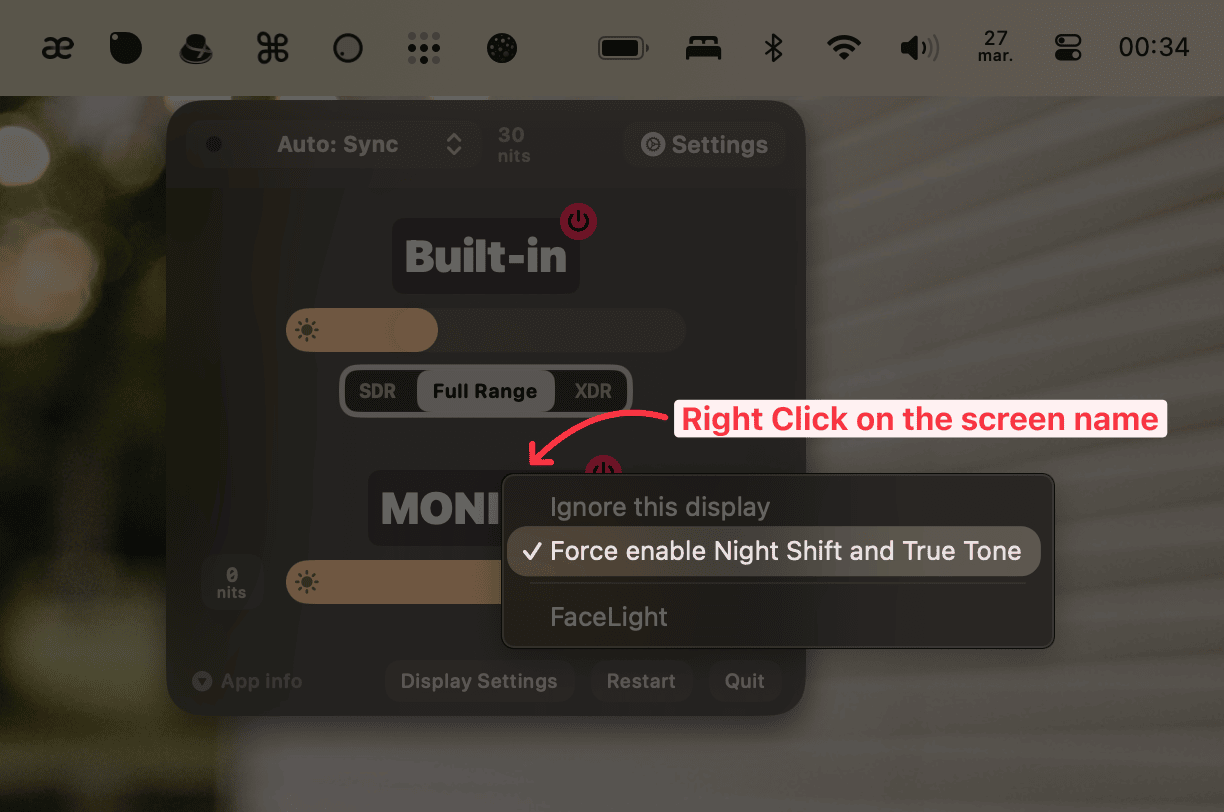
- Force enable **Night Shift** and **True Tone** on external monitors that support them but don't work out of the box
## Improvements
- Allow **Auto Blackout** to work in more edge cases like:
- when coming back from standby, the monitor connects too slowly and for a few seconds it appears as there's no display available
- when opening the lid of the MacBook while clamshell mode is disabled
- Stop brightness and lux CLI listeners when the socket closes
## Fixes
- Fix specific features like observing brightness on the **2023 M2 MacBook Air 15"**
- Fix keyboard backlight being turned on when it shouldn't
- Fix a bug that caused the builtin to come out of Blackout intermitently on Intel Macs
- Disable **Full Range XDR** on Pro Display XDR screens since it is not working there
- Fix **Full Range XDR** and **Gamma Dimming** not being available sometimes after coming back from blackout
- Workaround a macOS bug that can cause *system slow downs* because `CoreLocation` is timing out
- Make sure the DIY light sensor install script gets the correct enclosing dir
- Make sure `lunar toggle-connection` returns immediately after disconnect
- Fix built-in not reconnecting after disconnecting all monitors in specific cases
- Fix **Auto Mode** not selecting **Sensor Mode** when the built-in is disconnected
- Fix **Sync Mode** setting external displays to a very low brightness when activating XDR Brightness
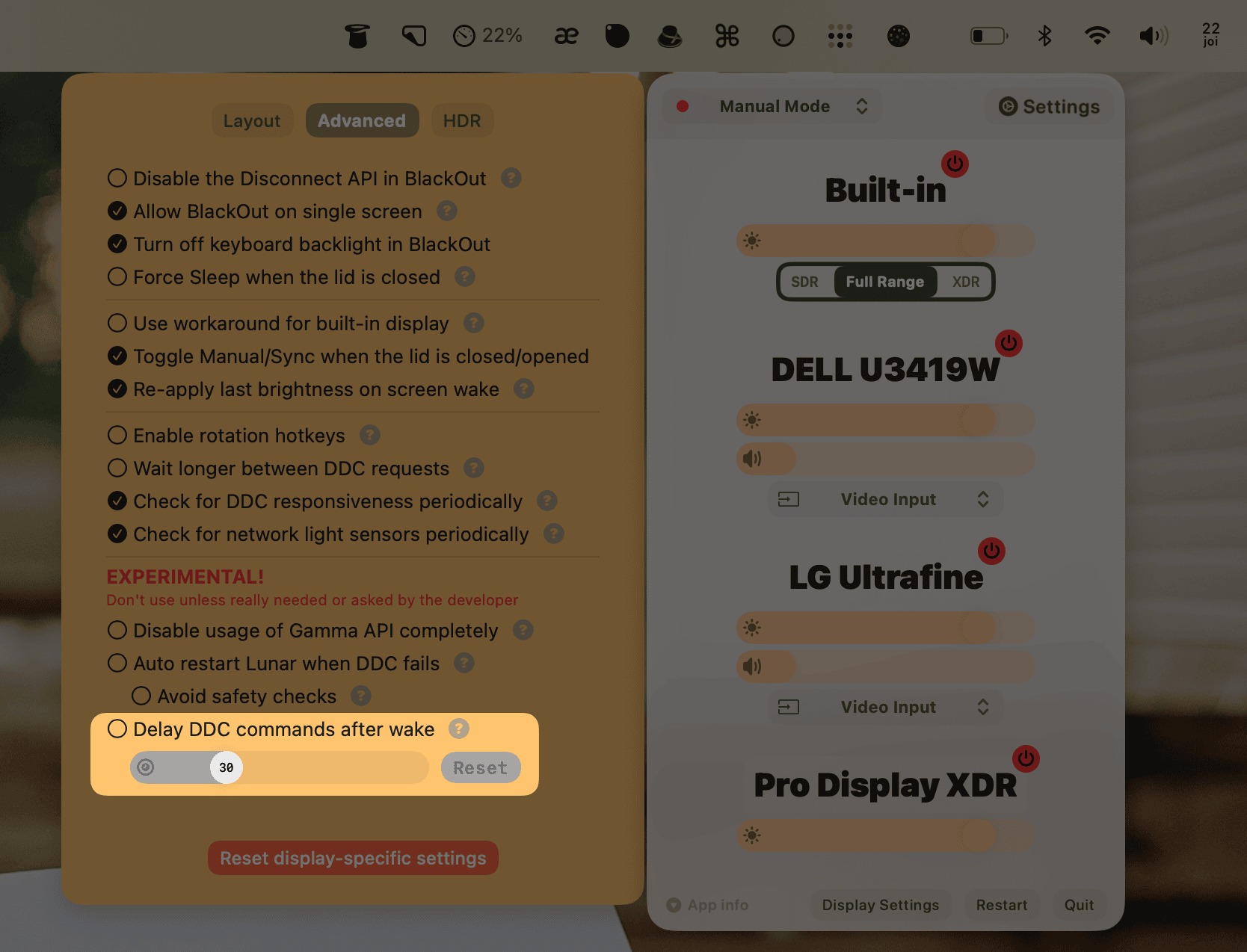
- Delay specific actions after wake/login to avoid system hangs. Actions that are delayed include:
- watching for `screencapture` events when using overlay dimming
- checking for zero gamma issues
- adapting brightness if the *Delay after wake* setting is enabled
# 6.6.1
## Improvements
- Add `nits` output to the `lunar listen` CLI command
## Fixes
- Fix MediaMate integration on Full Range XDR Brightness
- Fix external sensor disconnecting every 5 seconds in specific cases
- Fix **Whites** and **Blacks** not being re-applied after app restart
# 6.6.0
## Security
- Fix a possible vulnerability in the restart logic
*A rogue application could have exploited the restart logic to gain Accessibility Permissions.*
---
## Features
### Full Range XDR Brightness
This is a new approach for unlocking the 1600nits of brightness in Apple's XDR displays, developed in collaboration with [@waydabber](https://github.com/waydabber) from [BetterDisplay](https://betterdisplay.pro/).
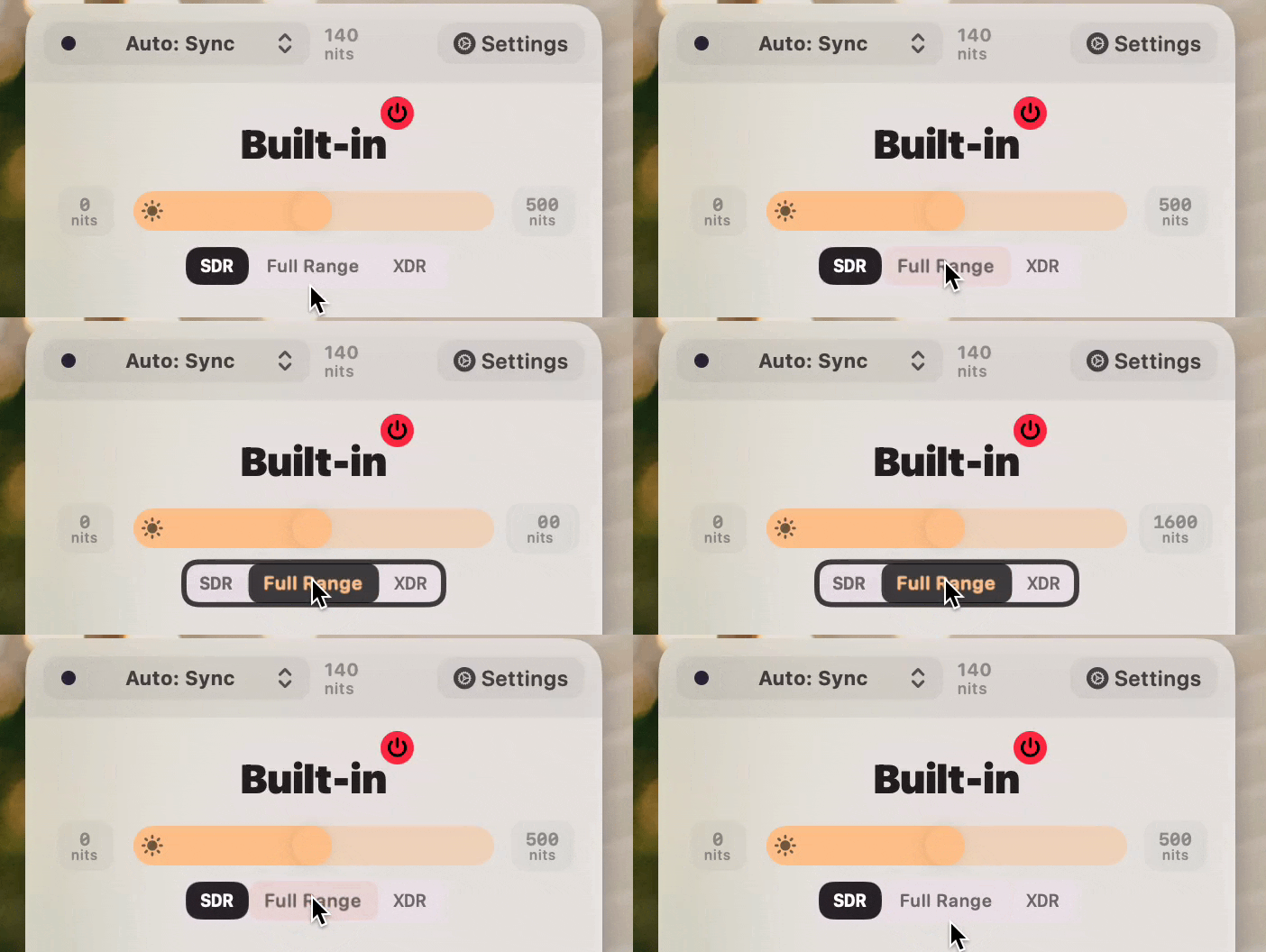
It has the following key differences from the previous XDR Brightness method:
- It doesn't clip colors in HDR content - no more washed out colors
- The system adaptive brightness keeps working and uses the full range
- There's no lag when going from SDR to XDR brightness
- Can be kept on all the time without any downsides
- Can work in tandem with f.lux
Downsides:
- It only works on MacBook Pro XDR screens
- The screen will flash one or two times when toggling Full Range
*The system will still adapt the maximum nits of brightness based on the ambient light, so you might get a max of 800 nits in a dark room and 1600 nits in sunlight.*
*Disabling the system adaptive brightness will turn off this behaviour.*
### Preset unlocking
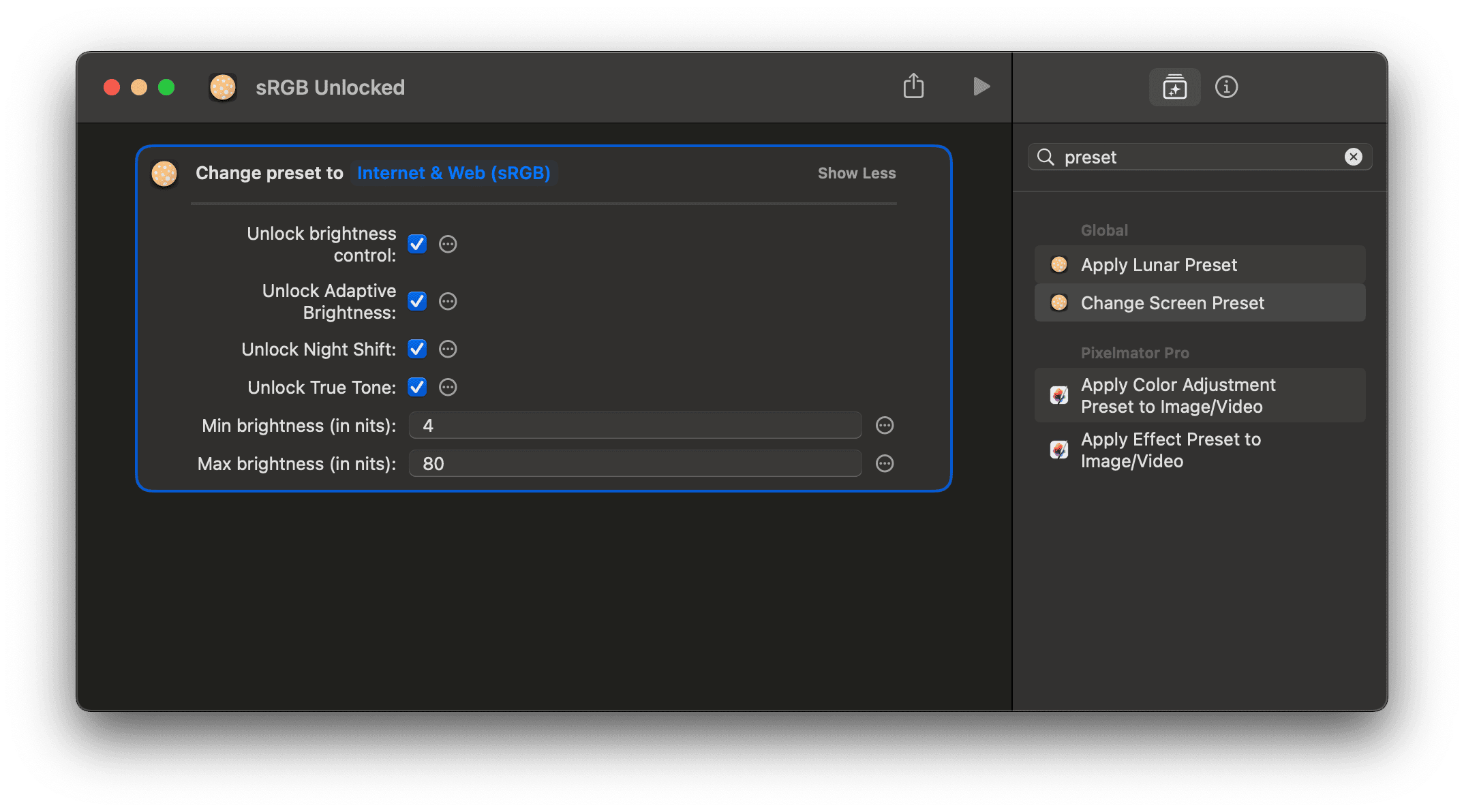
The **Change Screen Preset** Shortcut now allows you to unlock various functions that are locked by macOS when using reference presets:
- Brightness Control
- Adaptive Brightness
- Night Shift
- True Tone
## Improvements
- Allow overlay dimming to work on Airplay screens when the MacBook is in Blackout
- Automatically use the mirroring method for Blackout when the MacBook is connected to an wireless display
## Fixes
- Disable Dark Mode after disabling Night Mode
- Ensure Night Mode does disable after unchecking it
- Fix app hanging when initializing Location Services in some cases
- Fix Dark Mode being disabled erroneously
- Make sure to re-enable keyboard backlight after disabling Blackout
- Fix CLI not working after a few standby cycles
- Fix rounded corners not being applied on app launch
# 6.5.0
## Features
- **Night Mode**: minimize jarring flashes of white regions on dark backgrounds. This is a combination between:
- *lower whitepoint*: lower the whitepoint of the screen to make white regions appear less bright
- *warm colors*: filters blue light to further minimise eye strain on bright colors
- *enhanced contrast*: keeps text readable even at such low brightness levels
The following video shows the difference between simply having Dark Mode on with a low brightness, and having Night Mode on top of that.
If you pay attention to the hand that is scrolling, you'll notice that the flashes of light from the white regions have less effect with Night Mode enabled. In the same way, your eyes will see less of a difference in perceived brightness between the dark background and the bright regions that may appear unexpectedly while scrolling on a web page.
*The technique is quite similar to what f.lux does, but with the added benefit of enhancing contrast for readability.*
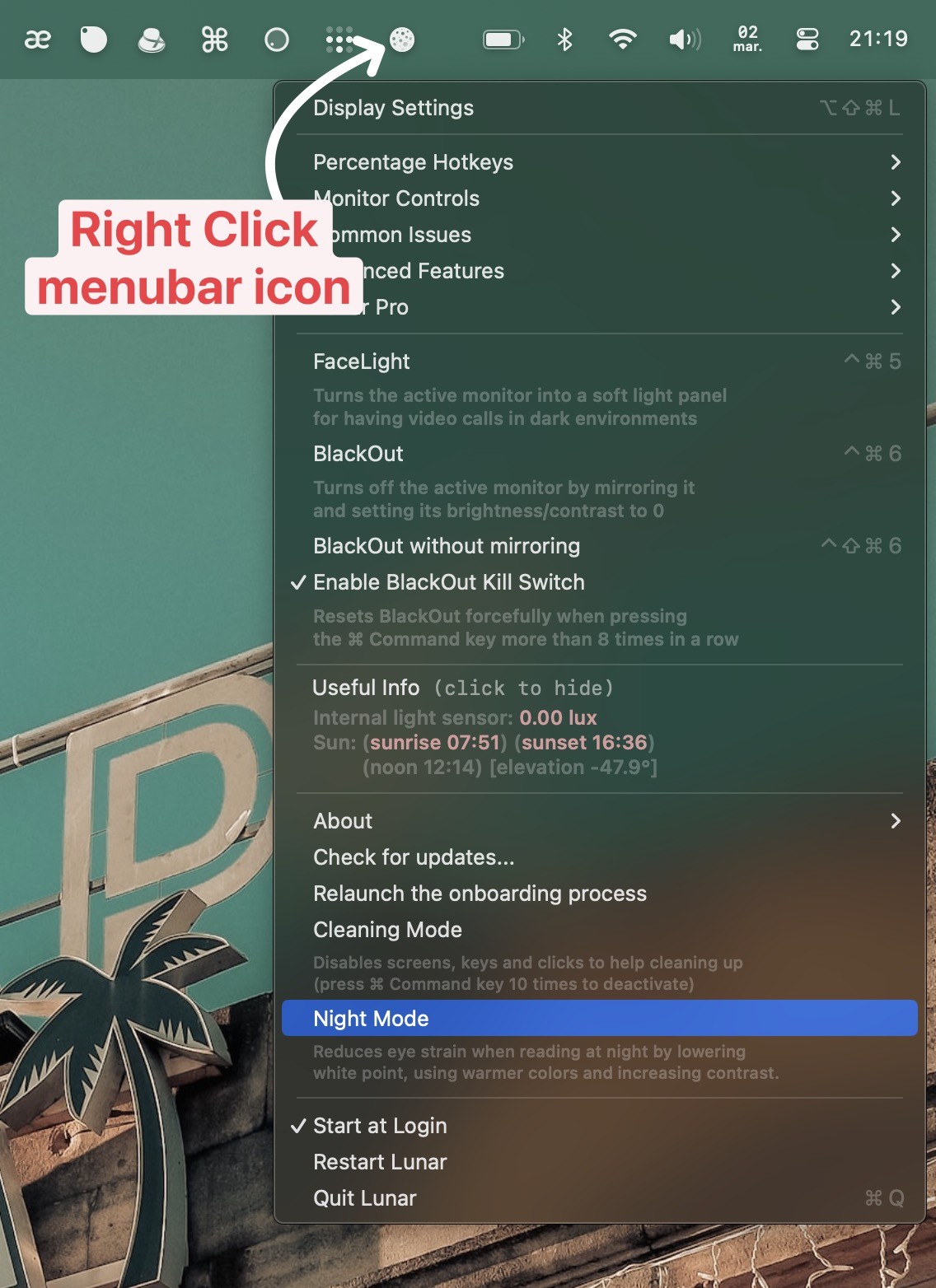
**How to activate Night Mode:**
- using the CLI: `lunar night-mode toggle`
- using the *Night Mode* Shortcuts action
- from the Right Click menubar icon menu
## Fixes
- Important fix on DDC commands causing a crash when the queue is full
- Allow `http` on non-local custom domains/IPs of light sensors
- Fix not keeping Disconnect API disabled with DisplayLink running
- Fix built-in screen having 100% brightness after waking up from sleep in some cases
- Make sure external sensor `available` state is kept up to date
- Fixes a problem where both internal and external sensor data would be used at the same time
## Improvements
- Limit Gamma `whites` and `blacks` sliders to avoid full black/white screens
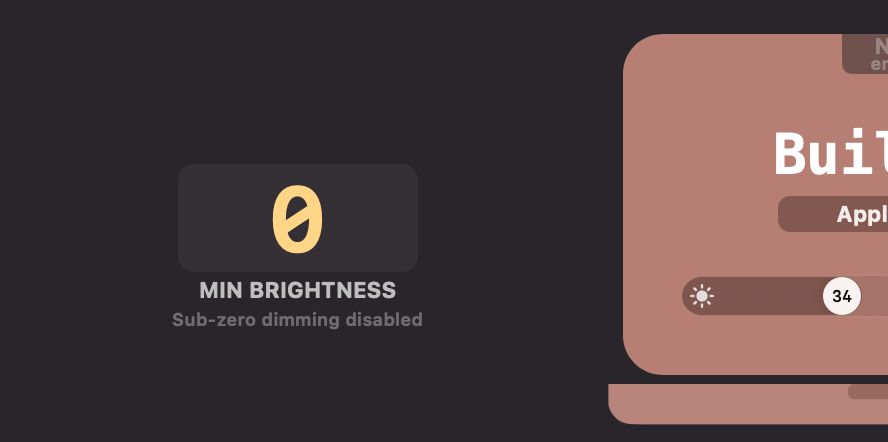
- Allow disabling **Sub-zero dimming** by setting Min Brightness to 0
# 6.4.5
## Features
- Adaptive sleep on smooth DDC transitions
## Fixes
- Ensure Shortcuts keep working after automatic and manual app restarts
- *Looks like using `exec` to restart the app invalidates the XPC connections that Shortcuts opens, who knew..*
## Improvements
- Ensure location coordinates update often enough
- Preserve privacy better by using *reduced location data* with a maximum of *city level accuracy*
- *The coordinates never leave the computer, this is just to preserve privacy in case of a rogue program or app*
# 6.4.4
## Features
- Advanced gamma Shortcut for creating any type of color profile
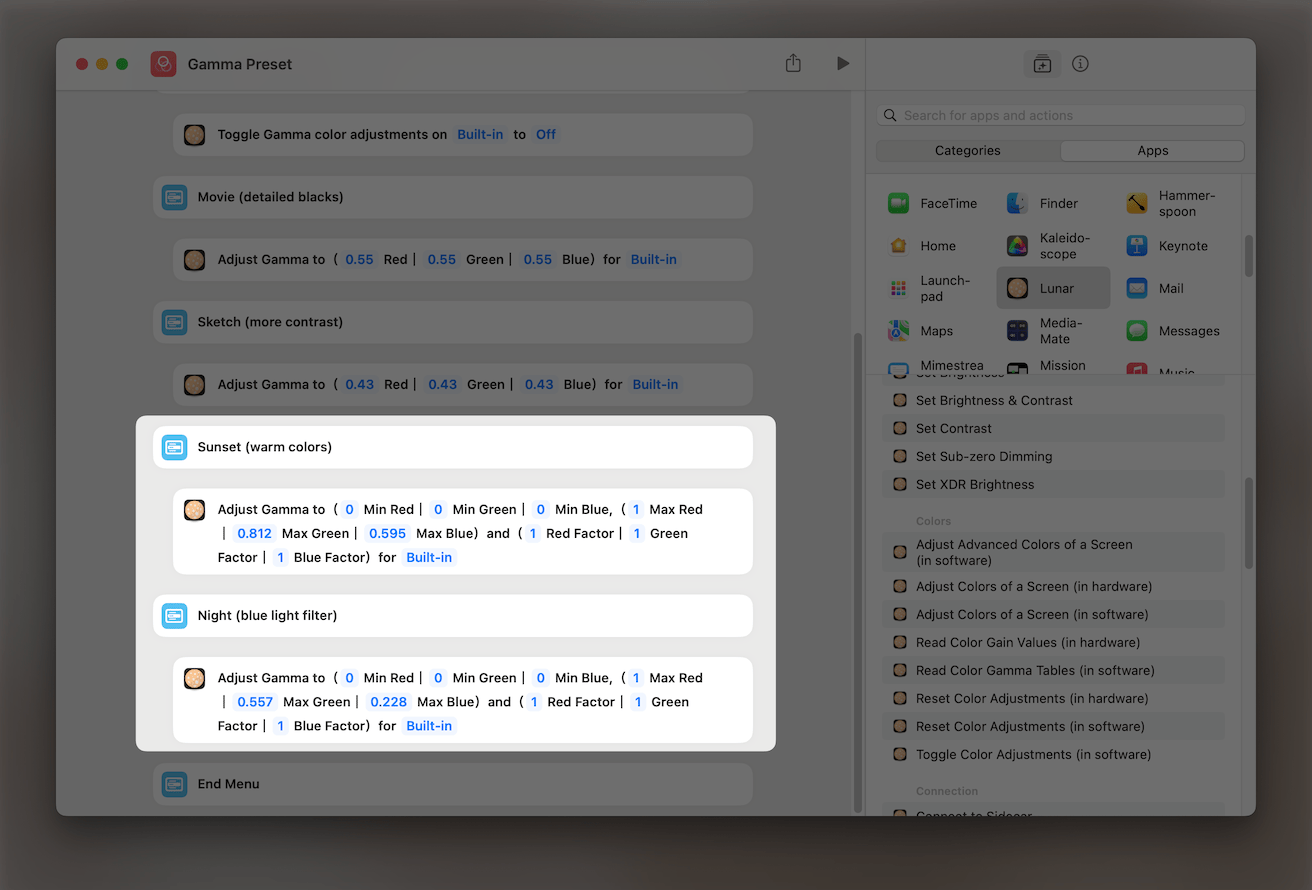
Sample Shortcut here: [Gamma Preset](https://lunar.fyi/shortcuts#gamma-preset)
# 6.4.3
## Hotfix
- **DDC** and **Sync Mode** responsiveness fix
# 6.4.2
## Hotfix
- Fix a crash introduced in 6.4.1 related to presets
# 6.4.1
## Fixes
- Fix custom preset not being applied correctly if saved with the same name as a previously deleted preset
- Allow saving the preset by pressing `Enter` in the text field
# 6.4.0
## Features
- Support for the new **M3 MacBook Pro** and **M3 iMac**
- **Cleanup UI**
- Use a warmer color palette
- Make the menubar UI less wide
- Add option to *Dim non-essential UI* elements
- Add `lunar lux --listen` command for automations based on readings from the internal ambient light sensor
## Improvements
- Disable Lunar adjustments when screen is locked
- Add new identifiers for the M3 MacBook Pro and iMac
- Make cursor cling to the middle of the slider knob instead of lagging behind
- Enable `lunar listen` to react to display connection changes
- Disable `autoRestartOnFailedDDC` and make it opt-in by default
- New macOS updates have fixed most of the issues that created the need for it
## Fixes
- Fix Auto XDR appearing erroneously in non-Pro builds
- Fix locked volume OSD when locking brightness
# 6.3.0
## Features
- Try to use lux sensors of Apple-vendored external monitors when available
## Improvements
- Use window average for sensor lux when adapting Auto XDR
- Smaller menubar icon
- Allow hiding the nits limits from the slider
## Fixes
- Work around Sonoma display connection bug when fetching display info while disconnected
- Fix OSD chiclets disappearing sometimes on Sonoma
- Fix app hang on saving display state while restarting from a crash
- Don't cache `isLG` to avoid not showing LG specific inputs
- Fix UI spacing in the Clean layout
- Fix XDR Contrast going flashing to 0 while in Sub-zero Dimming
# 6.2.7
## Fixes
- Fix some Shortcuts not working
- Fix some typos
# 6.2.6
## Features
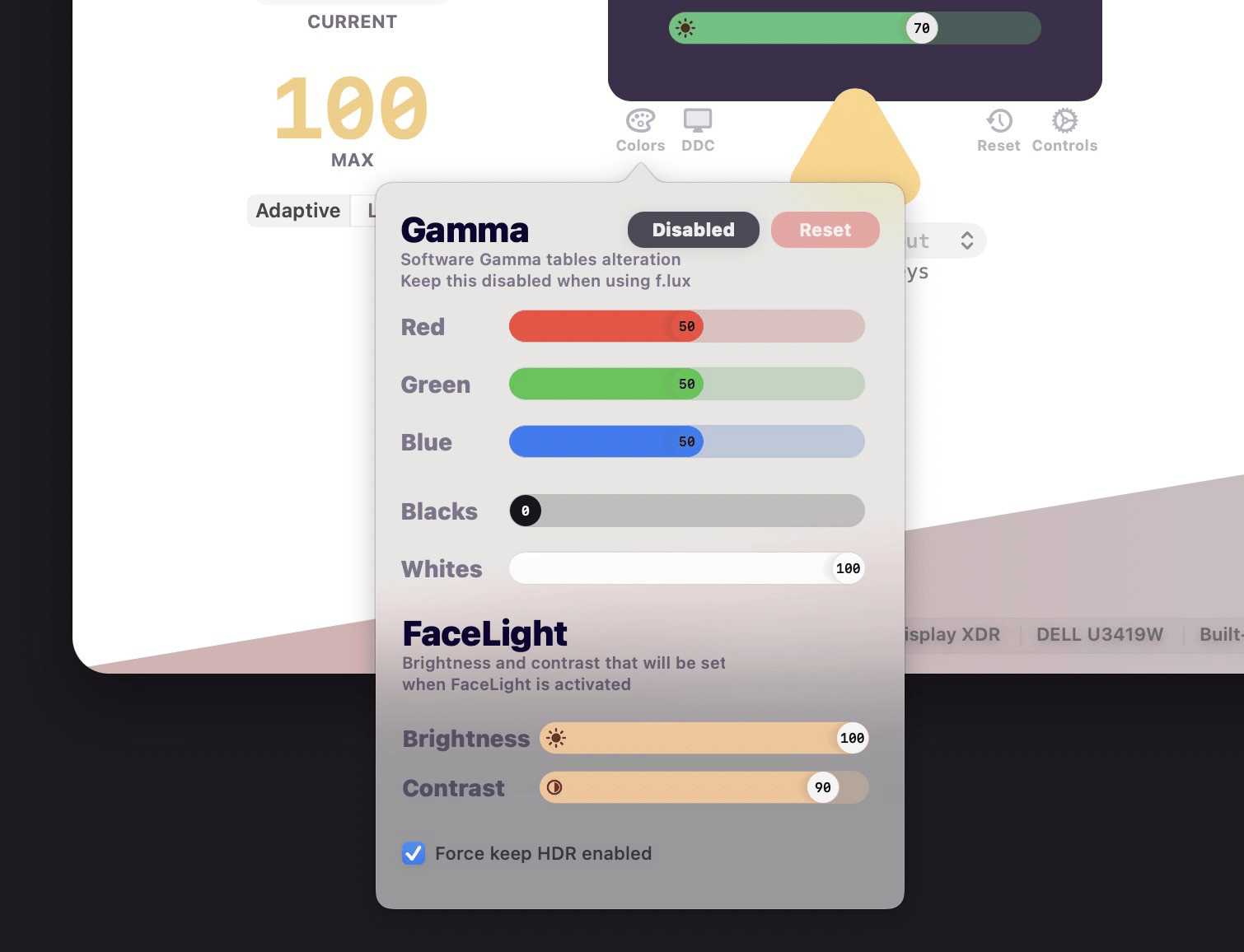
* Option to **Force keep HDR enabled** for external monitors
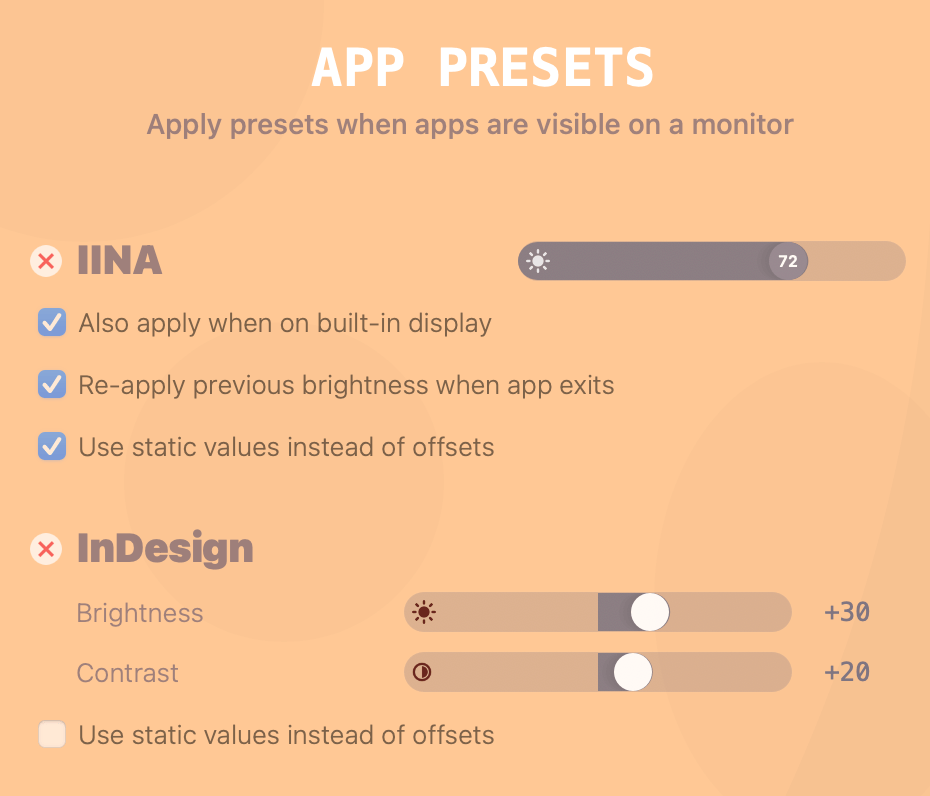
* Option to **Use static values instead of offsets** for **App Presets**
## Improvements
* Detect possible clamshell sleep and preemptively pause adaptive brightness to avoid flickering
* Add **Skip action if screen is missing** for Shortcuts

## Fixes
* Fix macOS Sonoma layout issues
# 6.2.5
## Features
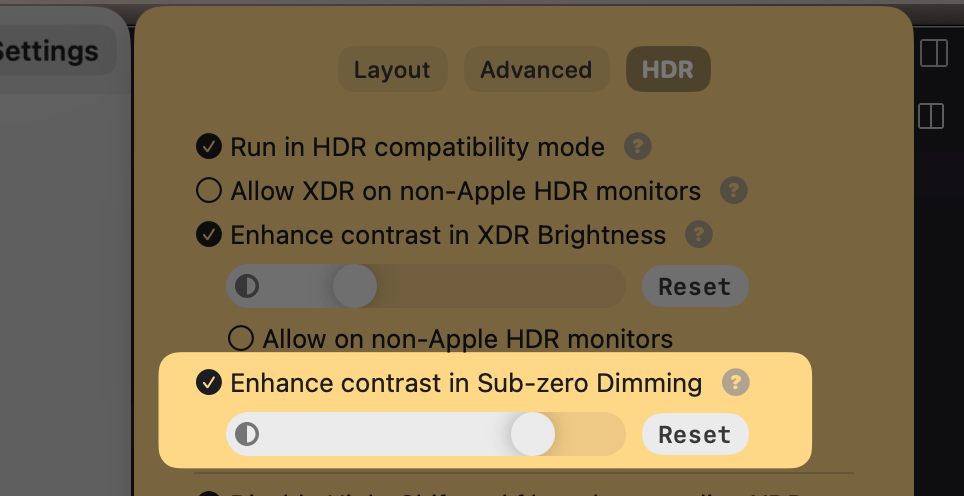
* Enhance contrast in Sub-zero Dimming
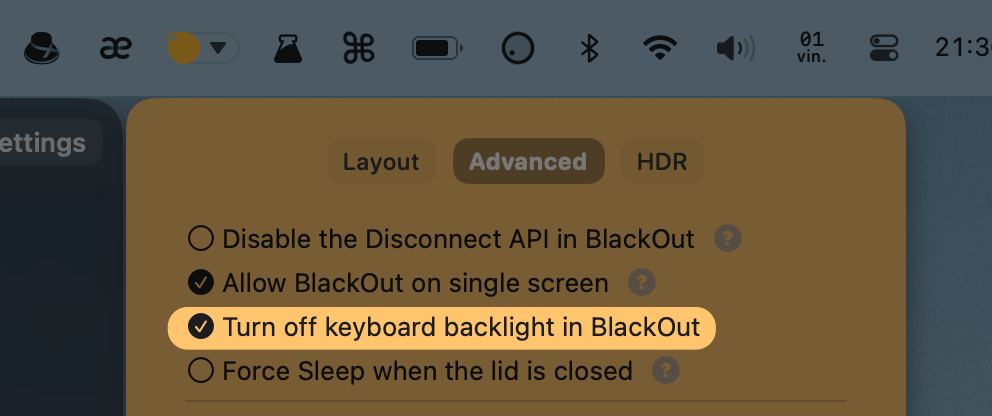
* Keyboard backlight setting for BlackOut
## Improvements
* Only adjust keyboard backlight in Sub-zero Dimming when keyboard backlight was previously on
## Fixes
* Add missing LG specific inputs in Shortcuts
# 6.2.4
## Features
* Dim keyboard backlight to minimum when **Sub-zero dimming** is used
* Automatically detect a light sensor running as the [official HomeAssistant Addon](https://github.com/alin23/lunarsensor/tree/main/homeassistant_addon)
* Add support for the following boards:
* Feather ESP32 S2
* Feather ESP32 S2 Reverse TFT
* NodeMCU ESP32 S2
* Adafruit HUZZAH32 Feather ESP32
## Improvements
* Make the reset button do a full reset by default *(instead of resetting just the non-display specific settings)*
* Replace watchdog with `restartOnCrash` signal handler
# 6.2.3
## Features
* Turn off keyboard backlight when blacking out the MacBook screen
## Improvements
* Return the current state after toggling boolean values in Shortcuts
## Fixes
* Fix JSON number formatting in `lunar listen` CLI command
* Make watchdog more resilient so that Lunar restarts after crashes
# 6.2.2
### Features
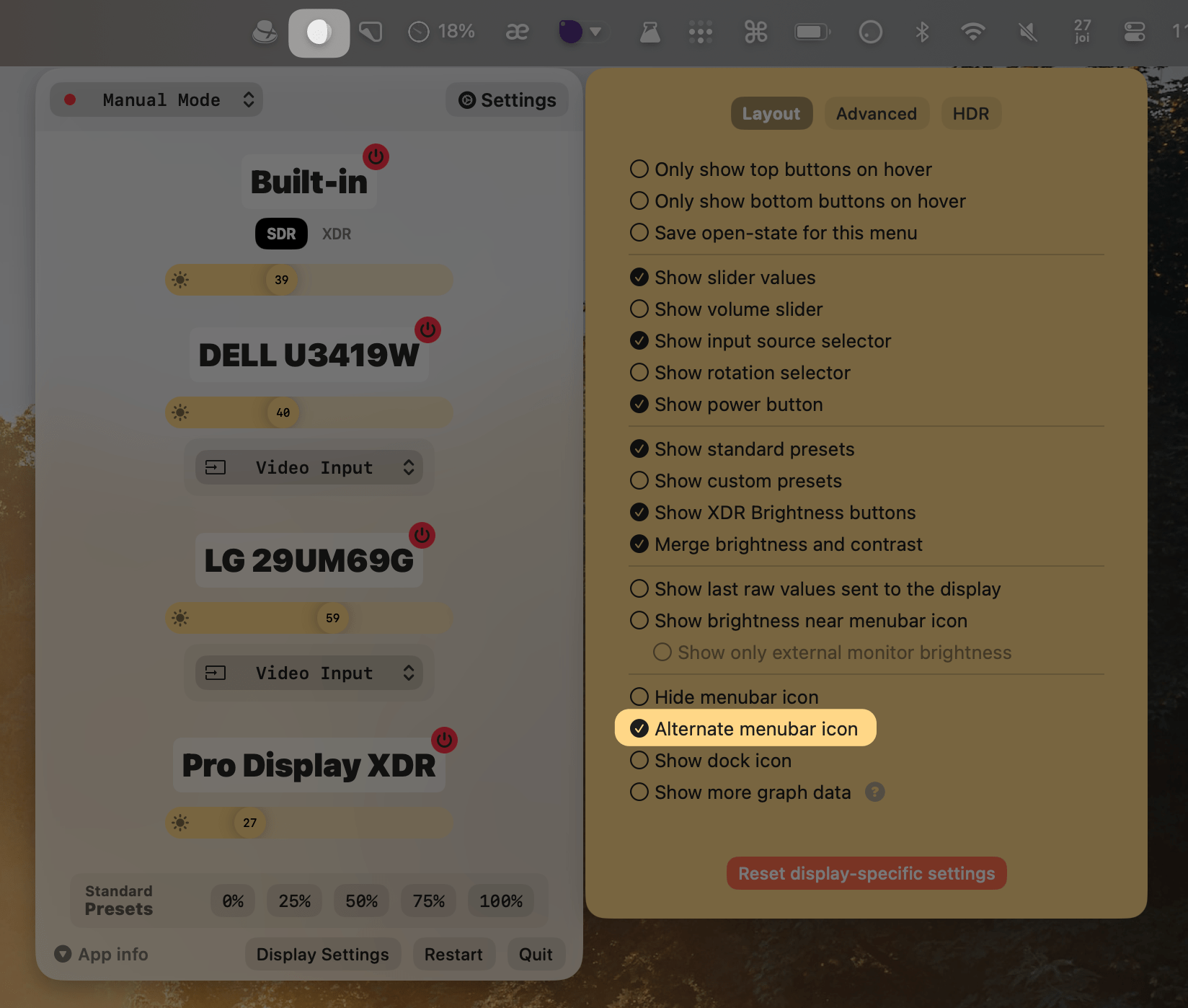
* Add alternate menubar icon for people with **trypophobia**
### Improvements
* Don't automatically activate XDR when **holding** the brightness up key
* It still activates when pressing the key after 100% brightness
### Fixes
* Fix Main Screen ID fetching
# 6.2.1
### Fixes
* Fix auto-learning logic for contrast
* Ensure brightness and contrast values don't overshoot the min/max values
# 6.2.0
### Improvements
* Don't beep when doing fine volume adjustments
### Features
* Add `--source-address` to `lunar ddc` command for monitors that allow some DDC commands only on the service port (e.g. [most newer LG models](https://github.com/rockowitz/ddcutil/issues/100#issuecomment-1634924423))
* Add **LG specific inputs** for those models where input switching only blinks the monitor but doesn't actually switch the input
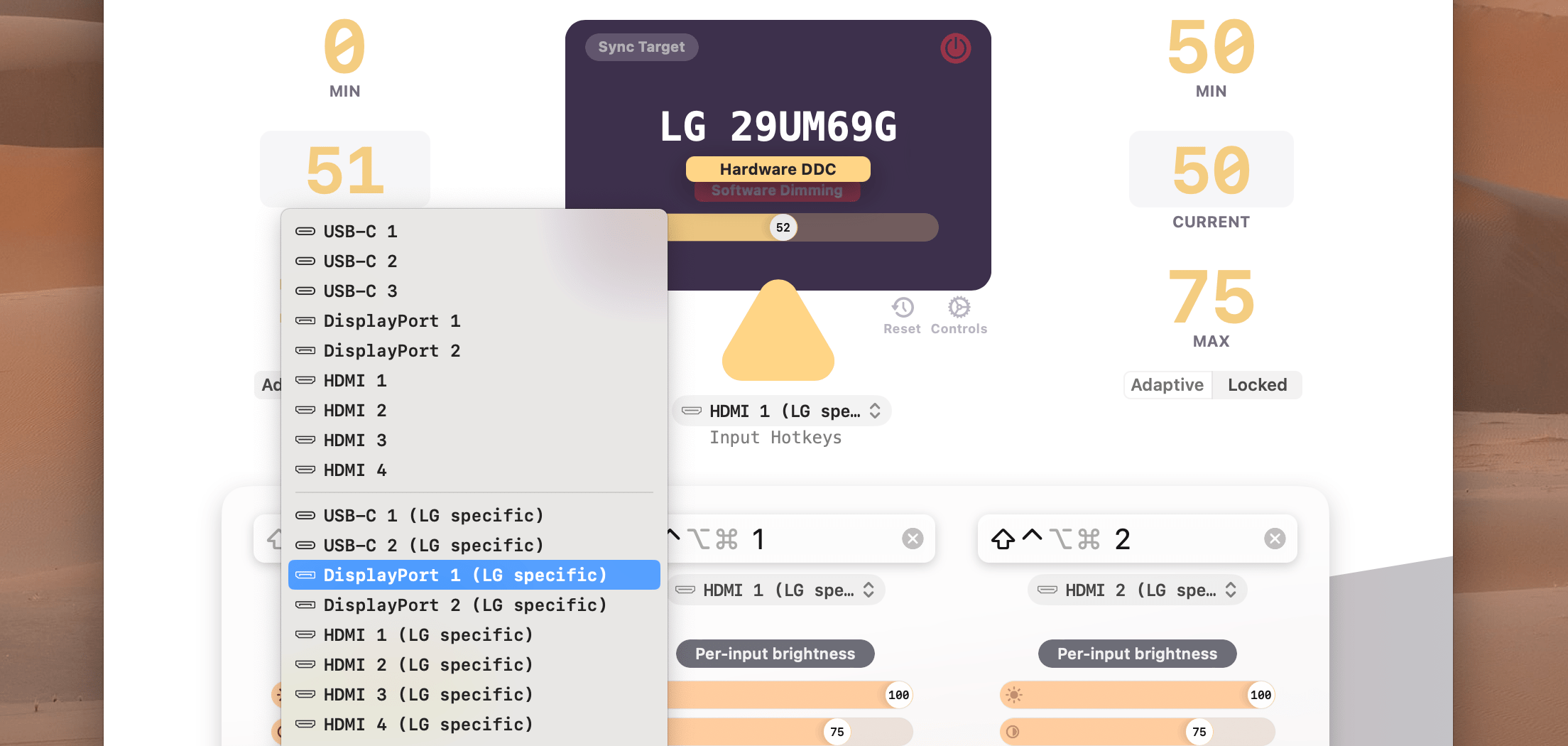
The new inputs can also be accessed from [macOS Shortcuts](https://lunar.fyi/shortcuts#switch-inputs) or from the CLI using commands like:
```sh
lunar displays lg input lgHdmi1
# Newly added inputs:
# lgHdmi1 lgHdmi2 lgHdmi3 lgHdmi4
# lgUsbC1 lgUsbC2 lgUsbC3 lgUsbC4
# lgDisplayPort1 lgDisplayPort2 lgDisplayPort3 lgDisplayPort4
```
Some LG models respond to the `3` and `4` inputs while others use the `1` and `2` inputs. For example **32UD99** uses `USB-C 3` and `DisplayPort 3` while **32QN650** uses `USB-C 1` and `DisplayPort 1`.
### Fixes
* Fix VCP code for LG specific inputs
* Fix zero coordinates in UI even when location is available
* Fix sensor flasher not assigning the correct IDs to the sensors
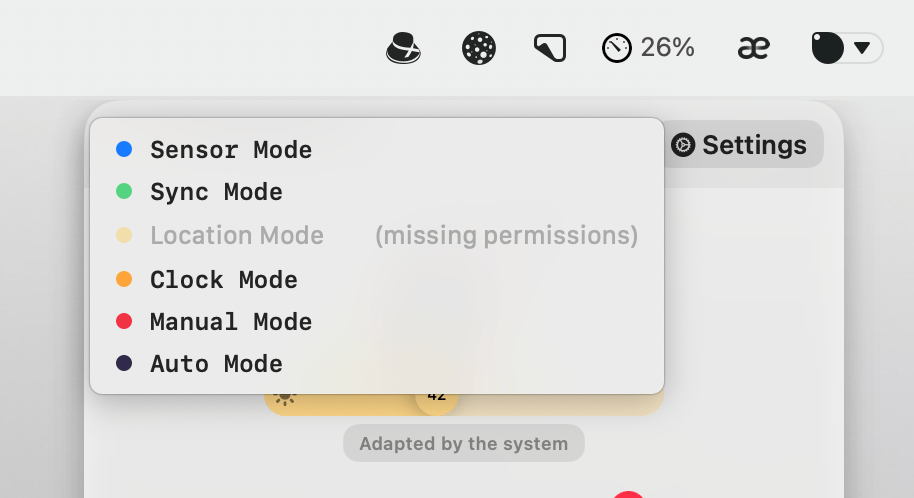
* Show when **Location Mode** doesn't have permissions to request actual coordinates
# 6.11.2
## Fixes
- A failed licence activation now names the likely cause (a blocked hosts file, a firewall, or no connection) instead of a generic error
# 6.11.1
## Fixes
- Clicks reach the display settings again on macOS 27
- The menu bar icon closes the Lunar menu again on macOS 27, and clicks inside the menu no longer close it
- The Lunar window no longer opens by itself when Siri or another system agent activates Lunar
- Activating a licence that has reached its activation limit frees the oldest activation in more cases, instead of failing with a generic error
# 6.11.0
## Fixes
- The Lunar window no longer opens by itself when a Shortcut runs a Lunar action or activates Lunar
- macOS 27 crash fix
## Breaking changes
- Lunar now requires macOS 12 or newer
**Note:** this will most likely be the last v6 release. **Lunar v7** is a rewrite of the whole brightness control engine and UI that will be released in September-October, dropping support for Intel and macOS versions older than 14.0 to get rid of legacy workarounds and hacks that accumulated over the past 7 years.
**Lunar v7 will be a free upgrade and will not require any additional payment for people who already bought Lunar Pro.**
# 6.10.4
## Fixes
- Fix brightness OSD not appearing sometimes
# 6.10.3
## Fixes
- Sync Mode: switch from the *All Displays* placeholder to the real source as soon as it becomes available after wake (e.g. when the source display recovers from blackout/darken)
# 6.10.2
## Fixes
- Fix Auto Mode selecting Sensor instead of Sync in specific cases
## Improvements
- Reduce energy impact when UI is not visible
# 6.10.1
## Fixes
- Fix performance regression on app launch time
# 6.10.0
## Fixes
- Re-compile with macOS 26.4 SDK to make Shortcuts appear again
- Fix Sync Mode being re-enabled after waking from long standby when using Manual Mode with built-in display blackout
# 6.1.5
### Features
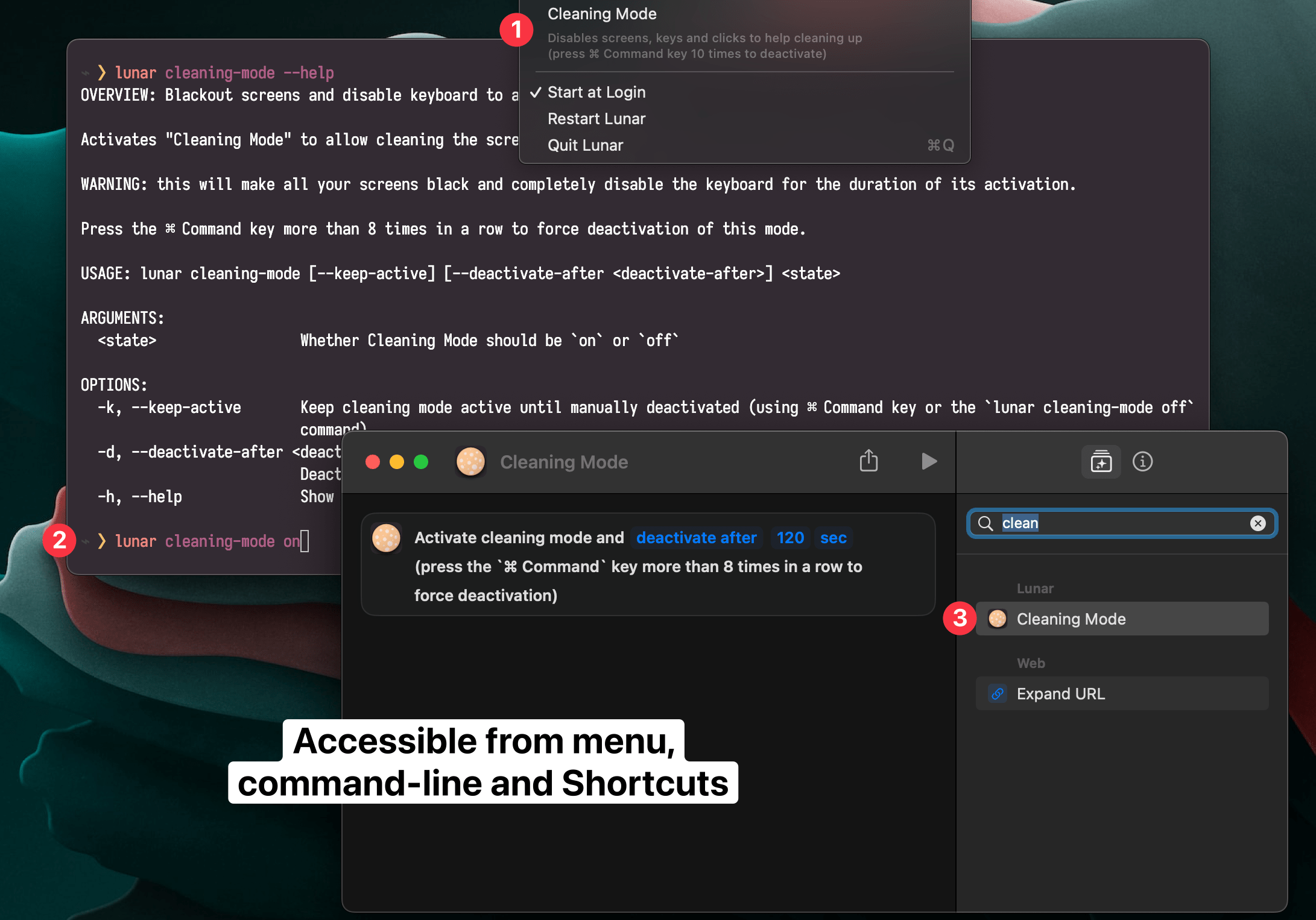
- **Cleaning Mode**: disable screens, keys and clicks to help cleaning the keyboard and screens
### Improvements
- Default max brightness to `500` for Dell Alienware monitors
- Keep HDR enabled after standby for external monitors when using XDR brightness
- Allow customizing I2C sensor pins
- Add support for more hardware light sensors:
- [BH1750](https://esphome.io/components/sensor/bh1750.html)
- [LTR390](https://esphome.io/components/sensor/ltr390.html)
- [MAX44009](https://esphome.io/components/sensor/max44009.html)
- [TCS34725](https://esphome.io/components/sensor/tcs34725.html)
- [TSL2561](https://esphome.io/components/sensor/tsl2561.html)
- [TSL2591](https://esphome.io/components/sensor/tsl2591.html)
### Fixes
- Fix **Auto XDR** blinking when battery is lower than 20%
# 6.1.4
### Improvements
- Add `disableExternalSensorWhenNoExternalMonitor` hidden setting
- Disable the new **Disconnect API** when DisplayLink is running
### Fixes
- Fix the **Force Sleep when lid is closed** functionality
# 6.1.3
## Fixes
* Fix **volume OSD** not appearing in **Sub-zero Dimming**
* Fix Sub-zero Dimming not working with the dark overlay in some cases
* Fix Lunar not responding for some users
## Features
- [MediaMate](https://wouter01.github.io/MediaMate/) integration:
- `lunar listen` CLI command for getting realtime brightness/contrast/volume changes
- `hideOSD` setting forces Lunar to not show any OSD whatsoever
# 6.1.2
## Fixes
* Fix `Overlay Dimming` not working anymore
# 6.1.1
## PWM flicker minimization
By combining hardware and software dimming at specific thresholds, Lunar can help people sensitive to PWM flickering.
*The below video shows how you can use the [Halide](https://halide.cam/) iOS app to find the lowest brightness where flickering starts to appear.*
---
#### How to use it
For 2021 Apple Silicon MacBooks, adjust the **Min Brightness** to `38` in [Display Settings](https://app.lunar.fyi/display/builtin) to get advantage of this.
Lunar will then use [Sub-zero Dimming](https://lunar.fyi/#subzero) below that value, which keeps the LED voltage steady while blocking light using the LCD.
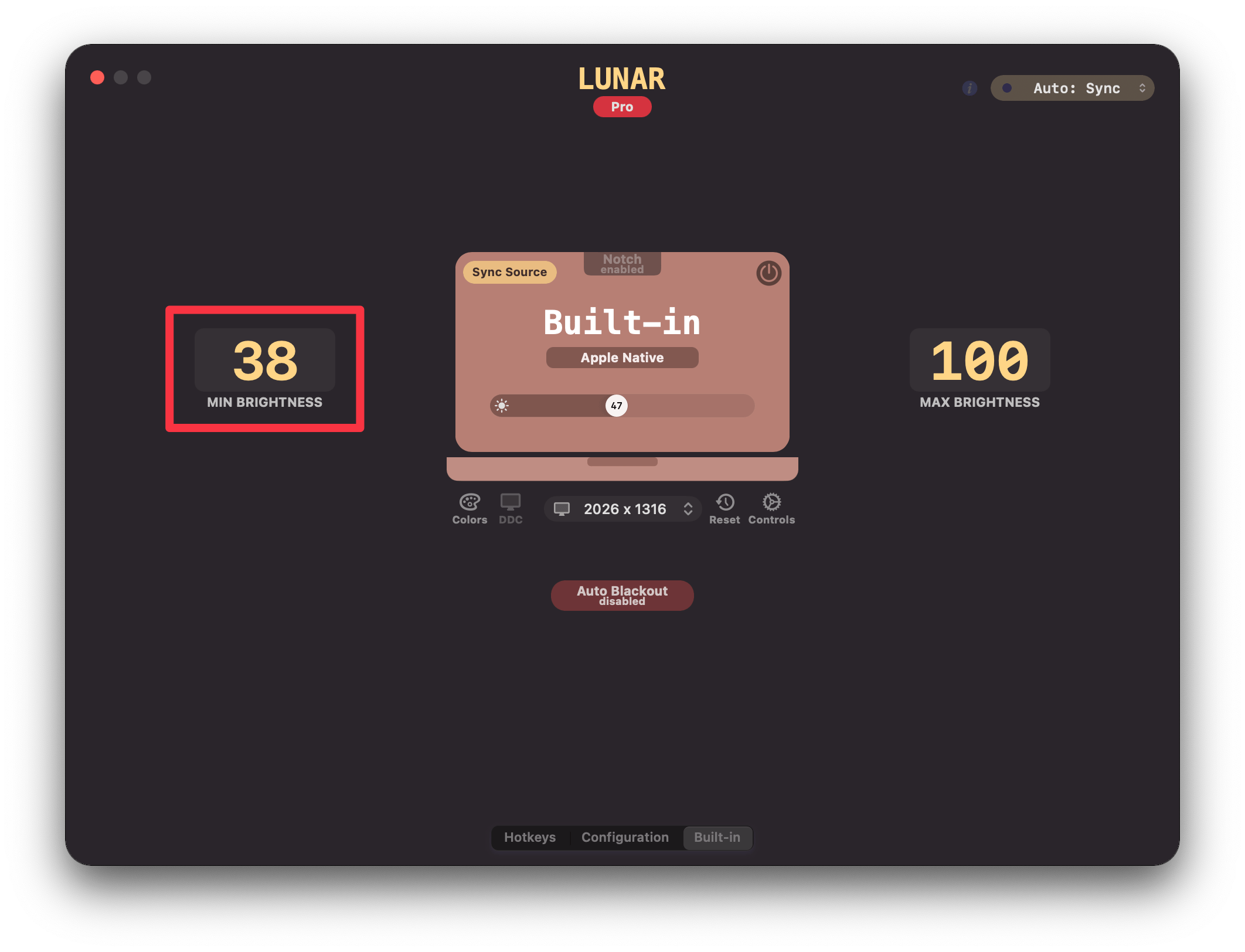
For external monitors and other screens, play with the **Min Brightness** setting until you find the threshold under which PWM flicker becomes noticeable.
Then set the minimum brightness to the lowest value that doesn't cause flicker.
---
## Improvements
* Added `sidecar` option to `lunar toggle-connection` CLI command
## Fixes
* Fix `Sub-zero Dimming` being overridden by the system adaptive brightness
* Fix contrast jumping from max to min when going to/from Sub-zero Dimming
* Fix flashes and sudden transitions when going in and out of `Sub-zero Dimming`
# 6.1.0
## Clock Mode improvements
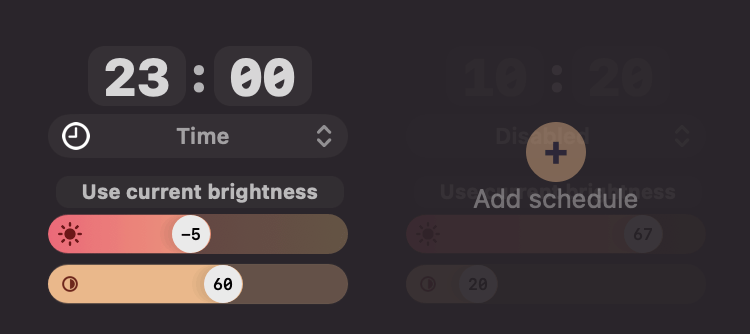
* Added **Sub-zero dimming** range *(can be disabled from the [Controls menu](https://app.lunar.fyi/display/controls))*
### Algorithm Variations
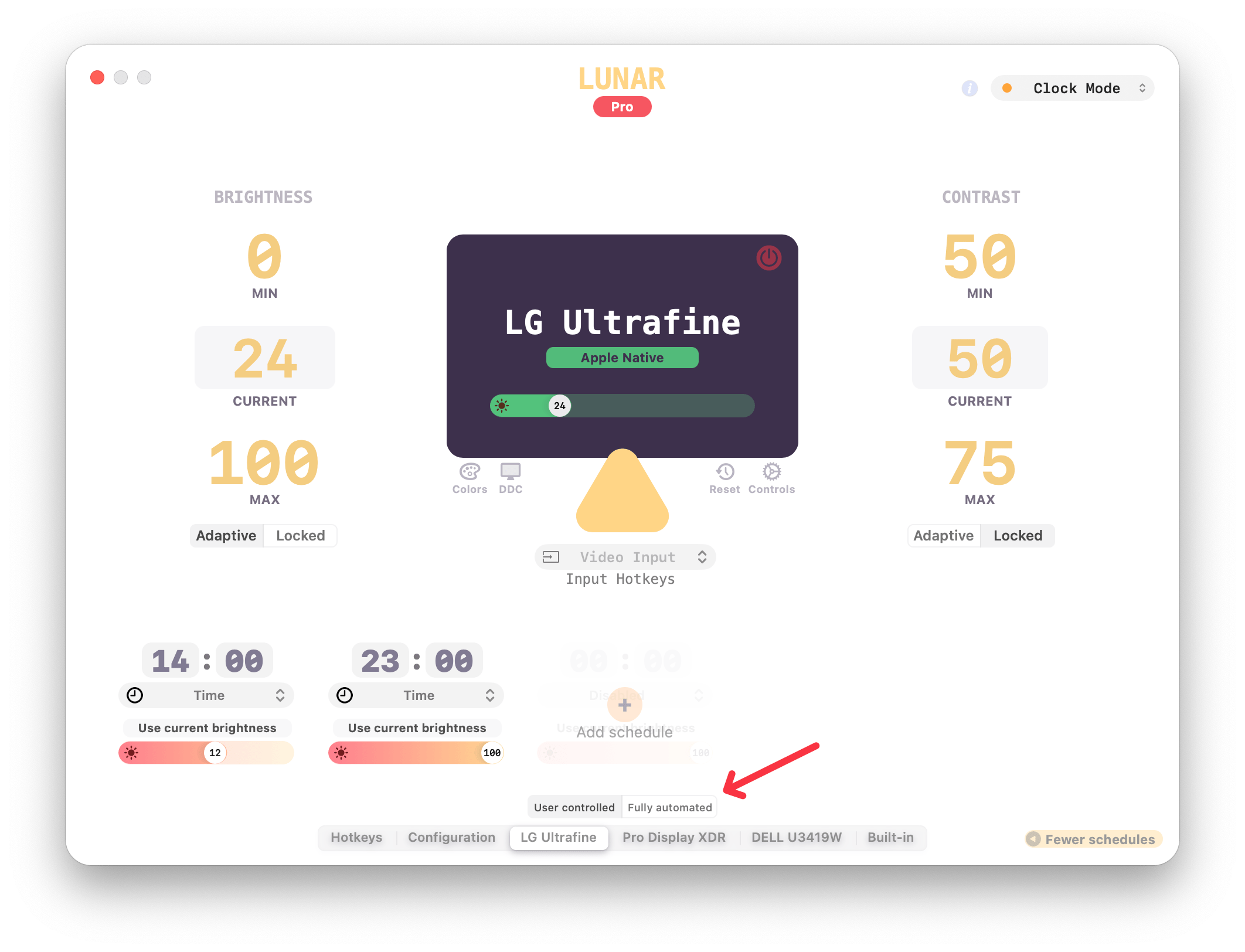
#### Fully Automated
This makes Clock Mode override any manual adjustments done by the user.
It also makes it re-apply the brightness of the previous schedule after standby/wake or after a screen reconnection.
#### User Controlled
This makes Clock Mode respect manual adjustments done by the user.
Brightness will always transition to the next schedule starting from the user adjusted brightness.
Also if the system wakes within 30 minutes of a passed schedule, the brightness of that previous schedule is re-applied
### Features
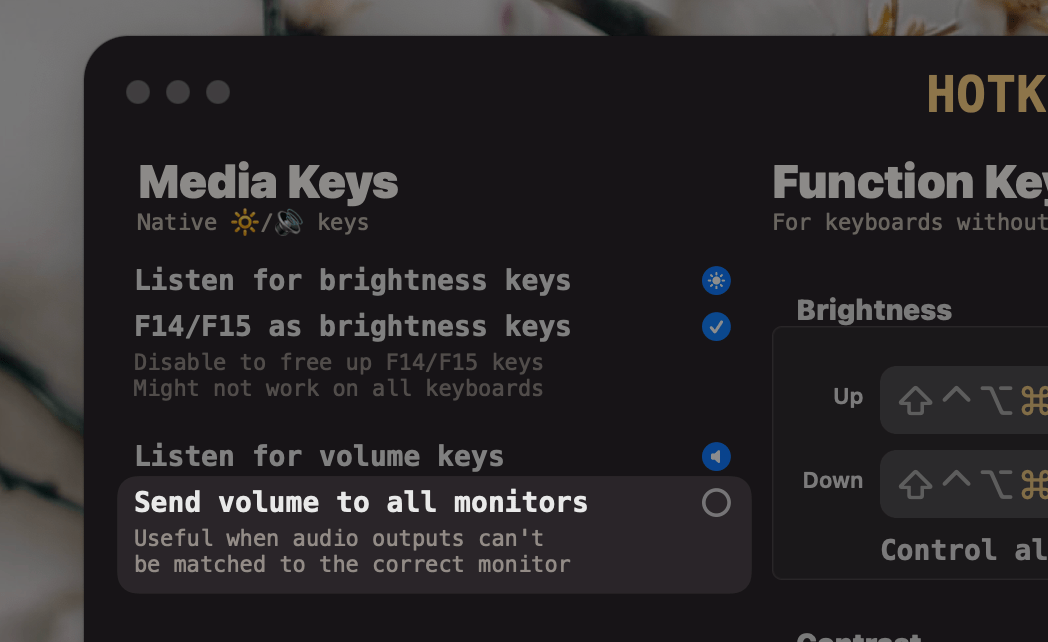
* Add **Send volume to all monitors** setting
* Helpful for setups with multiple similar monitors, where the audio device can't be matched to the correct monitor
## Improvements
* Remove **Menu** button and allow `Control`+`Click` on the menubar icon to see the menu
* `Right Click` or `Two Finger Trackpad Click` also works
* Renamed *Options* button to *Settings*
* Renamed *Preferences* button to *Display Settings*
* Fix an annoying macOS bug that keeps resetting the brightness of Apple displays to `50%` after wake
* Remove the `jitterAfterWake` setting since it's no longer needed
* When disconnecting a screen, re-apply previous scaling on remaining screens one by one instead of all at once
# 6.0.3
## Features
* `Watchdog`: restart Lunar when it hangs
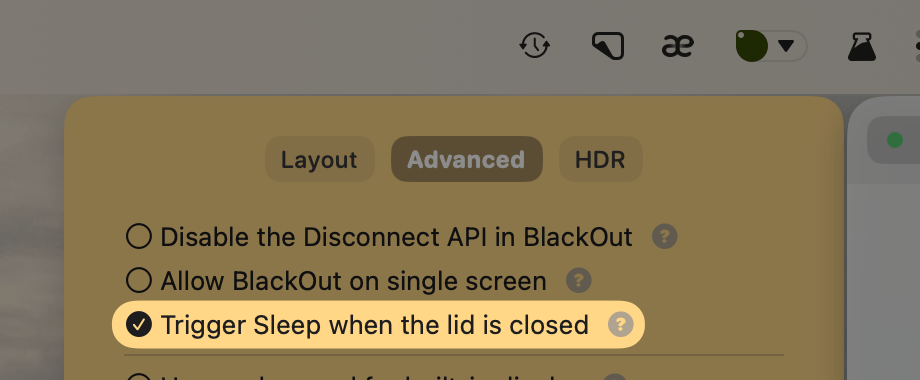
* **Trigger Sleep when the lid is closed** feature
* for those people that want the Mac to sleep when closing the lid while connected to a monitor and charging
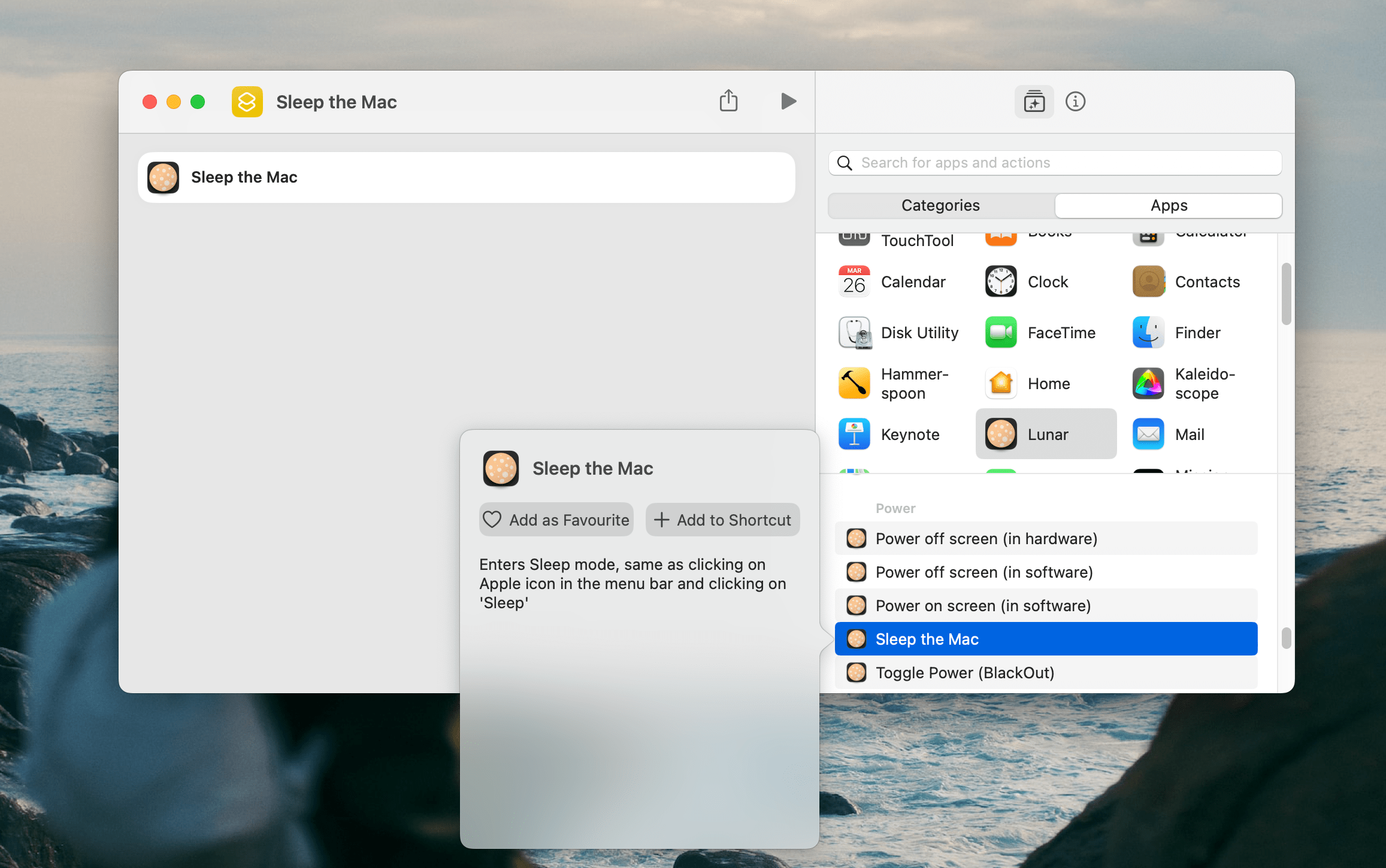
* **Sleep the Mac** Apple Shortcut
## Improvements
* Allow for steeper curves in Sync/Sensor/Location modes
## Fixes
* Sync Mode should not flicker anymore
# 6.0.2
## Features
* `Watchdog`: restart Lunar when it crashes
* some crashes happen because of causes outside Lunar's control
* this will ensure Lunar keeps running until the user quits it explicitly
* when crashing too often, the Watchdog will be disabled automatically
* **[Fix Monitor Arrangement](https://lunar.fyi/shortcuts#fix-monitor-arrangement)** Shortcut to aid in repairing horizontal arrangements that get swapped around by the system
## Improvements
* Better performance and lower CPU usage when the menu is not visible
* Show **"Possibly disconnected"** displays:
* these are displays that have **Auto Disconnect** enabled but can't be detected as having the cable connected or not
* they are always shown until connected to make sure there's always a way to disable Auto Disconnect
# 6.0.1
## Features
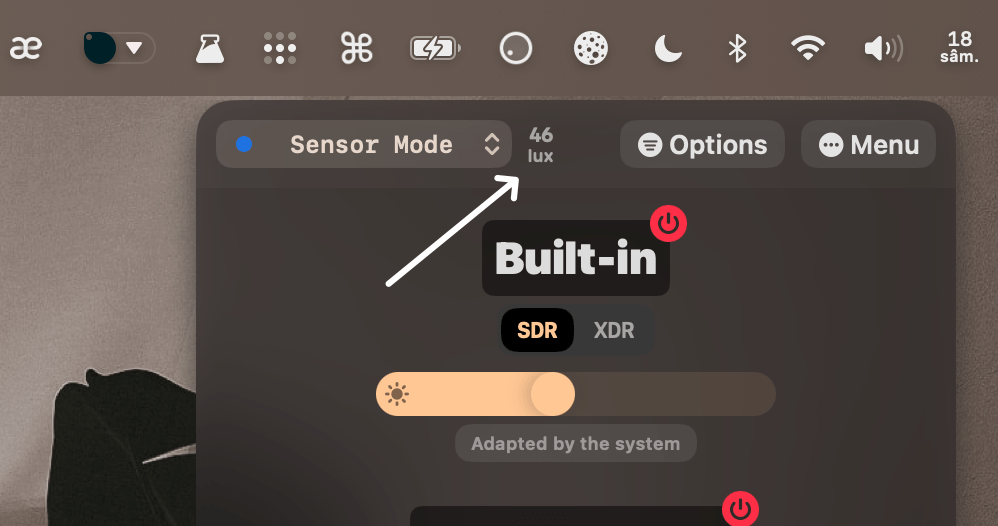
* Show useful info about the adaptive mode in the menu header
## Improvements
* Improved **Reconnect** and **Toggle Connection** Shortcuts by returning the `UUID` of the connected screen
* This can be observed in use on the new [Lunar Shortcuts webpage](https://lunar.fyi/shortcuts)
## Fixes
* Fixed some crashes and hangs
# 6.0.0
*This is a free major version update. Existing Lunar Pro users can keep using their existing license without any action on their part.*
## Sync Mode: new algorithm
### Nits syncing
*(Apple Silicon only)*
Lunar can now read the real brightness value in **nits** from Apple displays and sync it more accurately to other monitors.
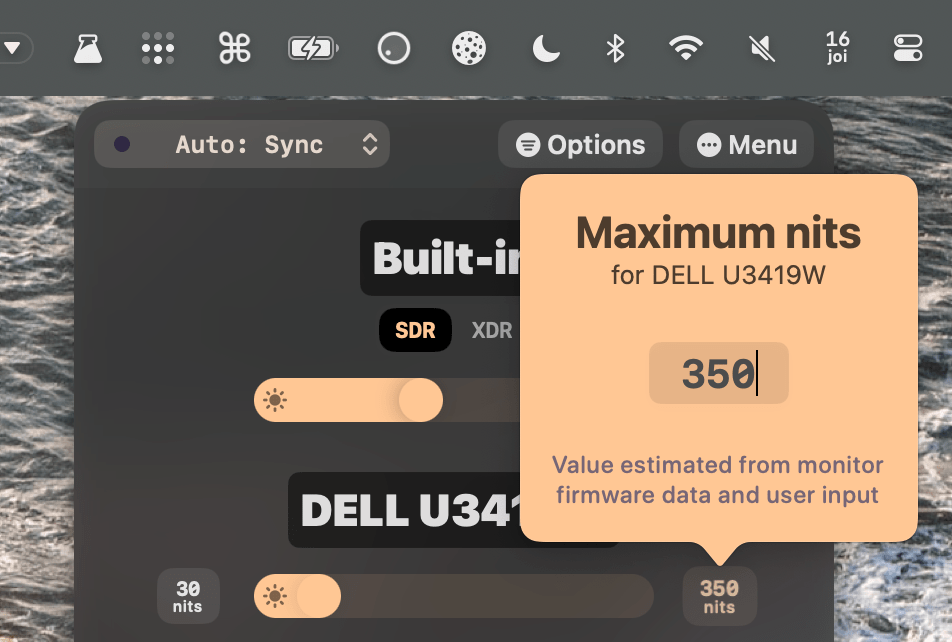
Most external monitors don't provide a way to read their min and max nits limits, so they start with a default range of 30-350 nits. Those limits can be adjusted from the Lunar interface:
### Sync without a source
Sync Mode can now be used on all setups, even on those where there's no Apple display to sync from.
An **All Displays** slider will show up which will control the brightness and contrast of all screens in sync. Brightness keys will also control this special slider by default.
Any manual adjustment done to other monitors will be learnt and used by the **All Displays** slider.
### Optimizations
The adaptive algorithm is now faster and more efficient, with an almost instantly responsive auto-learning curve. This is thanks to using better researched math formulas and new data structures tailored to brightness syncing.
The native brightness OSD will now show up on all monitors instead of only on the source display.
Polling is not used anymore, relying completely on a brightness change event based system, for less battery and CPU usage.
## Sensor Mode: more sensors
### Integrated sensors
*(Apple Silicon only)*
Lunar can now read ambient light lux values from sensors of Apple displays like:
- Studio Display
- Pro Display XDR
- LG UltraFine for Mac
- Thunderbolt Display
- LED Cinema
### Wireless sensors
DIY ambient light sensors will now **connect faster** to Lunar, and keep a more **stable connection** between standby/wake states.
The sensor can also be configured more flexibly using the `defaults` command on the Mac where Lunar is running. This is especially helpful for when the [lunarsensor server](https://github.com/alin23/lunarsensor).
There are three settings that affect where Lunar looks for the sensor:
- `sensorHostname` set by default to `lunarsensor.local`
- `sensorPort` set by default to `80`
- `sensorPathPrefix` set by default to `/`
For example, if you would like to have Lunar listen for sensor events at `homeassistant.local:8123/lunar/events` you would run the following commands:
```sh
defaults write fyi.lunar.Lunar sensorHostname homeassistant.local
defaults write fyi.lunar.Lunar sensorPort 8123
defaults write fyi.lunar.Lunar sensorPathPrefix /lunar
```
### Lux-to-nits curve
Sensor Mode now starts with a better researched and tested curve that converts the ambient light to real nits for each display.
On Apple Silicon, the estimated nits limits from Sync Mode will also be taken into account to compute an accurate brightness value for each display.
## BlackOut
On Apple Silicon devices running macOS Ventura, BlackOut now uses a new API that can **disconnect the screen completely**.
The power button will show the action that it will do based on the modifier keys that are pressed:
### Auto Disconnect
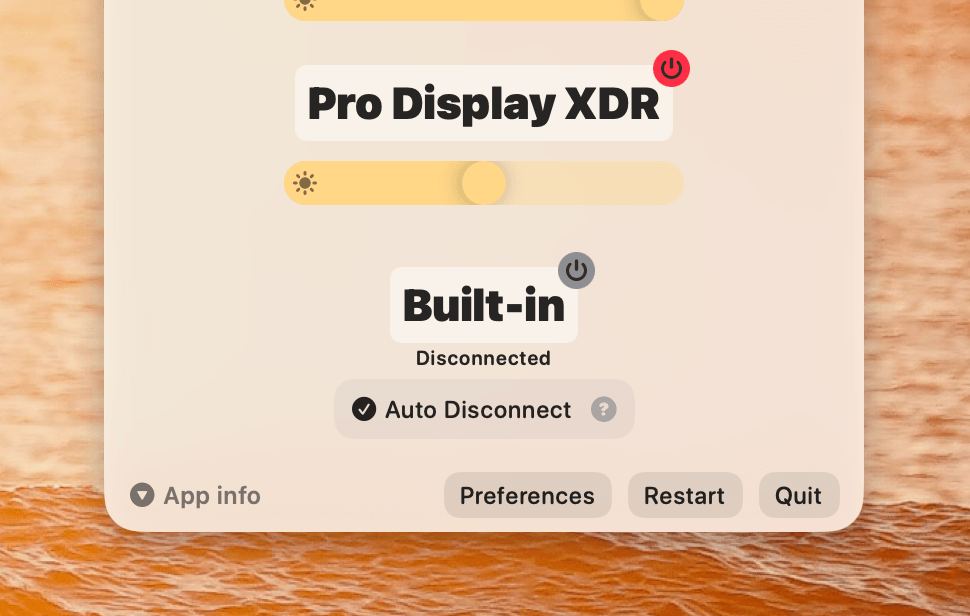
When a screen is disconnected, it will appear at the bottom of the Lunar menu, with an option to enable the **Auto Disconnect** feature.
This will ensure the display stays disconnected between standby/wake and lid open/close cycles.
For the **MacBook built-in screen**, this also enables the previous **Auto BlackOut** feature which disconnects the MacBook screen when a monitor is connected, and turns it back on when all monitors are disconnected.
## Sidecar
If you ever wanted to use a keyboard shortcut for connecting a Sidecar device, Lunar now supports that.
There's a new action in Apple Shortcuts that can connect a specific Sidecar iPad, and the `Connection` actions have been updated to support *the most recently used Sidecar*:
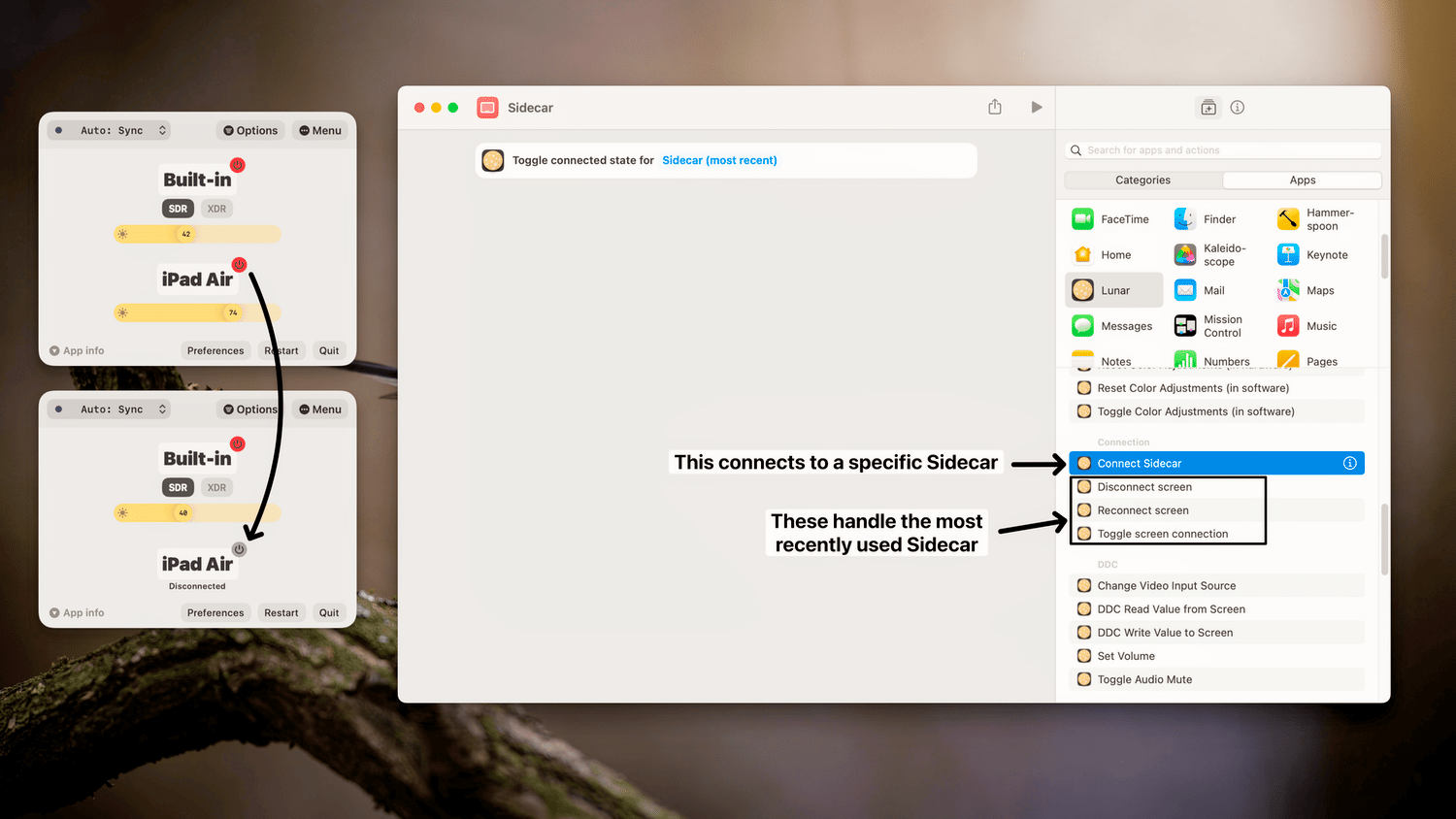
BlackOut can also natively disconnect/reconnect Sidecar devices on Apple Silicon.
## DDC
Support for brightness/volume control using DDC has been stabilised for the integrated HDMI port of the M1 and M2 chips.
The previous logic was also improved to avoid possible flickering and speed up DDC port matching.
## Other improvements
### Settings
Some settings have been regrouped, and some are now hidden if they aren't relevant to the hardware in use.
It's also possible now to use the **Reset button** from the [Options menu](https://app.lunar.fyi/options) to:
- **Reset All Settings** by `Option`-clicking
- **Reset display-specific Settings** by `Command`-clicking
### Logging
Lunar is now using the native unified logging architecture on macOS.
Logs can now be viewed in Console.app or in the terminal with the following command:
```sh
log stream --level debug --source --style compact --predicate 'subsystem == "fyi.lunar.Lunar" AND category == "default"'
```
There is no log file on disk anymore, logs can be collected on demand when they're needed to avoid excessive disk writes.
# 5.9.5
## Features
#### Support for **M2 Pro/Max**
Both Thunderbolt/DP and HDMI connections on M2 Pro/Max should support DDC in this version.
### Disconnect screens
You'll notice two new actions in macOS Shortcuts: **Disconnect screen** and **Reconnect screen**.
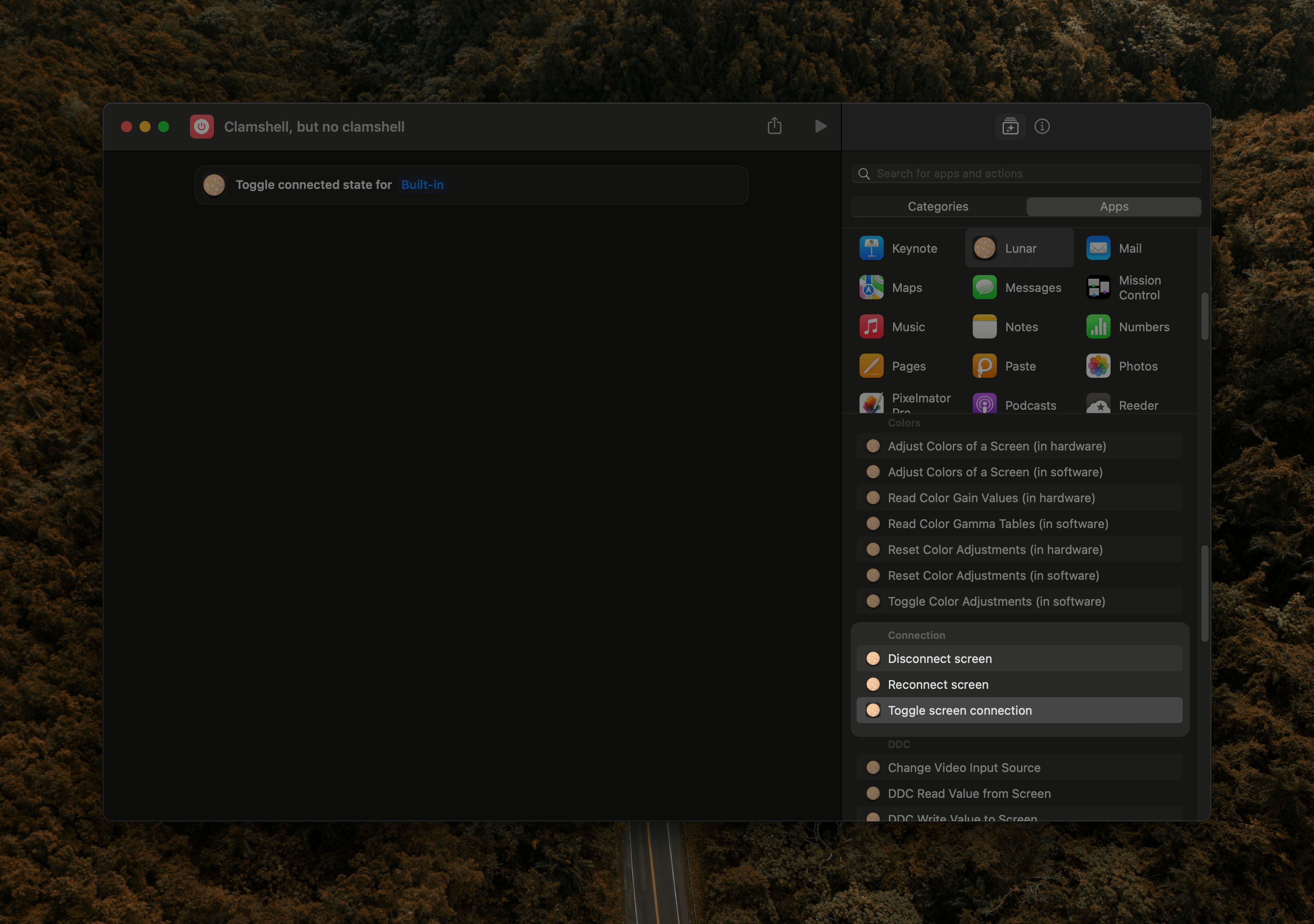
This new method can really disconnect and power off the screen just like closing the MacBook lid or disconnecting a cable would do, freeing up the GPU resources.
You retain the ability to use the MacBook keyboard/trackpad/webcam as usual, and disconnected external monitors *usually* keep the ability to charge the laptop.
These are the effort of reverse engineering the MacBook's clamshell mode which you can read about [in this article](https://alinpanaitiu.com/blog/turn-off-macbook-display-clamshell/)
I'm planning to integrate them into BlackOut eventually but there's a lot more testing I have to do first.
## Improvements
* Make the arrangements/layouts in Shortcuts work when the main display is not the built-in display
* Add **"Set screen as main"** Shortcut
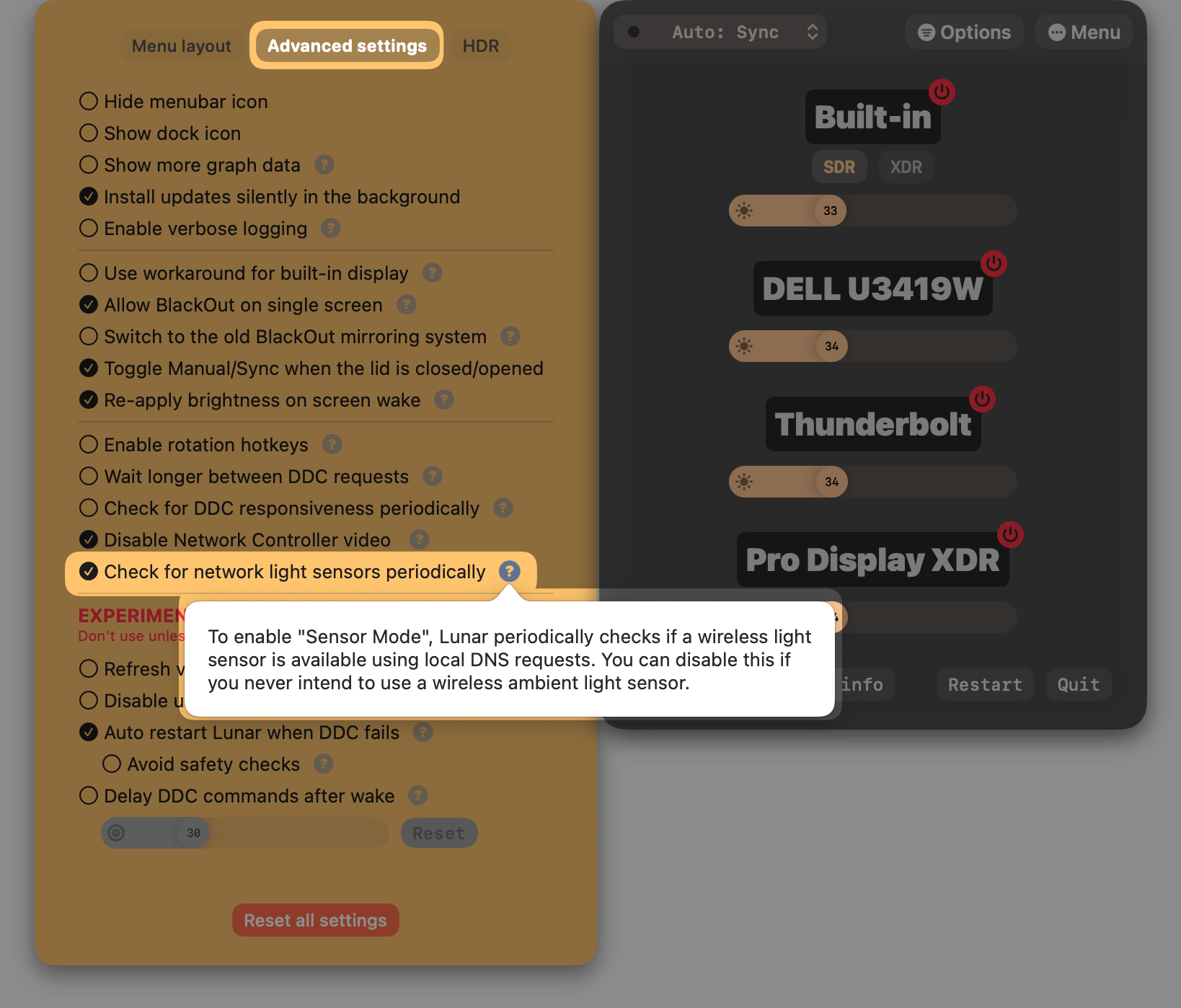
* Add a way to disable sensor checking on the network
* 
# 5.9.4
## Improvements
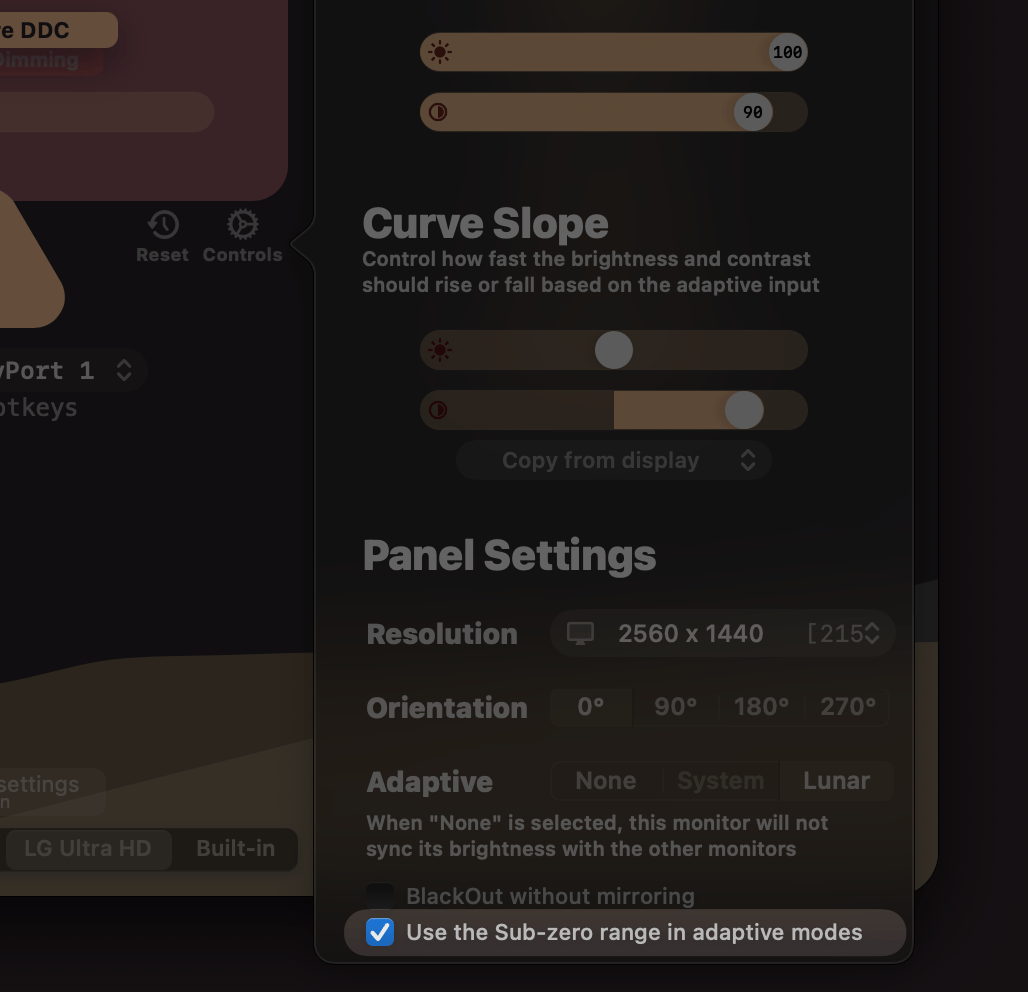
* Add `adaptiveSubzero` display property that allows disabling using Sub-zero Dimming range automatically in adaptive algorithms
* Add UI checkbox for the `adaptiveSubzero` setting
## Fixes
* Volume slider was not showing for network controlled monitors
* Lock the panel manager when using resolution/preset Shortcuts
# 5.9.3
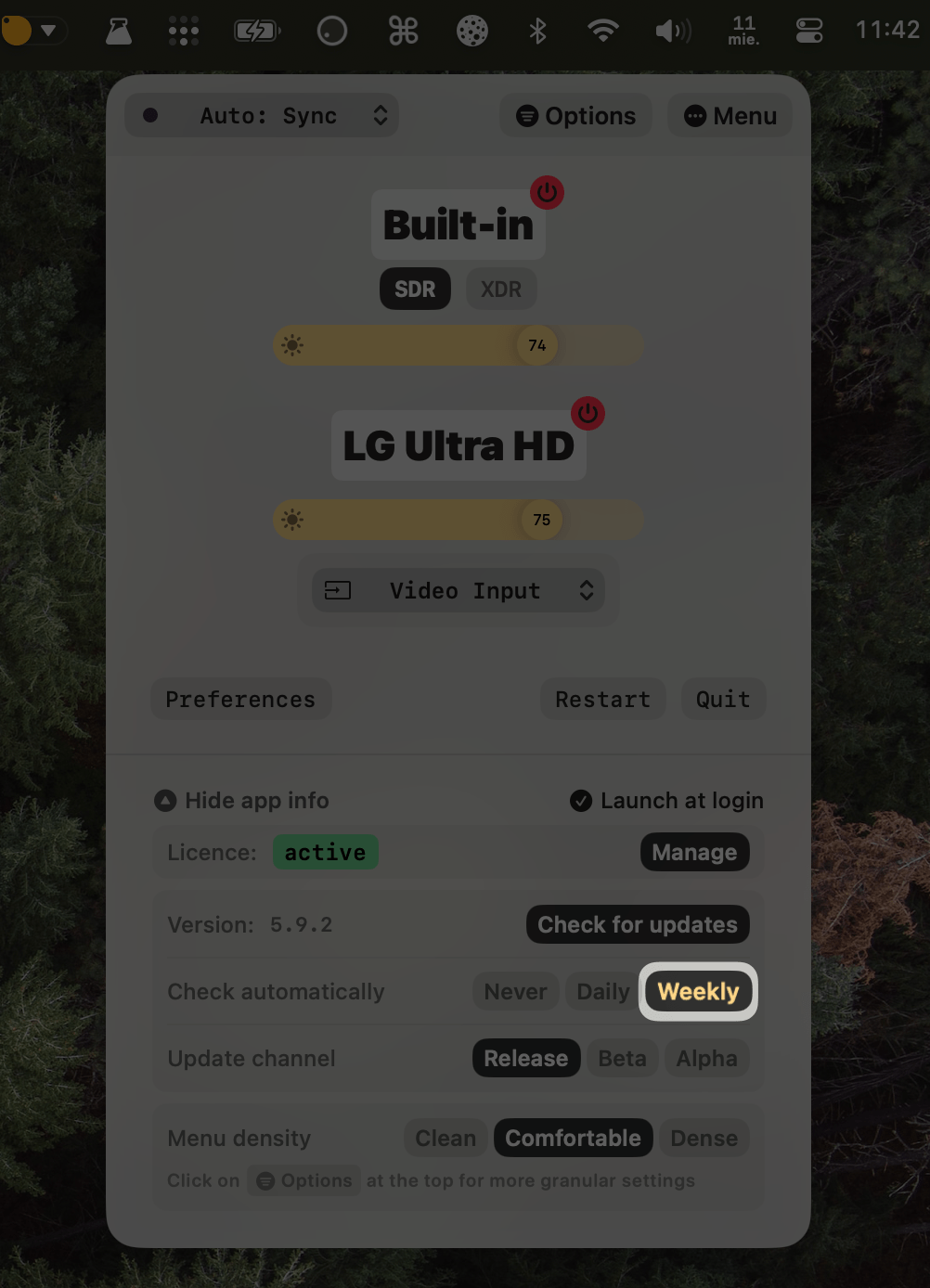
Sorry for the fast paced updates.
Here's a reminder of how you can switch to checking for updates less often:
## Fixes
* Fix wireless sensor detection
* Fix manual adjustments not being reset
* Fix Sync Mode polling interval 0 not working on Apple external displays
* Fix Apple displays brightness value not getting updated inside Lunar
* Fix Network Control not working
* Fix "Find Screen" Shortcut comparators
* Fix "Set Resolution" Shortcut
* Fix dragging Sub-zero Brightness slider not triggering the auto learning algorithm in adaptive modes
# 5.9.2
## Improvements
* Use new *"Launch at Login"* API on macOS Ventura and later
## Fixes
* Skip `nil` EDID UUID in DCP service *(fixes "Non-responsive DDC" on some setups)*
* Disable logging to file in non-verbose mode
* This should avoid some crashes and decrease load on disk
* Fix crash caused by using CFRunLoop unnecessarily
* Fix BlackOut not disabling mirroring when turning back on the display
* Fix DDC services not being assigned correctly to slower monitors
* Fix crash in network control code
# 5.9.1
## Hotfix
* Fix non-responsive DDC for some specific monitor models
## Features
### Adaptive Sub-zero Dimming
Full support for using Sub-zero dimming automatically inside adaptive modes like Sync/Sensor/Location.
The **Auto-learning** algorithm can now learn Sub-zero brightness values and apply them in the future based on the current ambient light or sun position.
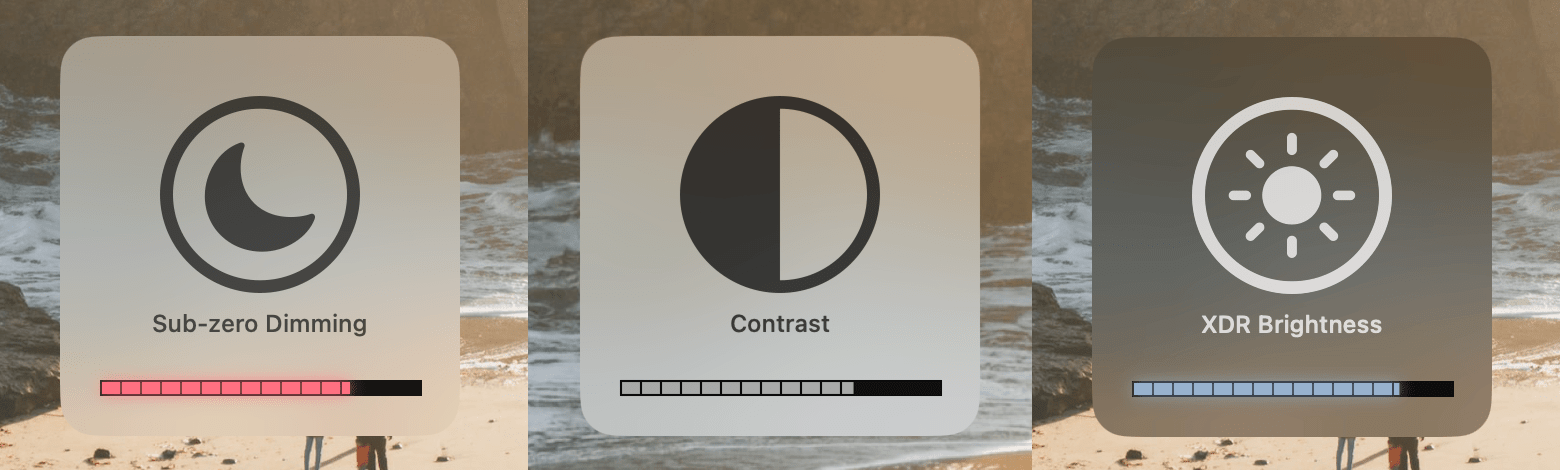
### Native OSD
for Sub-zero dimming, XDR Brightness and Contrast adjustments
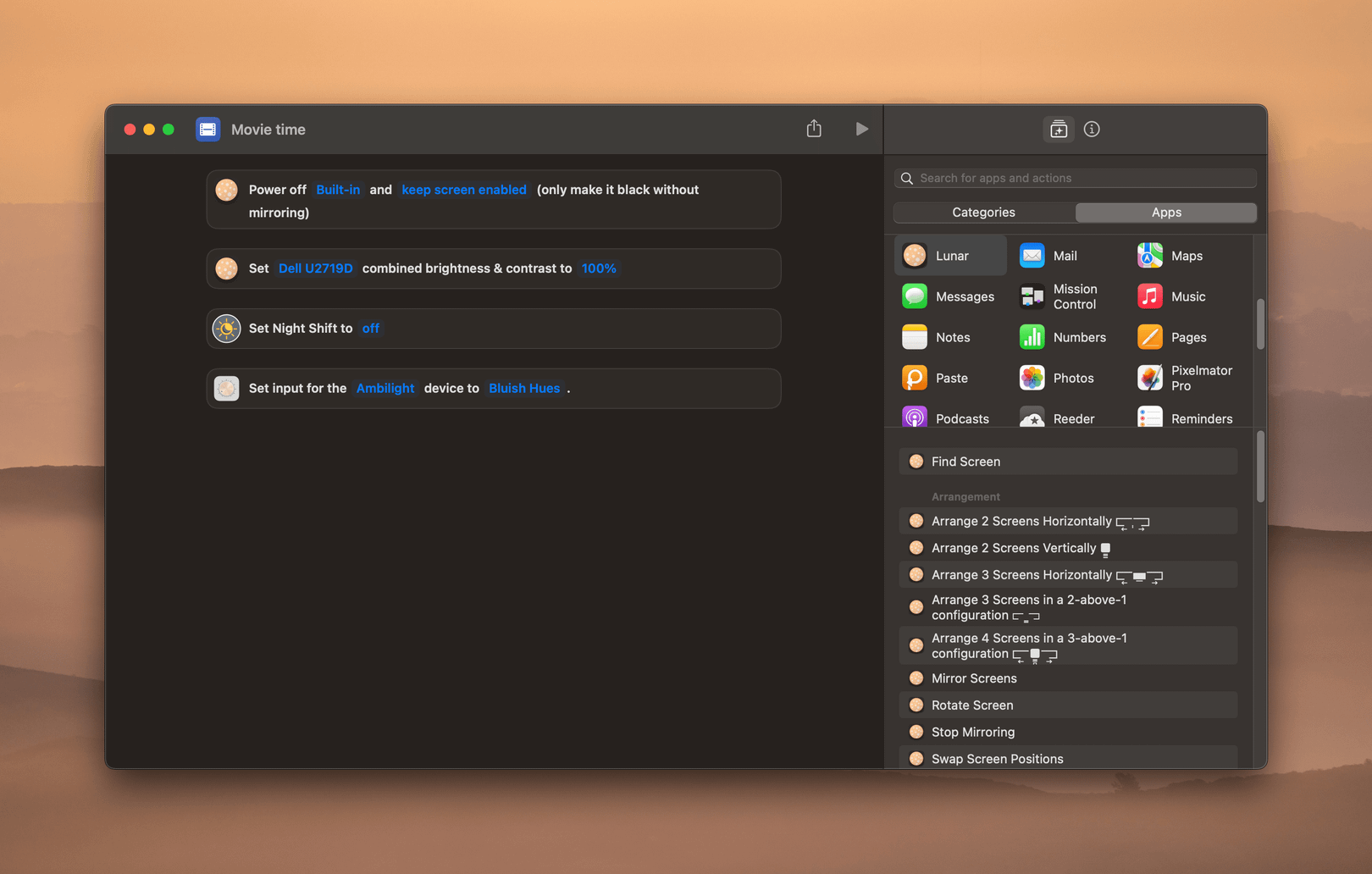
### macOS **Shortcuts**
* Control brightness, volume etc. of a screen
* Change Lunar adaptive modes and apply global presets
* Plus actions that can be done exclusively in Shortcuts:
* Swap monitors
* Mirror any combination of screens
* Arrange screens in various layouts
* Change resolution and frame rate with a hotkey
* Change presets with a hotkey (easily access reference presets like *Design & Print* or *Photography*)
### New DDC algorithm
* Adds compatibility for the **built-in HDMI** port of the newer Apple Silicon Mac devices
* *Remember to enable DDC from the [Controls menu](https://app.lunar.fyi/display/controls) of the HDMI display if it was previously disabled*
* Improves writing speed with an algorithm that adapts to each monitor's I²C max speed
* Improves DDC Read reliability
## Improvements
* Allow changing the ambient light sensor hostname from the command line
* `defaults write fyi.lunar.Lunar sensorHostname mysensor.local`
* Make BlackOut without mirroring a bit faster
* Better detection for MCDP29XX chips
* Better detection for projectors and virtual displays
* Deactivate license on oldest device automatically when activation fails
## Fixes
* Fix custom hotkeys not allowing *hold to change continuously*
* Fix possible crash when `MPDisplayMgr` can't lock access to displays
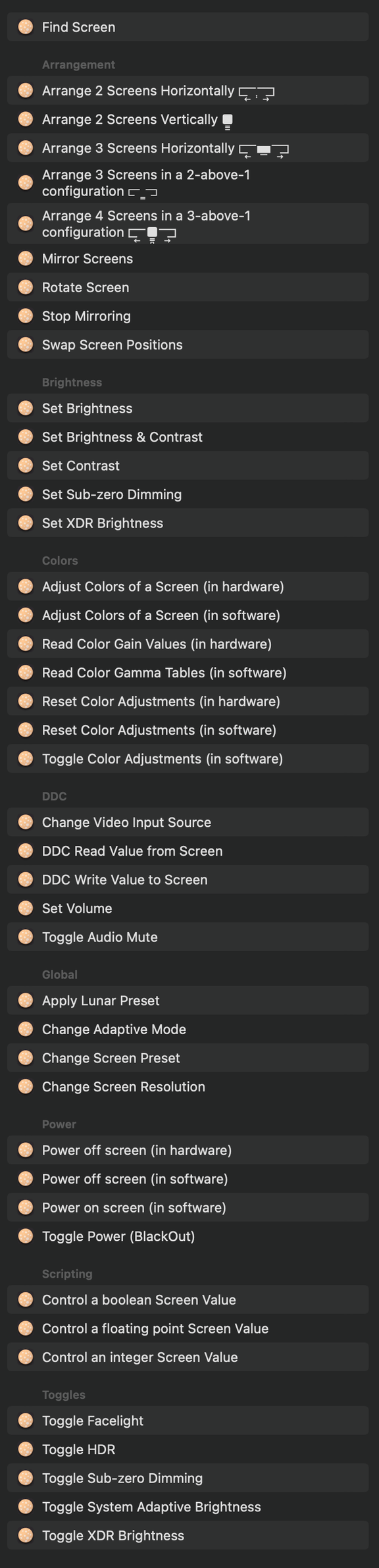
#### Full list of macOS Shortcuts
# 5.9.0
## Features
### Adaptive Sub-zero Dimming
Full support for using Sub-zero dimming automatically inside adaptive modes like Sync/Sensor/Location.
The **Auto-learning** algorithm can now learn Sub-zero brightness values and apply them in the future based on the current ambient light or sun position.
### Native OSD
for Sub-zero dimming, XDR Brightness and Contrast adjustments

### macOS **Shortcuts**
* Control brightness, volume etc. of a screen
* Change Lunar adaptive modes and apply global presets
* Plus actions that can be done exclusively in Shortcuts:
* Swap monitors
* Mirror any combination of screens
* Arrange screens in various layouts
* Change resolution and frame rate with a hotkey
* Change presets with a hotkey (easily access reference presets like *Design & Print* or *Photography*)

### New DDC algorithm
* Adds compatibility for the **built-in HDMI** port of the newer Apple Silicon Mac devices
* *Remember to enable DDC from the [Controls menu](https://app.lunar.fyi/display/controls) of the HDMI display if it was previously disabled*
* Improves writing speed with an algorithm that adapts to each monitor's I²C max speed
* Improves DDC Read reliability
## Improvements
* Allow changing the ambient light sensor hostname from the command line
* `defaults write fyi.lunar.Lunar sensorHostname mysensor.local`
* Make BlackOut without mirroring a bit faster
* Better detection for MCDP29XX chips
* Better detection for projectors and virtual displays
* Deactivate license on oldest device automatically when activation fails
## Fixes
* Fix custom hotkeys not allowing *hold to change continuously*
* Fix possible crash when `MPDisplayMgr` can't lock access to displays
#### Full list of macOS Shortcuts

# 5.8.0
## Fixes
* Fix some memory leaks in the DDC AVService matching logic
* Fix volume not respecting the DDC configured range in some cases
## Improvements
* Resume **Adaptive Paused** after toggling from Manual to any other adaptive mode
* Print lux from external light sensor if available when using the `lunar lux` CLI command
* Add exception for VX2453 being detected as projector
* Add **Auto Restart** workaround for when DDC fails on rare setups
* The option is enabled by default and can be configured from [Advanced settings](https://app.lunar.fyi/advanced)
* [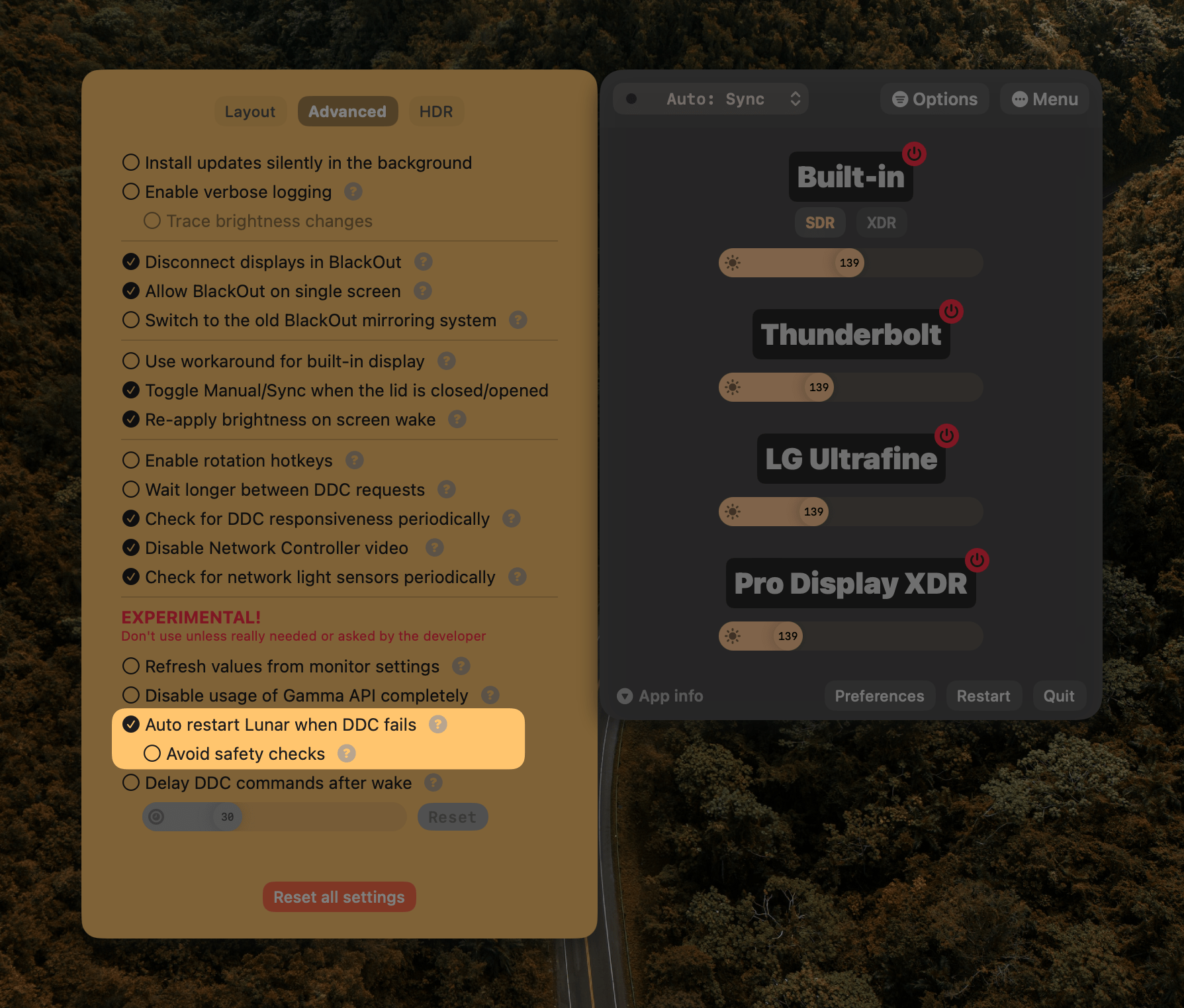](https://files.lunar.fyi/auto-restart-ddc-fail.png)
* Disable logic for fuzzy matching audio output devices when volume hotkeys are disabled
* Install CLI in the home dir to avoid permission errors
* When brightness transition is set to **Slow**, use faster **Smooth** transitions for manual brightness key adjustments
## Features
* Replace buggy fuzzy-matching logic with the Smith-Waterman algorithm written in Rust from Skim v2
* This should fix some crashes and make some monitor matching logic faster
* Add ALS support for SparkFun Thing Plus
# 5.7.9
## Fixes
* Improve text visibility in dark mode
# 5.7.8
## Fixes
* Fix **Options** menu overflowing the screen
* Fix **Options** menu forcing light mode UI
# 5.7.7
## Hotfix
* Fix **Options** menu not allowing slider dragging
* Decrease decay time when adjusting the Sync Mode curve to increase responsiveness
# 5.7.6
## Hotfix
* Fix **Options** menu not being readable in **Dark Mode**
# 5.7.5
## Features
* Allow keeping the Options menu open
## Improvements
* Move to a floating window approach for the menu bar to avoid blocking clicks under it
## Fixes
* Fix a crash caused by a recursive UI error
# 5.7.4
## Features
* Beep feedback when pressing volume keys (follows system setting)
* Hold `Shift` while pressing volume keys to invert behaviour
## Improvements
* Detect when user doesn't want XDR to be auto disabled in low battery situations
* Allow XDR/Subzero/BlackOut OSD to overlap the Dock
* This avoids overlapping the native brightness OSD
* Delay XDR and Sub-zero until next key press if brightness is already at max/min
* Disable Location Mode if permissions have been denied
## Fixes
* `Option`+`Shift` now uses 1% step for Subzero and XDR
* Update sensor firmware installer
* Add support for MagTag and Funhouse boards
* Stop checking for coordinates if location permissions have been denied
# 5.7.3
## Features
* Support for the **M2 CPU** family and the new `T811xIO` controller
## Fixes
* Allow streaming HTTP body in CLI implementation
# 5.7.2
## Hotfix
* Fix XDR Brightness detection for older MacBooks
# 5.7.1
## Hotfix
* Copy ESPHome configuration outside the app folder to avoid altering the bundle
* This fixes cases where the app was deactivated and deleted after installing the firmware on the ambient light sensor
# 5.7.0
## Features
* Add `lunar facelight` CLI command
* Add a mute/unmute button when hovering the volume slider
* Add option to toggle Dark Mode when using XDR Brightness for lowering power usage and LED heat
* The Night Shift disabling feature in XDR can now re-enable Night Shift if within the user schedule
* Add ALS support for Feather ESP32-S2 boards
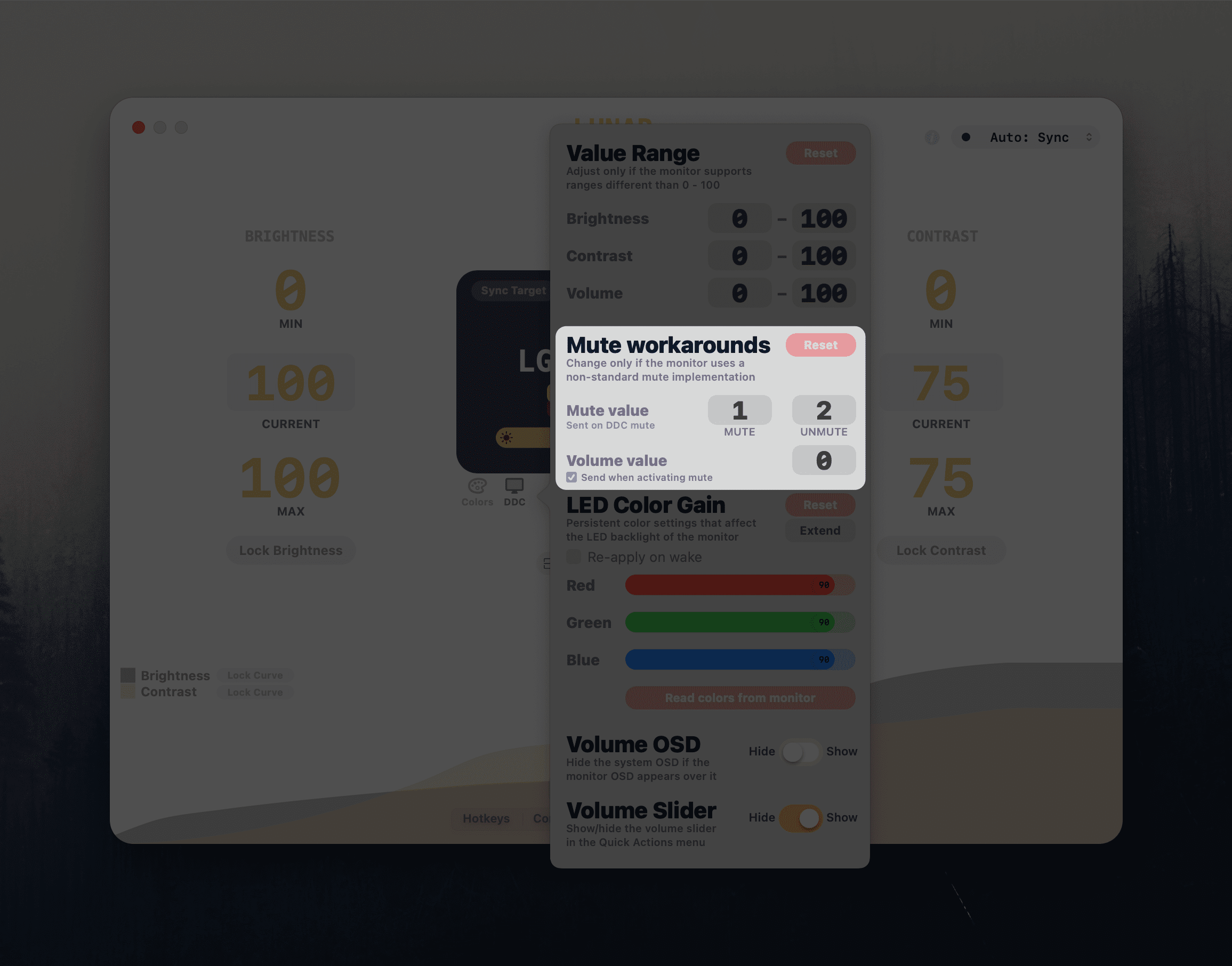
* Add configurable mute workarounds for monitors where mute doesn't work because of non-standard DDC implementations
## Improvements
* Minimise `INFO` logging
* Add log file rotation
* Add a way to stop sending the mute command and rely only on the volume value when muting audio
* Don't take volume DDC range into account when sending the mute workaround value
* React to screen sleep events faster to work around some buggy monitors that don't enter standby
## Fixes
* Don't show the Notch Disabled button on non-MacBook screens
# 5.6.8
## Hotfix
* Fix deadlock caused by the new `delayDDCAfterWake` setting
* Use `HUD` window level for the rounded corners mask window
* Forcefully disable the **Refresh values from monitor settings** option because it makes Lunar hang for too many users
* This setting is only helpful when brightness is changed outside of Lunar and is not needed in 99% of the cases
* Most of the monitors don't support DDC reading and Lunar can hang and lag because of waiting too long for a response from the monitor
* People that actually need the setting can re-enable it from the [Advanced settings](https://app.lunar.fyi/advanced) tab inside the **Options** menu
* Implement screen round corners using 4 corner mask windows instead of one large hidden window
* This is done to work around a macOS bug preventing clicks on dialog buttons even though the window is set to allow clicks through it
# 5.6.7
## Features
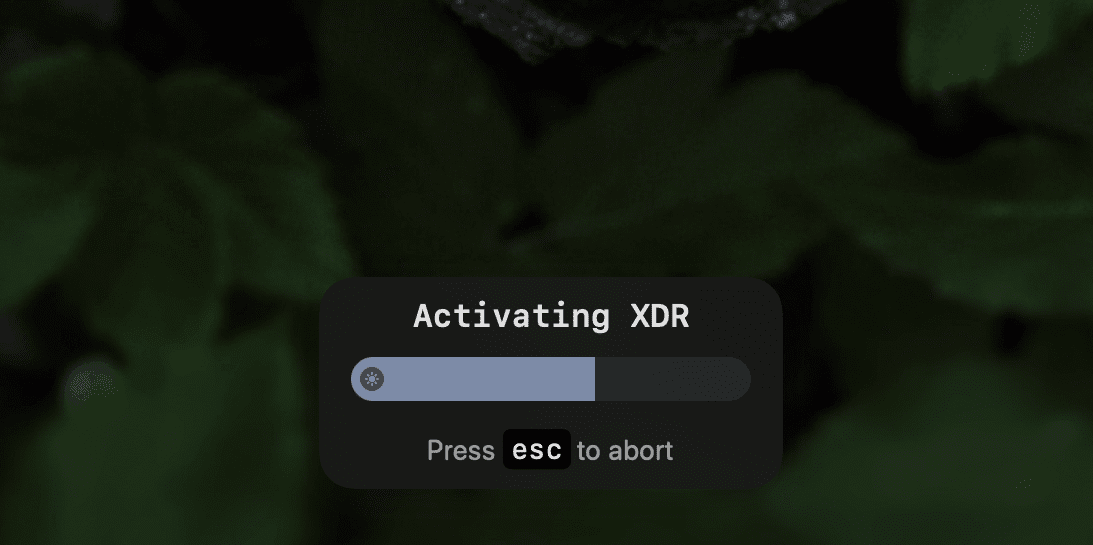
* **AutoXDR OSD**: Show an OSD when enabling XDR automatically based on ambient light
* Allows aborting the automatic XDR enabling by pressing the `Esc` key
* Can be disabled from the [HDR tab](https://app.lunar.fyi/hdr) of the **Options** menu
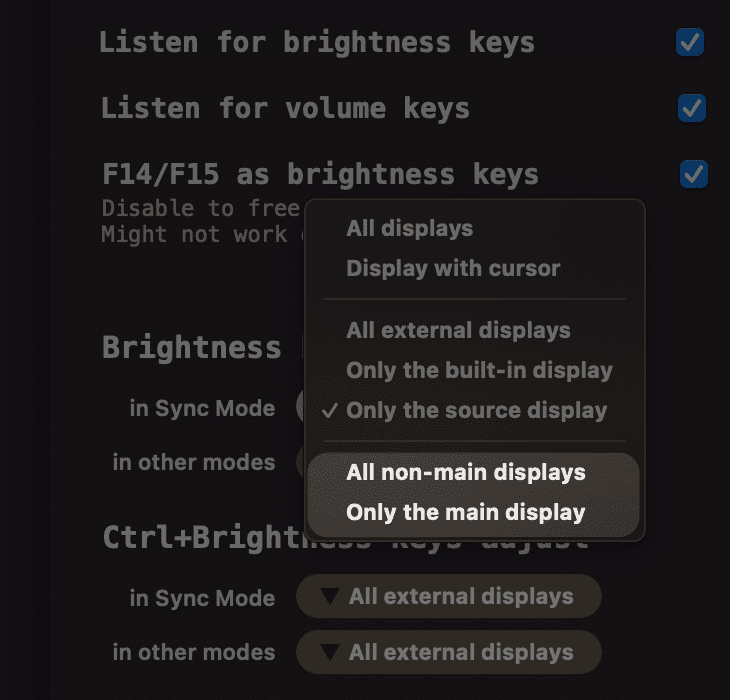
* Add **"Main display"** and **"Non-main displays"** choices for brightness keys
* Add **Disable usage of Gamma API completely** setting for people that have trouble with macOS bugs related to the Gamma API
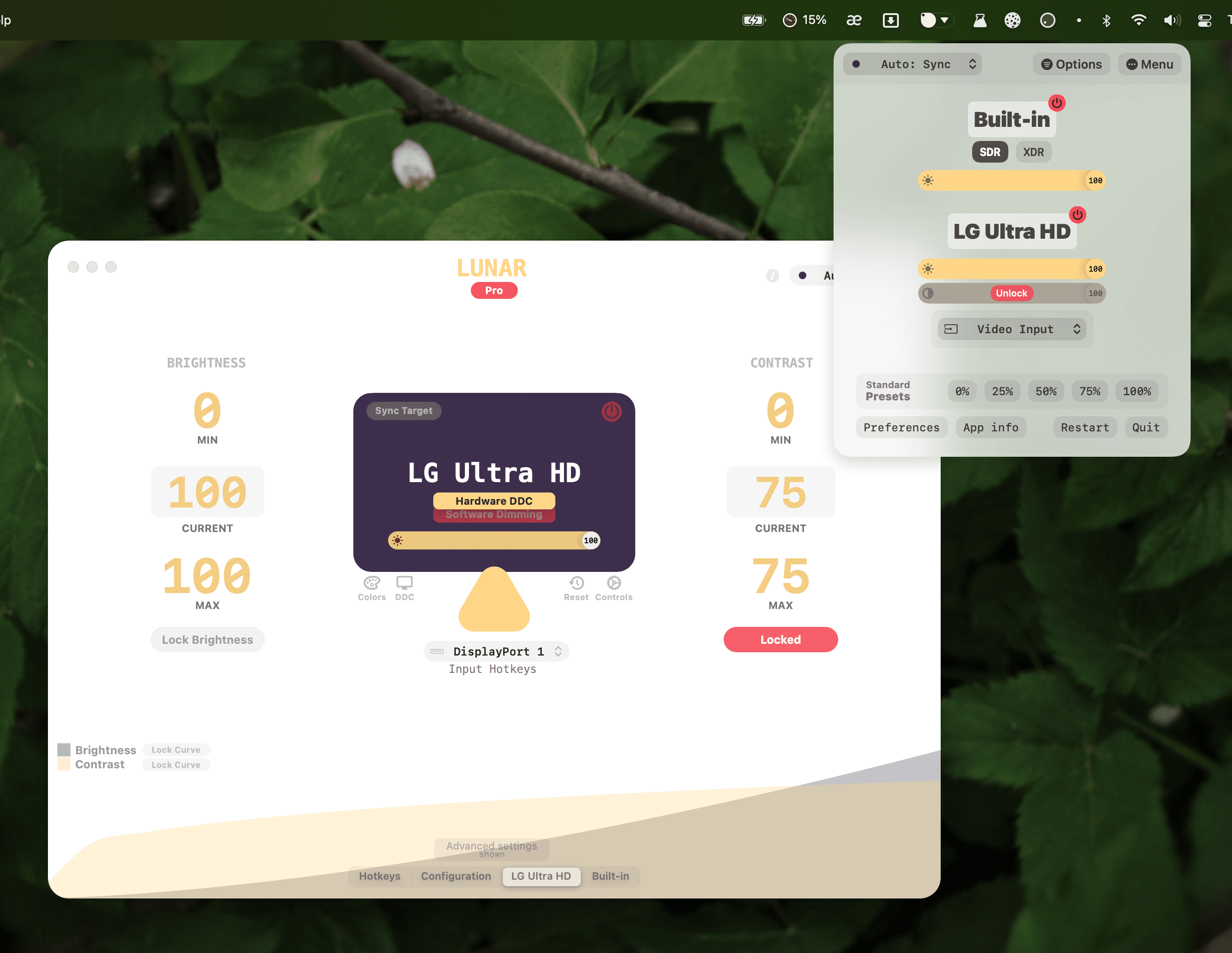
* Add an **Unlock** button to quickly unlock brightness or contrast sliders
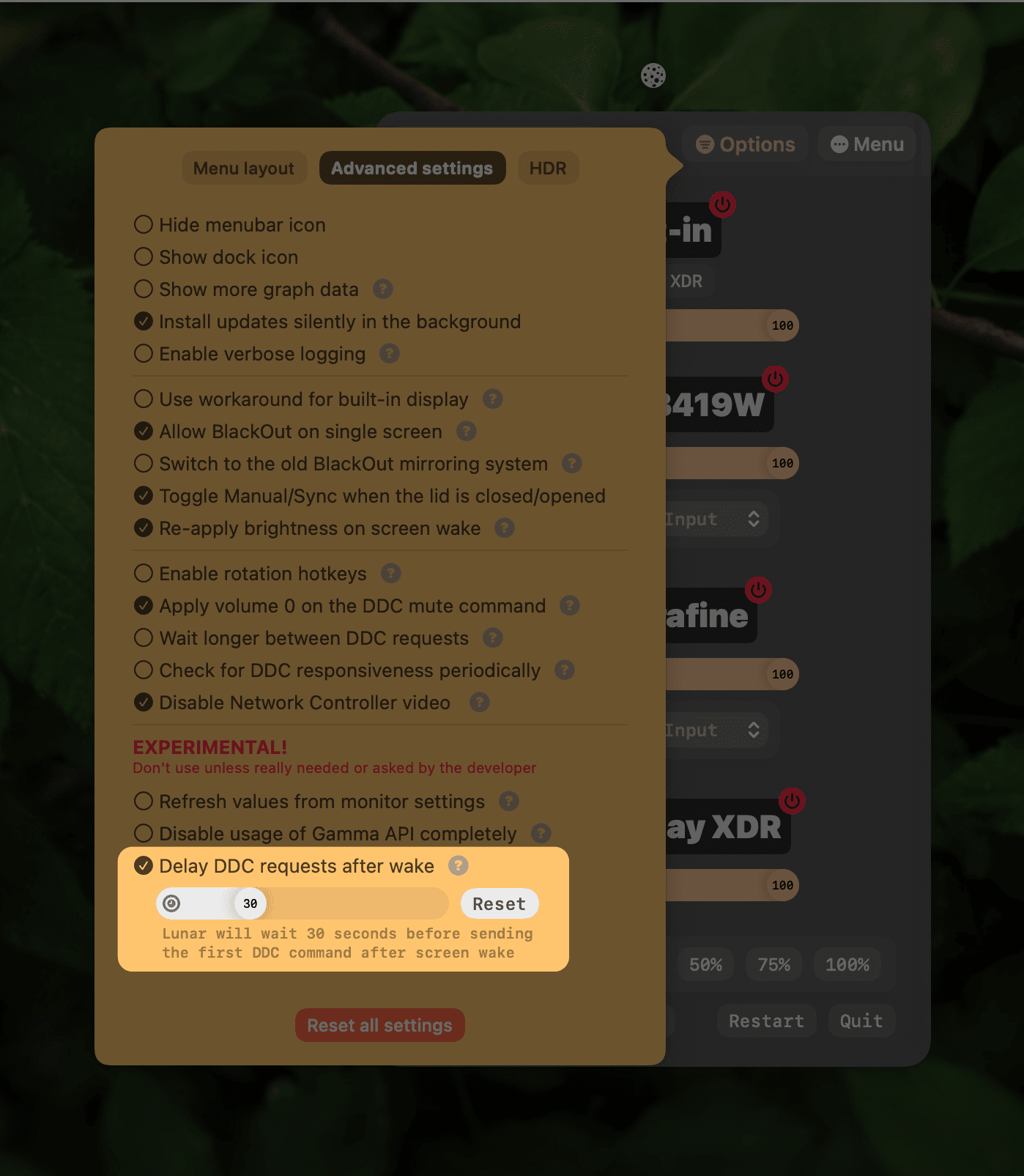
* Add **Delay DDC requests after wake** setting for people that have trouble with monitor firmware bugs related to losing signal on simple DDC commands
### Improvements
* Make sure brightness doesn't remain locked in non-DDC controls
* Show when brightness or contrast is locked
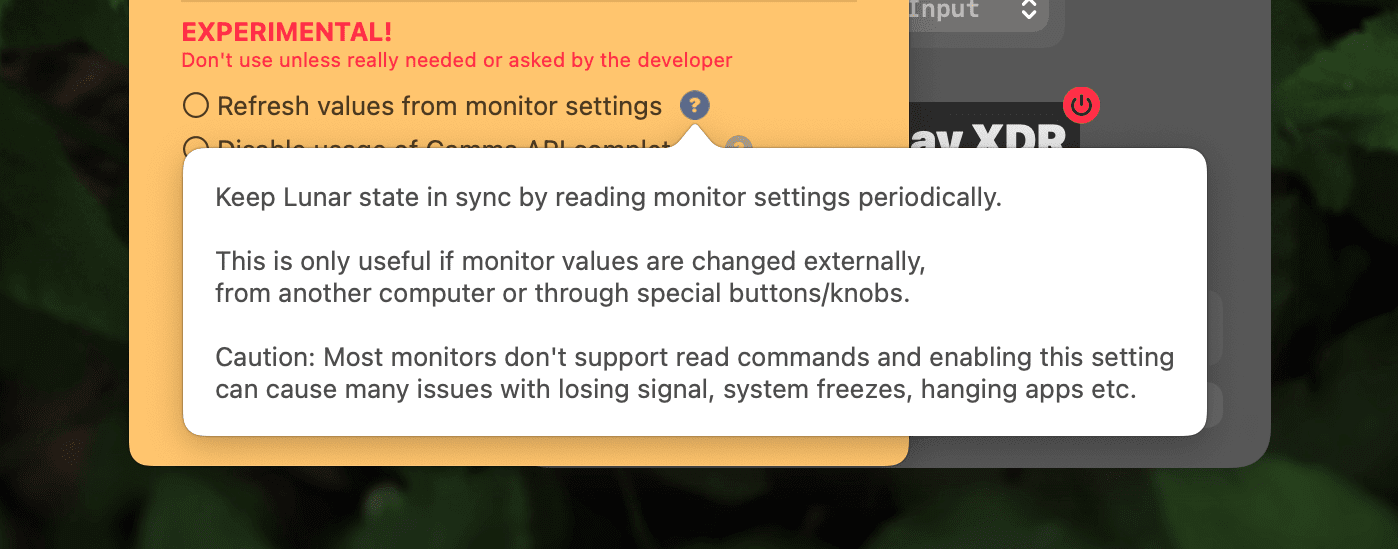
* Make it clear that DDC reading is experimental and should not be used unless really needed
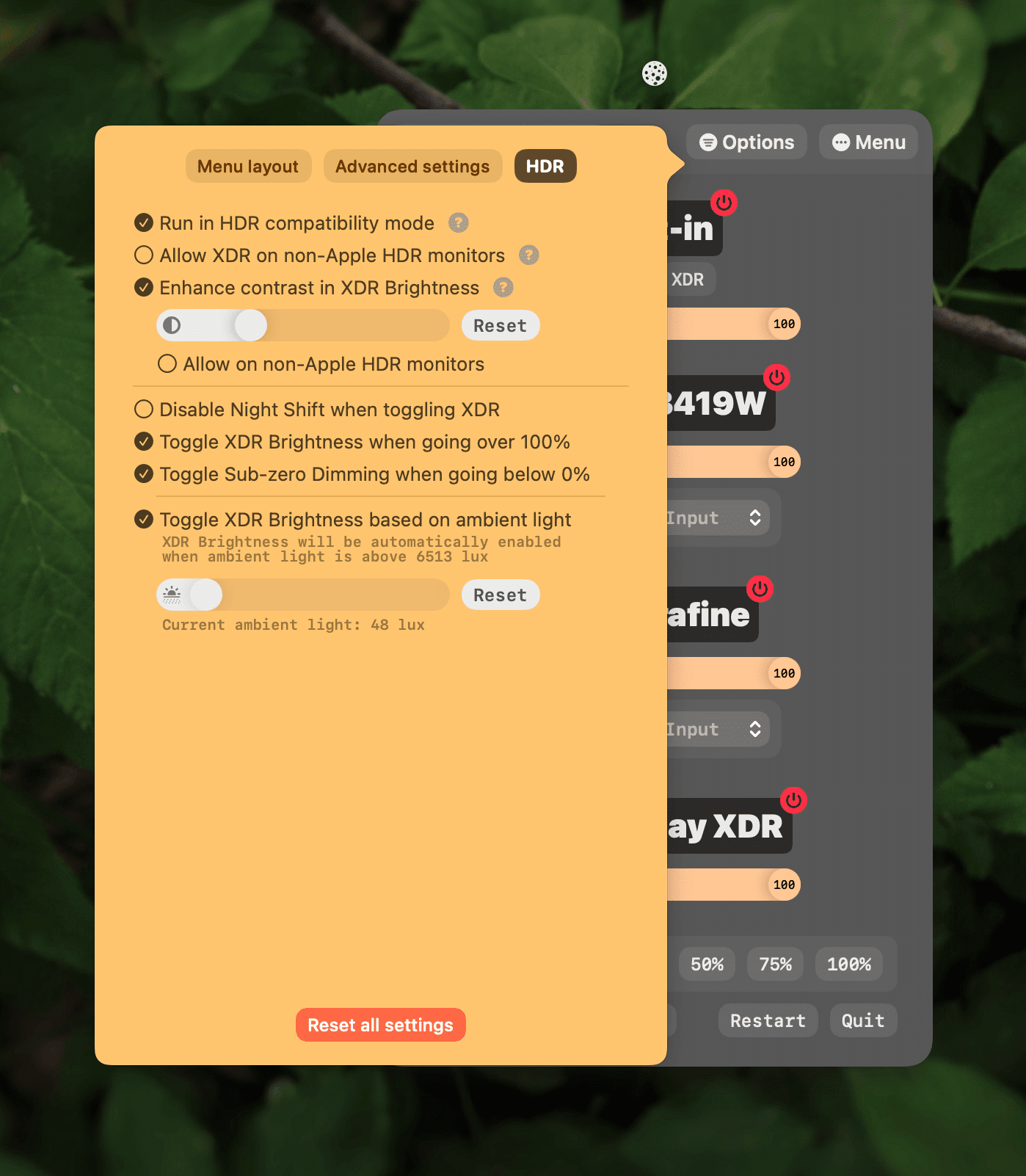
* Separate the HDR and XDR settings into a new tab
* Detect manual changes in XDR state and honor them in the Auto XDR logic
## Fixes
* UI fixes in preparation for macOS Ventura
* Known issues:
* Scrolling over the slider feels clunkier and less fluid in macOS 13, hoping this is an OS bug that will get addressed in next beta
* Some animations feel slower
# 5.6.6
## Features
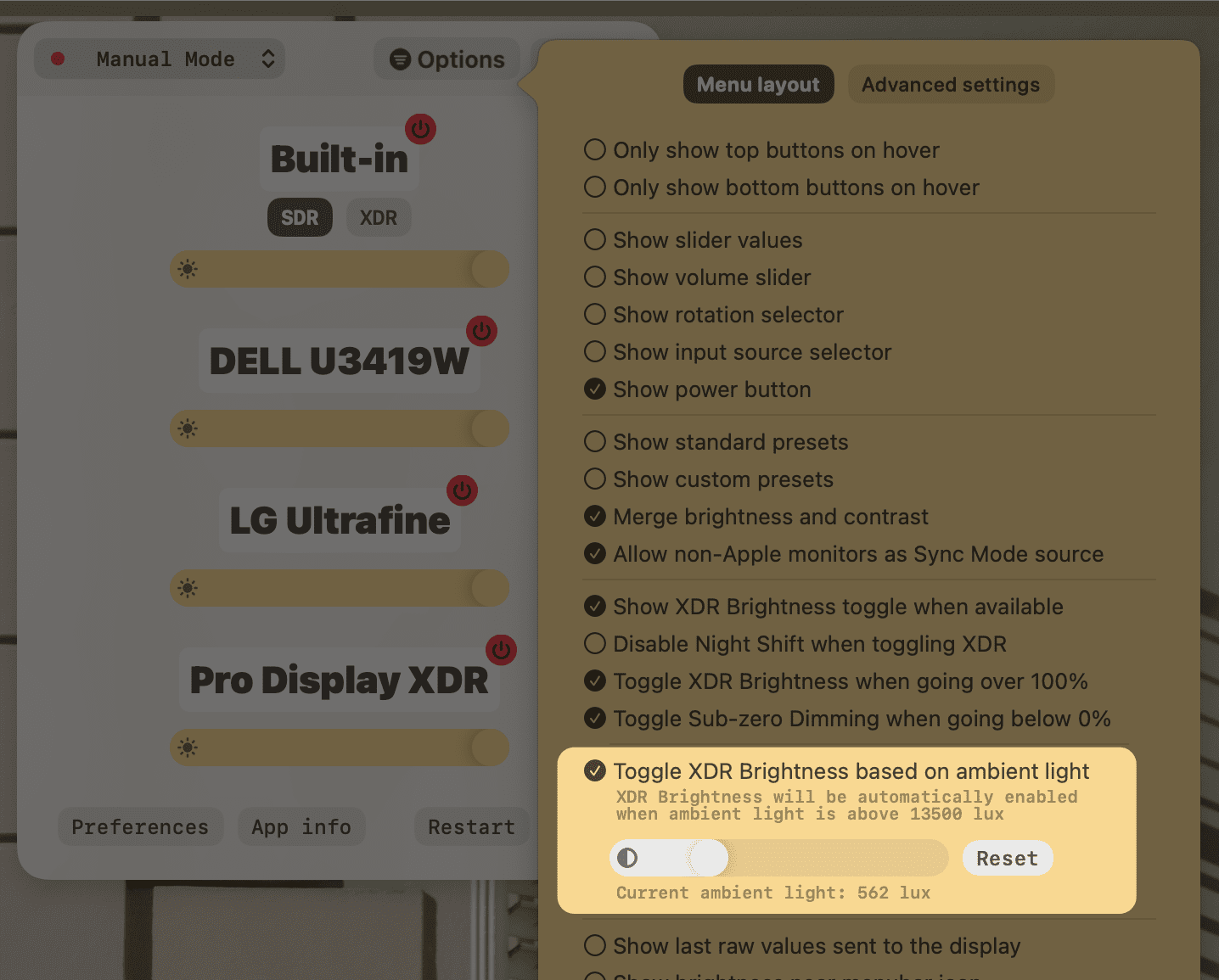
* **Auto XDR** based on **ambient light**
* XDR will automatically enable when the ambient light is really bright
* It will also disable when the ambient light is low enough for visibility in normal brightness
* The feature will only work on the **MacBook Pro 2021** when it is used alone *(without external monitors)*
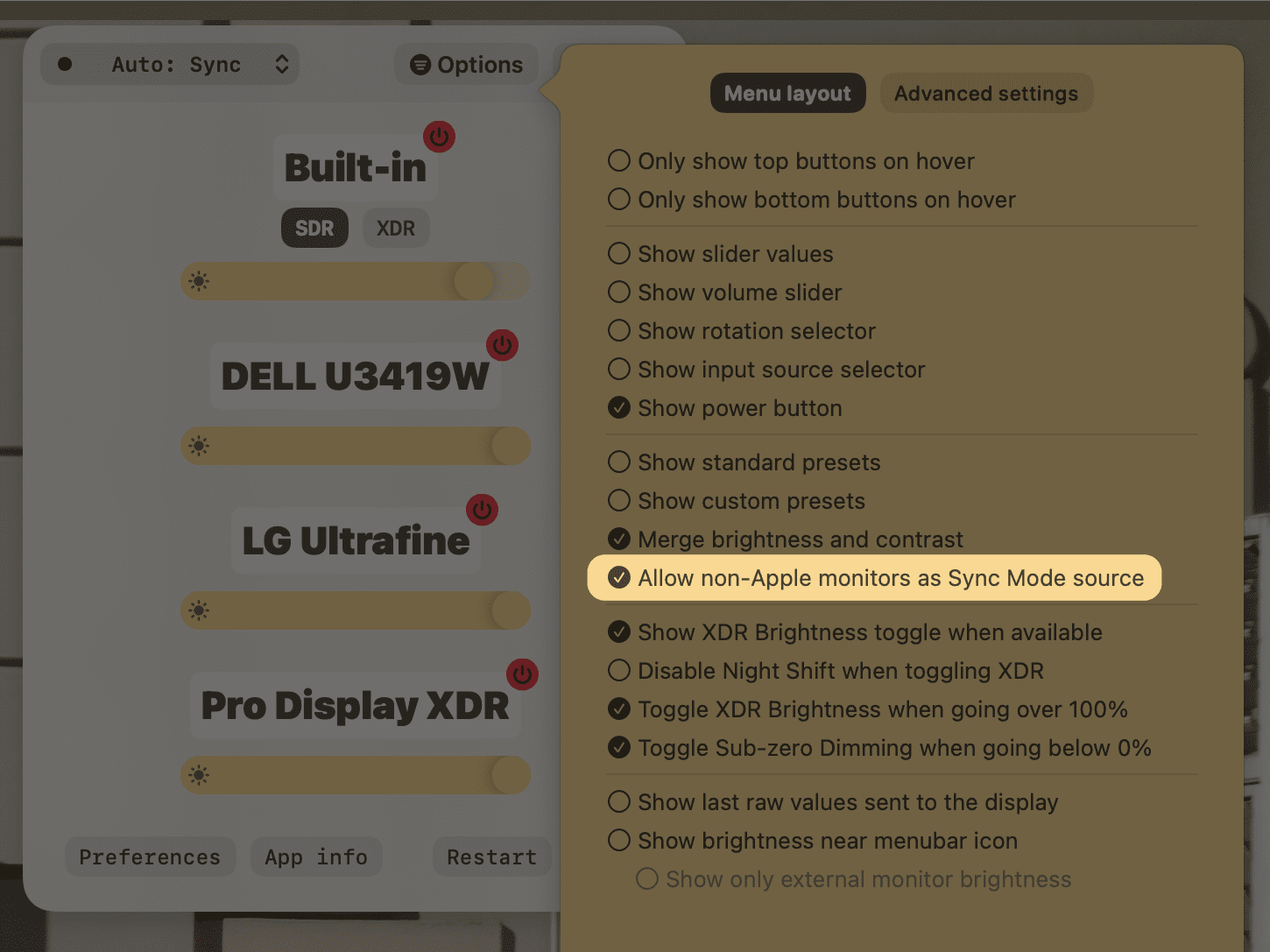
* Add option to use non-Apple monitors as sources for Sync Mode
### Improvements
* Automatically set Curve Slope to middle point on target monitors identical to the source
* Print single property on multiple displays when using the `displays` CLI command
* Add **Hide Menubar Icon** setting on the [Configuration page](lunar://configuration)
## Fixes
* Fix CLI hanging
* Run some UI logging async to avoid blocking the main thread
# 5.6.5
## Improvements
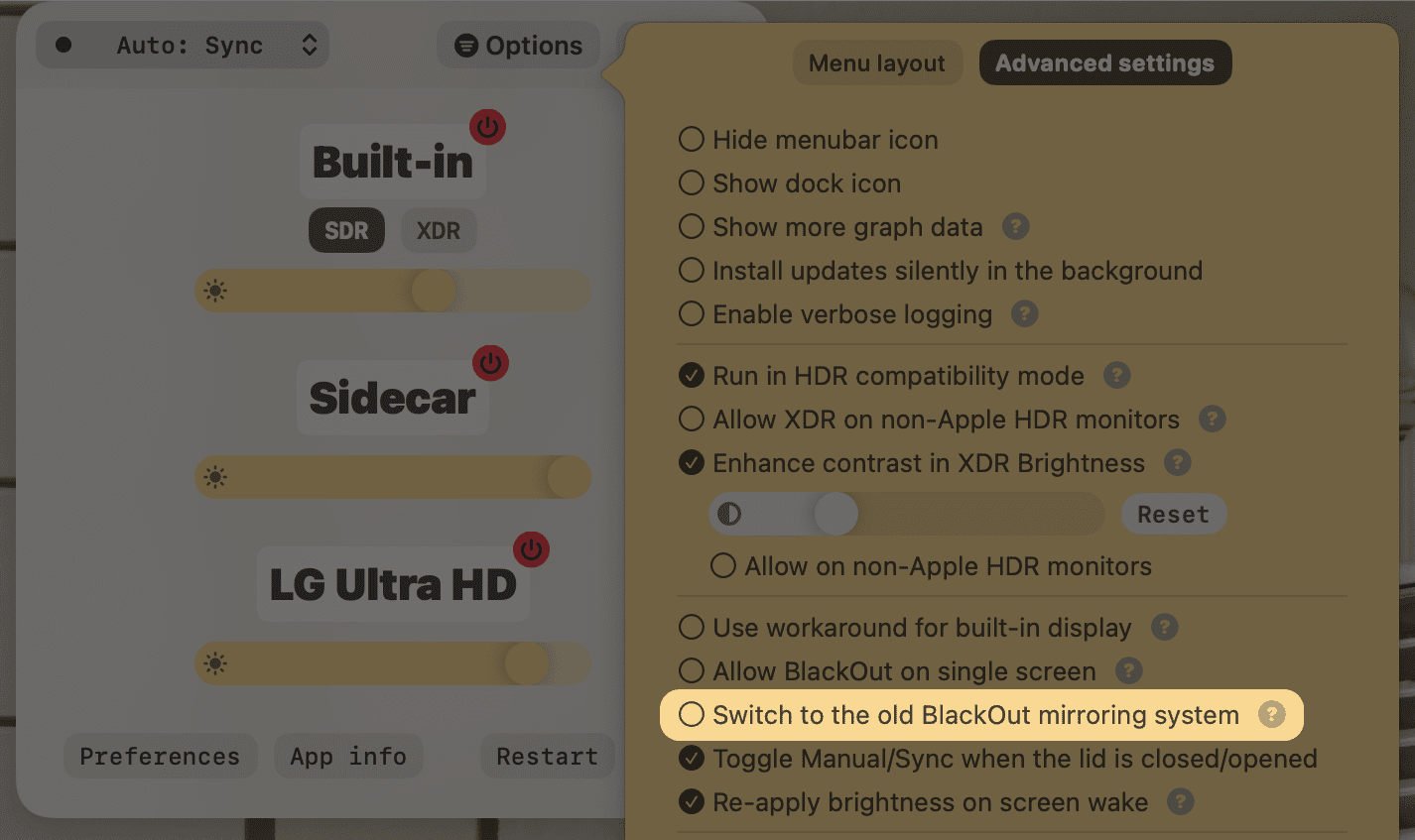
* Allow switching to the *old BlackOut mirroring system* for setups incompatible with the new API
## Fixes
* Update Paddle to fix a crash happening when there was no network connection
* Allow setting min brightness to 0 for external monitors
* Fix CLI hanging
* Stop disabling logging when using the CLI
* Fix min brightness set to 1 instead of 0 on BlackOut
# 5.6.4
## Hotfix
* Fix crash caused by EDID UUID fetching on invalid displays
## Improvements
* Smoother **XDR Brightness**, **Sub-zero Dimming** and **Software Dimming**
* Update Paddle SDK to v4.3.0
* Don't show licensing UI more than once to avoid locking the UI
* Remove redundant Advanced Settings screen
* Restrict HDR compatibility workaround only for setups with EDR-capable displays
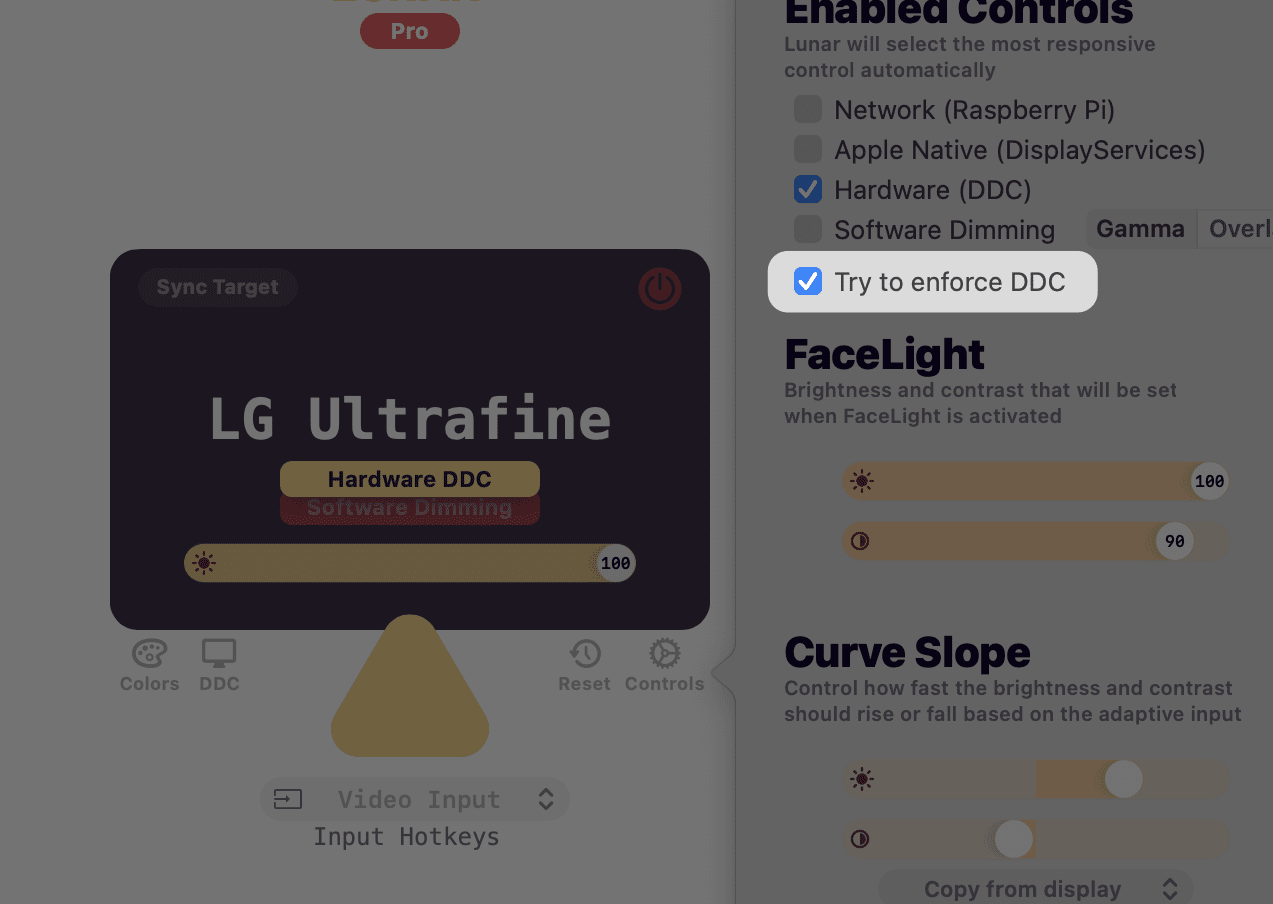
* Add a way to enforce DDC if the detection logic gives a false negative
* Better sensible defaults for contrast in Apple displays
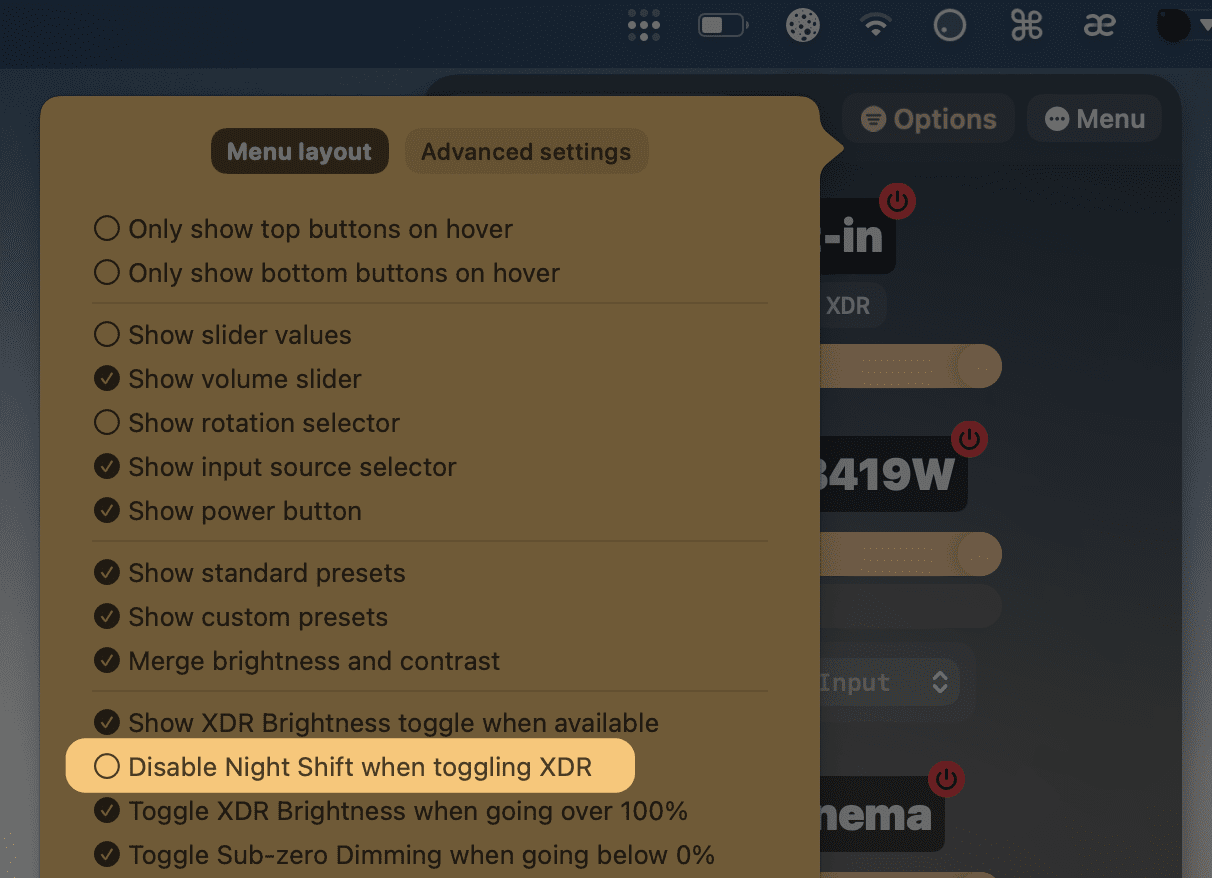
* Add option to keep Night Shift on when using XDR by default
* Show XDR slider even on 100%
* Hide XDR/Subzero text if XDR has just been disabled
* Minimise chances of triggering the screen blanking bug by adding an artificial delay between Gamma API calls
* Add detection for the screen blanking issue
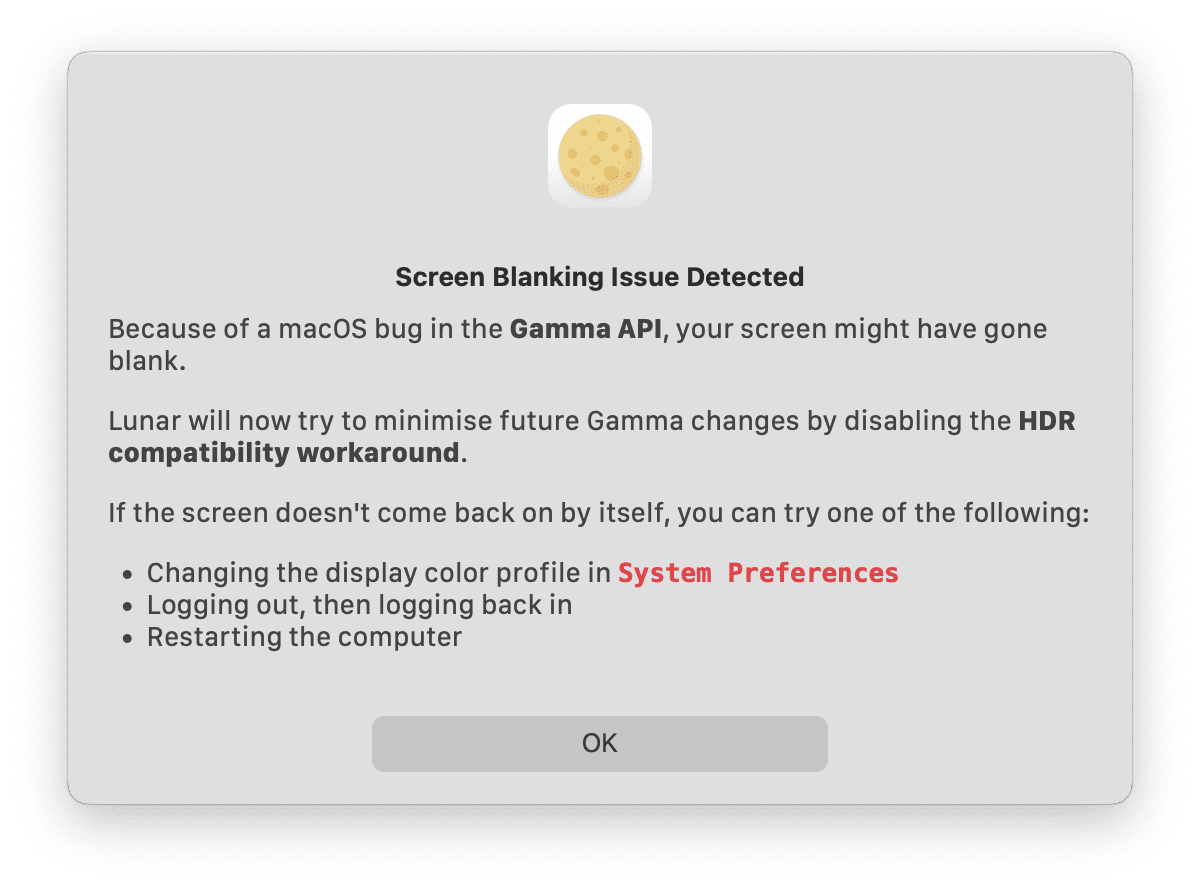
* Disable all Gamma reset calls when disabling the **HDR compatibility workaround**
* Disable **Software Dimming** automatically if DDC/AppleNative works
* Ensure CLI doesn't get stuck on a blocked socket
* Show Screen Blanking dialog even if the zero gamma workaround worked
* More reliable light sensor checker
## Fixes
* Stop handling brightness keys and forward them to the system when the adjustment limit is reached
* Restore Gamma slider values properly
* Fix resetting the remaining adjustments limit
# 5.6.3
## Hotfix
* Fix crash caused by slider hover handler
* Fix more crashes caused by refresh/resolution string
* Smoother XDR contrast
----
# Changes from v5.6.2
## Licensing model
**Some clarifications are needed after the last change:**
* I don't have any plans on releasing a major version this year
* If for some reason I have to do that, everyone who paid for the 1-year of free updates before the change will receive the update for free if it's within their update period
## Features
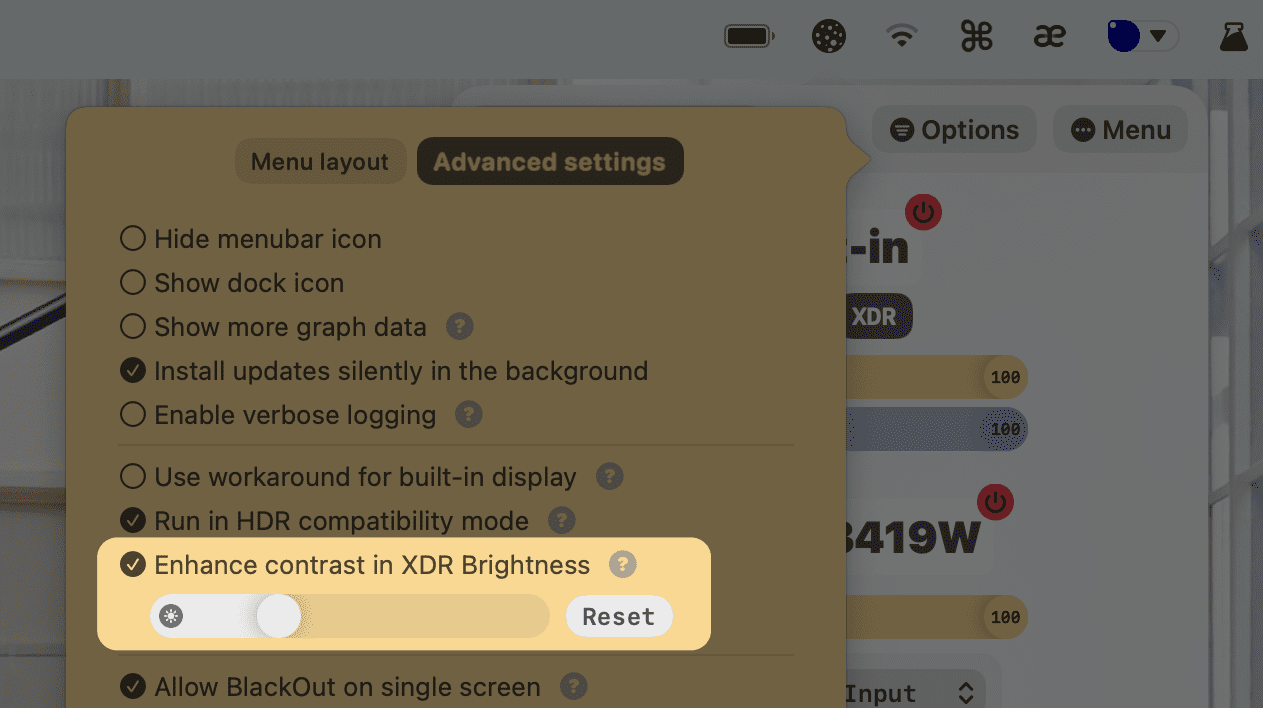
#### XDR Contrast Enhancer slider
Improve readability in direct sunlight when using `XDR Brightness`.
The contrast slider allows adjusting the pixel value formula for the brightest/darkest areas, to get even more contrast out of the miniLED display.
#### New XDR Brightness algorithm
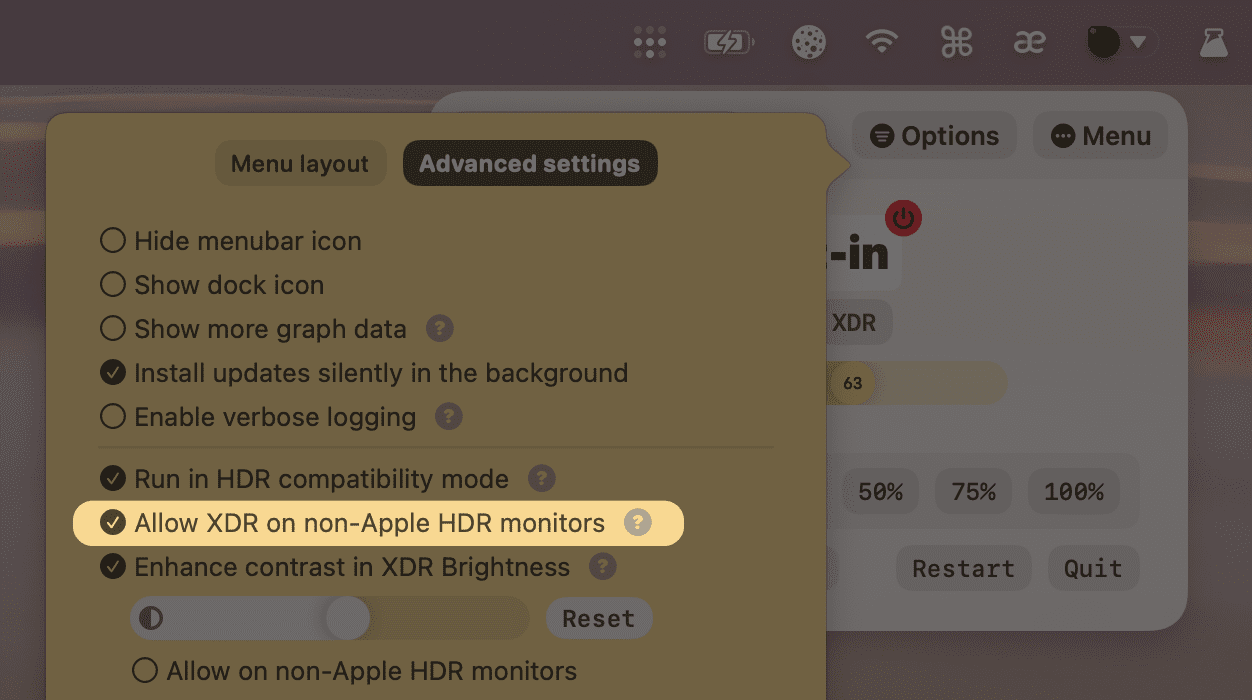
Developed in collaboration with the creator of [BetterDummy](https://github.com/waydabber/BetterDummy), using a more native approach to provide:
* Stable experience when toggling XDR
* Compatibility with higher brightness non-Apple HDR monitors
* Dynamic EDR pixel values to maximise the nits allowance based on the current brightness
## Improvements
* Show that XDR needs Pro license instead of doing nothing
* Choose alpha upgrades over beta ones when the alpha channel is used
* Move DDC reads outside the main thread
* Improve brightness reponsiveness check
* Collect average DDC read/write time for features that depend on DDC timing (e.g. smooth transitions, refreshing values from monitor memory etc.)
* Better support for scroll up/down to adjust sliders
* Multi-user Fast Switching support
* Retry display list reconciliation when the system provides invalid IDs
* Disable Sync Mode if polling seconds is 0 and brightness observer fails to start
* Observe log in/out events and stop calling screen wake listener if logged out
* Pause HDR workaround while logged out
* Pause Lunar if the user switches to another user
* Make brightness text clickable in the menu bar
* Ensure sub-zero dimming works if `Allow zero brightness` is off
* Use less restrictive EDID patterns for finding DDC ports
* Improve DDC compatibility on monitors with missing metadata
* Increase slider reponsiveness
## Fixes
* Fix overall keyboard latency
* Pause some functions when switching users or going to standby
* Light sensor detection
* CLI server
* Color and Gamma reader
* Brightness observer
* Fix app info not hiding on first launch
* Fix crash on fetching the refresh rate string for the resolution dropdown
# 5.6.2
## Licensing model
**Some clarifications are needed after the last change:**
* I don't have any plans on releasing a major version this year
* If for some reason I have to do that, everyone who paid for the 1-year of free updates before the change will receive the update for free if it's within their update period
## Features
#### XDR Contrast Enhancer slider
Improve readability in direct sunlight when using `XDR Brightness`.
The contrast slider allows adjusting the pixel value formula for the brightest/darkest areas, to get even more contrast out of the miniLED display.

#### New XDR Brightness algorithm
Developed in collaboration with the creator of [BetterDummy](https://github.com/waydabber/BetterDummy), using a more native approach to provide:
* Stable experience when toggling XDR
* Compatibility with higher brightness non-Apple HDR monitors
* Dynamic EDR pixel values to maximise the nits allowance based on the current brightness

## Improvements
* Show that XDR needs Pro license instead of doing nothing
* Choose alpha upgrades over beta ones when the alpha channel is used
* Move DDC reads outside the main thread
* Improve brightness reponsiveness check
* Collect average DDC read/write time for features that depend on DDC timing (e.g. smooth transitions, refreshing values from monitor memory etc.)
* Better support for scroll up/down to adjust sliders
* Multi-user Fast Switching support
* Retry display list reconciliation when the system provides invalid IDs
* Disable Sync Mode if polling seconds is 0 and brightness observer fails to start
* Observe log in/out events and stop calling screen wake listener if logged out
* Pause HDR workaround while logged out
* Pause Lunar if the user switches to another user
* Make brightness text clickable in the menu bar
* Ensure sub-zero dimming works if `Allow zero brightness` is off
* Use less restrictive EDID patterns for finding DDC ports
* Improve DDC compatibility on monitors with missing metadata
* Increase slider reponsiveness
## Fixes
* Fix overall keyboard latency
* Pause some functions when switching users or going to standby
* Light sensor detection
* CLI server
* Color and Gamma reader
* Brightness observer
* Fix app info not hiding on first launch
* Fix crash on fetching the refresh rate string for the resolution dropdown
# 5.6.1
## Hotfix
* Fix crash caused by brightness/volume key listener
* Fix XDR nits-to-gamma coefficient
----
# Changes from v5.6.0
## Licensing model
I'm removing the 1-year of updates restriction and will give everyone **unlimited free updates** for **Lunar 5**.
Lunar will move to a major-version upgrade licensing model, where you will only have to pay for a new license if a new major version is launched *(e.g. Lunar 6)*.
If that ever happens, you will also be able to use your previous license as a coupon to get a substantial discount if you previously bought Lunar.
----
## Features
### XDR Brightness
* Enhance contrast to make the dark-background/bright-text case more usable in the sun
* Make XDR more seamless: **simply increasing the brightness over 100% with your keyboard** should now enable XDR smoothly and without many flickers
* Keep XDR enabled when the screen comes back from standby
* HDR content overblowing is now fixed as long as Gamma is not used
* *Note: this is still a macOS bug that is awaiting a fix from Apple, all I've done is work around it*
* Disable XDR on non-Apple monitors until the forced-monochrome bugs are fixed
### BlackOut subsystem rewrite
* Now using the same private framework used by `System Preferences`
* More stable mirroring
* Tight integration with the newest version of [BetterDummy](https://github.com/waydabber/BetterDummy/releases/tag/v1.1.10-beta)
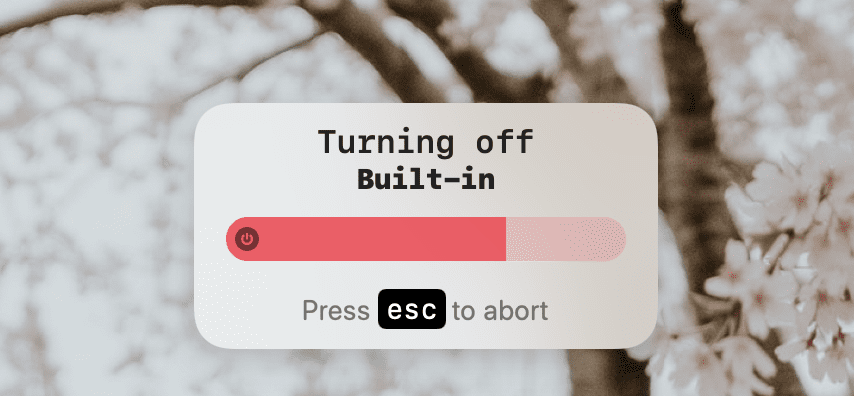
### Auto BlackOut OSD
* Allow the system to settle screen configuration
* Allows the user to press `esc` to cancel Auto BlackOut
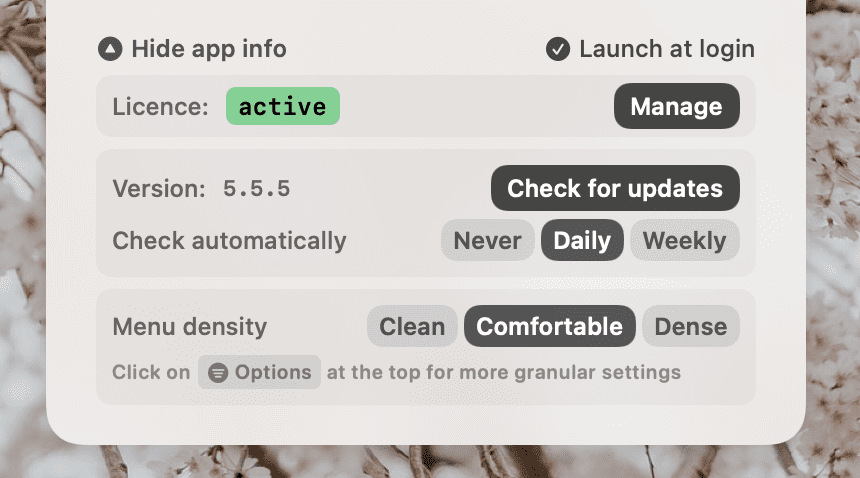
### App Info section
* License status
* Version and **Check for updates** button
* Auto update settings
* Menu density selector
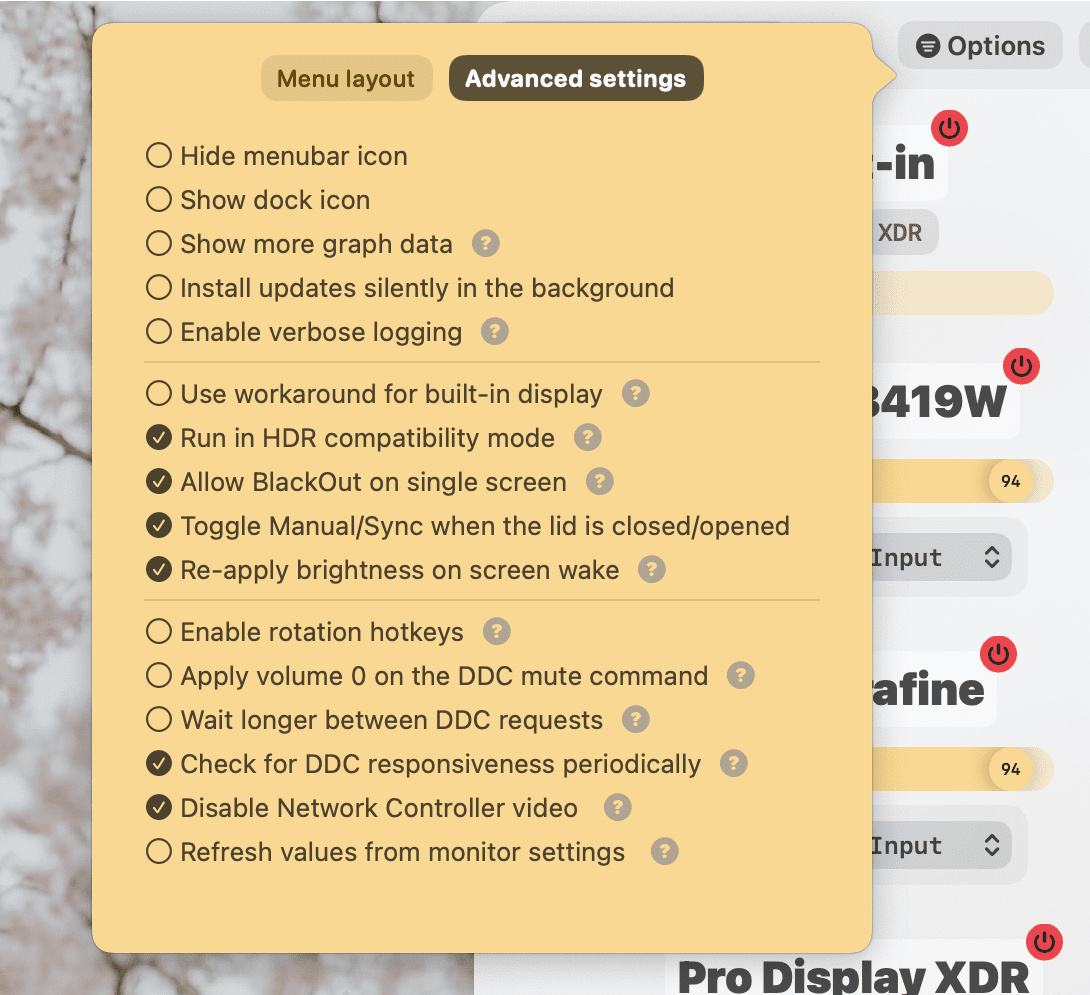
### Advanced settings tab
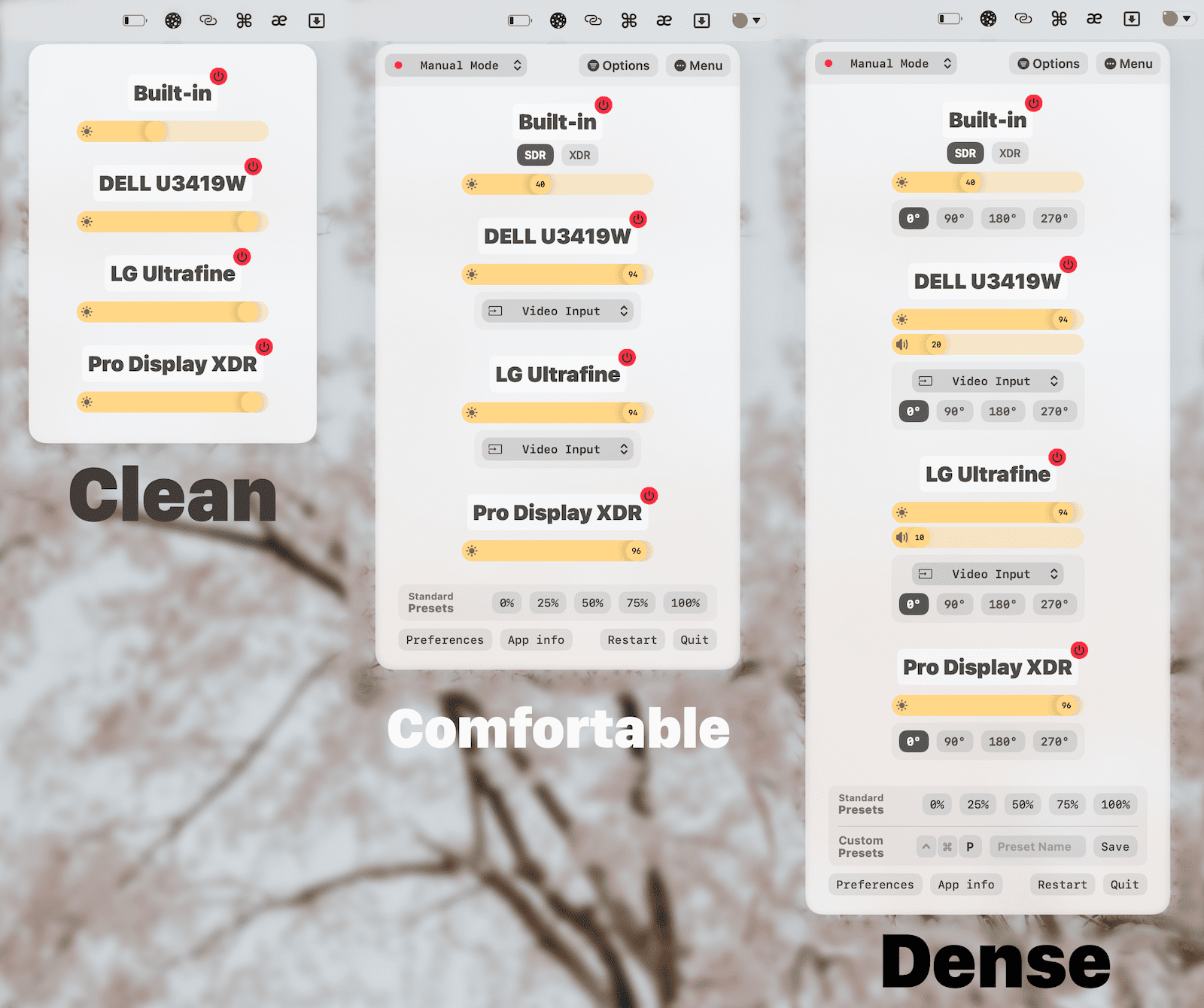
### Menu Density
## Improvements
* Save last resolution before mirroring and re-apply it after mirroring ends
* This works around a system bug where a non-native resolution is applied when mirroring is disabled
* Lower CPU usage further by reducing UI structure update when menus are not visible
* QuickActions menu becomes scrollable when it reaches the bottom of the screen
* Assign remaining DDC ports sequentially for monitors that can't be matched by `EDID`
## Fixes
* Lower CPU usage by fixing a recursive call on the resolutions dropdown
* Lower memory usage and the number of threads spawned
# 5.6.0
## Licensing model
I'm removing the 1-year of updates restriction and will give everyone **unlimited free updates** for **Lunar 5**.
Lunar will move to a major-version upgrade licensing model, where you will only have to pay for a new license if a new major version is launched *(e.g. Lunar 6)*.
If that ever happens, you will also be able to use your previous license as a coupon to get a substantial discount if you previously bought Lunar.
----
## Features
### XDR Brightness
* Enhance contrast to make the dark-background/bright-text case more usable in the sun
* Make XDR more seamless: **simply increasing the brightness over 100% with your keyboard** should now enable XDR smoothly and without many flickers
* Keep XDR enabled when the screen comes back from standby
* HDR content overblowing is now fixed as long as Gamma is not used
* *Note: this is still a macOS bug that is awaiting a fix from Apple, all I've done is work around it*
* Disable XDR on non-Apple monitors until the forced-monochrome bugs are fixed
### BlackOut subsystem rewrite
* Now using the same private framework used by `System Preferences`
* More stable mirroring
* Tight integration with the newest version of [BetterDummy](https://github.com/waydabber/BetterDummy/releases/tag/v1.1.10-beta)
### Auto BlackOut OSD
* Allow the system to settle screen configuration
* Allows the user to press `esc` to cancel Auto BlackOut

### App Info section
* License status
* Version and **Check for updates** button
* Auto update settings
* Menu density selector

### Advanced settings tab

### Menu Density

## Improvements
* Save last resolution before mirroring and re-apply it after mirroring ends
* This works around a system bug where a non-native resolution is applied when mirroring is disabled
* Lower CPU usage further by reducing UI structure update when menus are not visible
* QuickActions menu becomes scrollable when it reaches the bottom of the screen
* Assign remaining DDC ports sequentially for monitors that can't be matched by `EDID`
## Fixes
* Lower CPU usage by fixing a recursive call on the resolutions dropdown
* Lower memory usage and the number of threads spawned
# 5.5.5
## Features
* **Seamless XDR Brightness**: enable XDR by simply increasing the brightness further after reaching `100%`
* Allow disabling automatic Sub-zero Dimming and XDR Brightness from the Options menu
## Improvements
* Make sure Auto Blackout works after screen wake by waiting for the system to settle the screen reconfiguration
* Restore XDR Brightness after screen wake
* Allow volume/mute hotkeys to work on the cursor display
* Move QuickActions options into a popover to lower height of the menu
## Fixes
* Fix hiding the mute OSD
# 5.5.4
## Improvements
* Don't apply app presets while XDR is enabled
* Lower CPU usage when checking for screenshot action on monitors that use Overlay
# 5.5.3
## Features
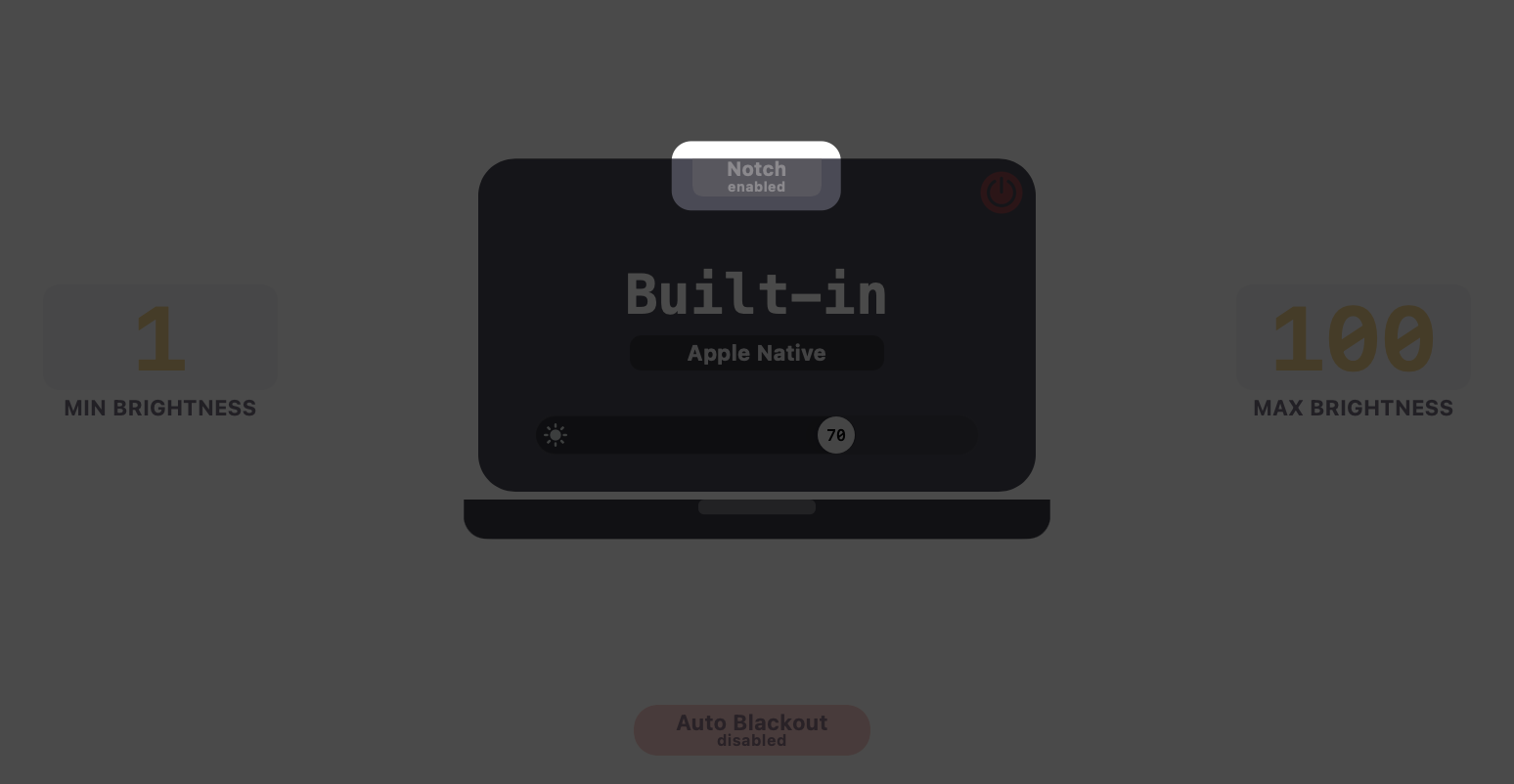
* **Disable Notch**
* Use hidden screen resolutions of the MacBook Pro to remove the notch completely
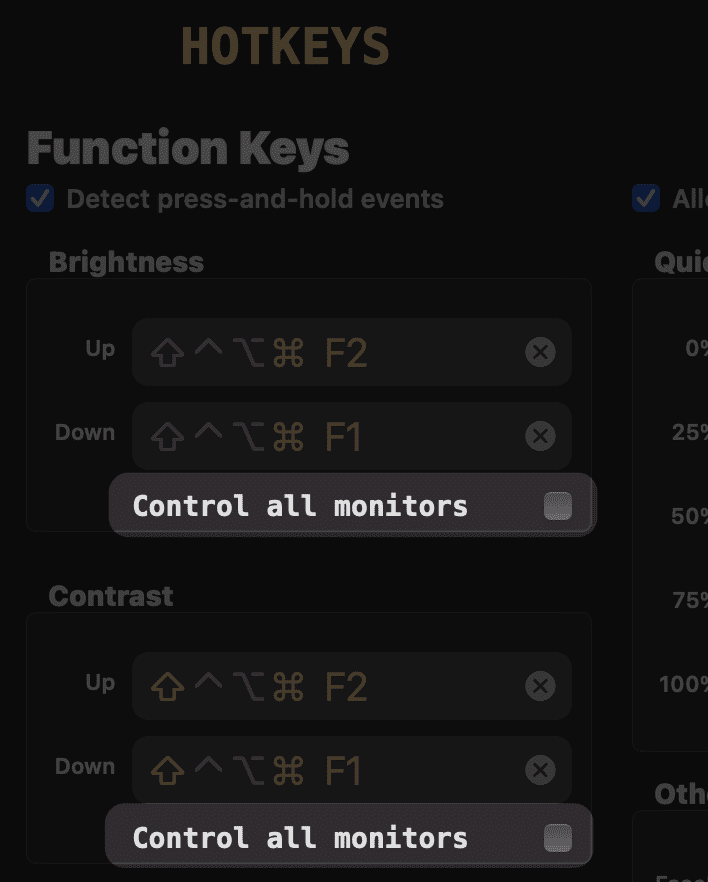
* Add option to disable `"Control all monitors"` for Function Hotkeys
## Improvements
* The **BlackOut Kill Switch** doesn't trigger anymore on keys that contain more than just `Command`
* Increase precision of the self-learning algorithm
* Use astronomical sunrise/sunset as reference points in Location Mode
* Allow negative sun elevation in Location Mode
## Fixes
* Fix crash when adjusting volume
* Fix crash when adjusting rotation
* Prompting about fallback to Software Dimming now makes sure the control is enabled
* Fix CLI printing displays
* Fix `external` display filter for CLI
* Fix brightness locking when interacting with brightness keys
* Fix flicker using the Brightness Slider because of Smooth Transition not being disabled while sliding
# 5.5.2
## Features
* **Custom Presets**: save the current brightness/contrast as a preset that you can apply later
* Allow hiding most stuff in the QuickActions menu to get a smaller menu without unneeded functions
* Apply custom presets from the CLI:
* `lunar preset "Night Owl"`
* Allow changing Min/Max Brightness on built-in and other non-DDC displays
## Improvements
* The QuickActions menu now grows to the bottom instead of from the center to create a smoother feel
* Make sliders smoother by offloading adaptive mode work from the main thread when changing brightness fast
* Allow hiding **Standard Presets** from the `Options` menu
* Group resolutions by refresh rate
* Add images to differentiate resolutions easier
* Change some text fields to the system monospaced font because I like it
* Lower CPU usage overall by throttling events that happen too fast
## Fixes
* Fix QuickActions menu appearing outside the screen edge
* Fix QuickActions menu redrawing at the center/bottom of the screen when changing specific settings
# 5.5.1
## Features
* **XDR Brightness**: go past the `500` nits limit of the new *2021 MacBook Pro* and *Pro Display XDR*
* Warning: this is experimental. The system may become unresponsive for a few seconds when toggling this option
* Animation glitches are expected when this is enabled
* **Sub-zero dimming**: dim brightness below 0%
* **QuickActions** redesign:
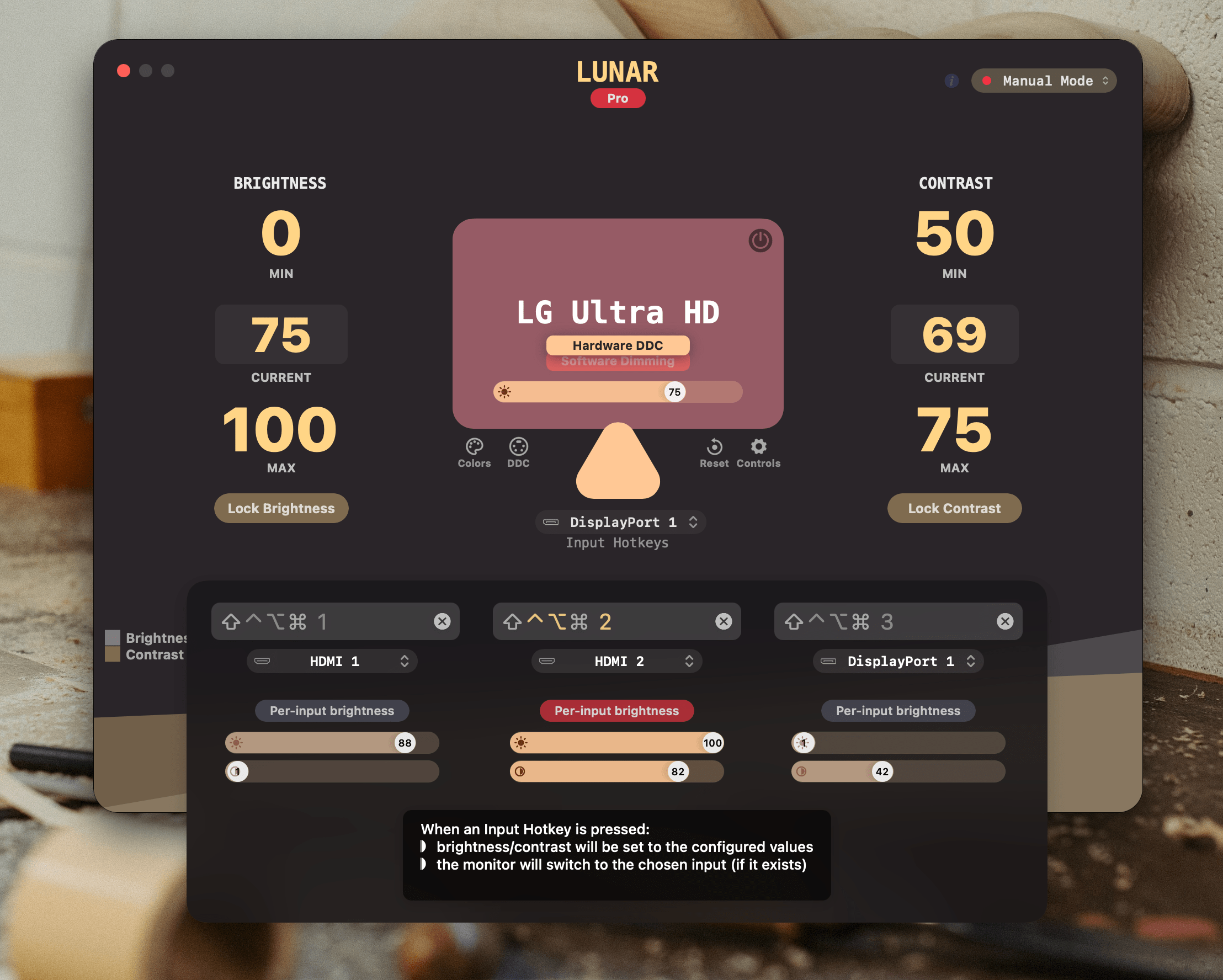
* **Input Hotkeys** redesign:
* Add **BlackOut without mirroring** checkbox in the [Controls menu](https://app.lunar.fyi/display/controls) of each display
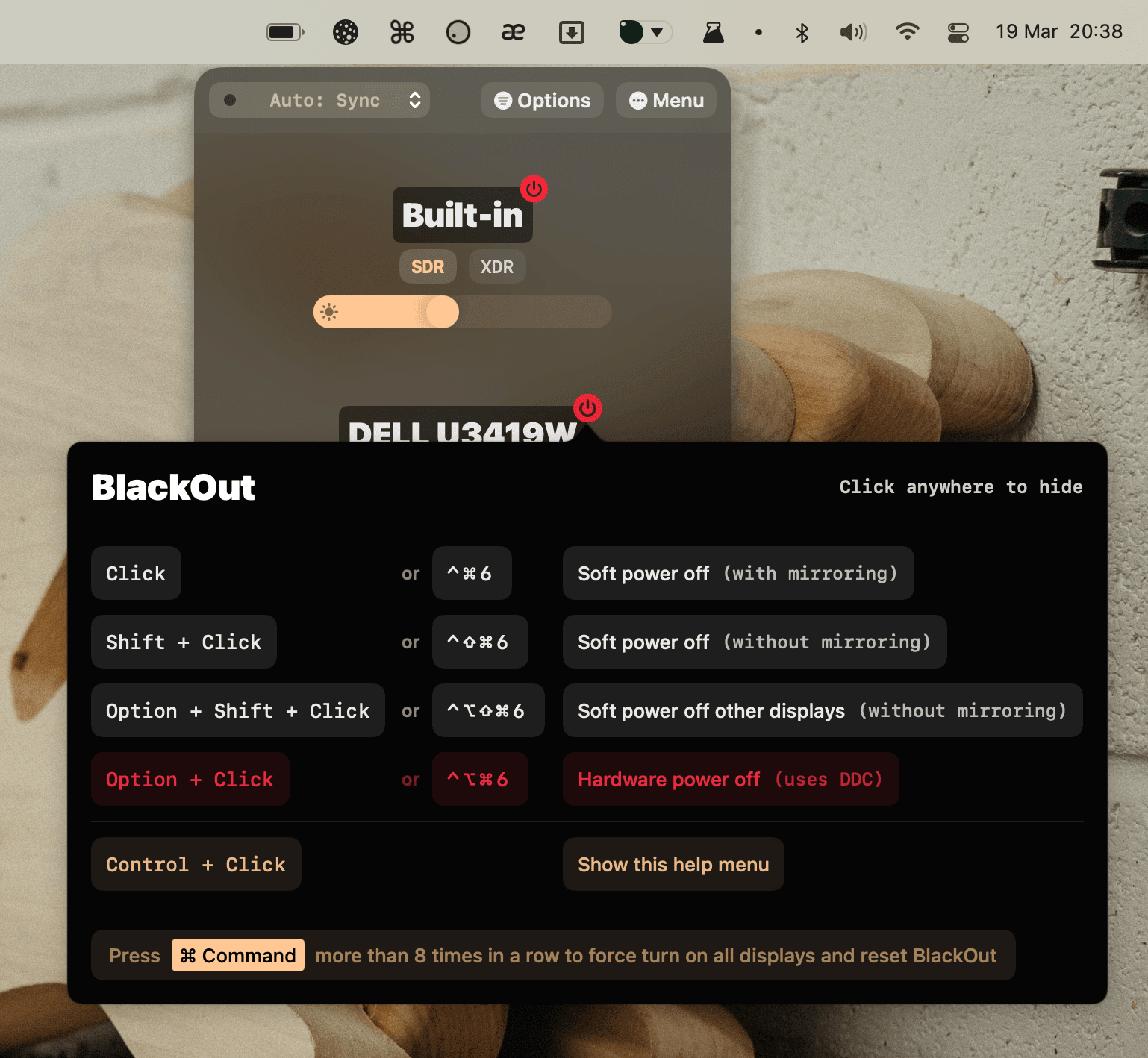
* Add **BlackOut other displays** action on holding `Option`+`Shift`
* Add **Allow brightness to reach zero** checkbox in the [Controls menu](https://app.lunar.fyi/display/controls) for *built-in* displays
* By default this is disabled to avoid turning off the display by mistake
* Implement **BlackOut for AirPlay/Sidecar/DisplayLink** (it's just a pitch black overlay really, but that's the most I can do)
## Improvements
* Add **Emergency Kill Switch** for **BlackOut**
* *Press the ⌘ Command key more than 8 times in a row to force disable BlackOut*
* *F.lux* detection improvements
* Ensure Overlay gets activated
* Add note about [Shifty](https://shifty.natethompson.io) as an alternative
* Update AppleScript for Monterey
+ Allow Preferences window to be moved by its background
+ Add selector for switching between *System* and *Lunar* adaptive brightness
* Disable overlay temporarily when taking a screenshot
## Fixes
* **Fix Gamma flashing** bright from time to time
* **Remove Software Dimming delay** if it's the only control enabled
* Fix displays having low brightness after wake/reconnection
* Fix overflow crash in Clock Mode
* Fix BlackOut being stuck when using it without mirroring
* Fix contrast getting stuck to 0 when Lunar is restarted while BlackOut is on
* Check for vendor ID on BetterDummy screens
**Note**: Starting from `v5.5.0` Lunar will require `macOS 11.0+`
# 5.4.3
## Fixes
* Fix deadlock on screen wake/reconnection
# 5.4.2
## Features
* **Efficient Sync Mode**
* A new internal system API is used to react to built-in display brightness changes instead of polling continuously for them
* This lowers the CPU usage to `0.1%` on average when no brightness change occurs
* This new method can be disabled by setting the *Sync Polling Interval* to a value greater than `0 seconds`
* *If brightness syncing stops working after the update, try setting the Polling Interval to `2 seconds`*
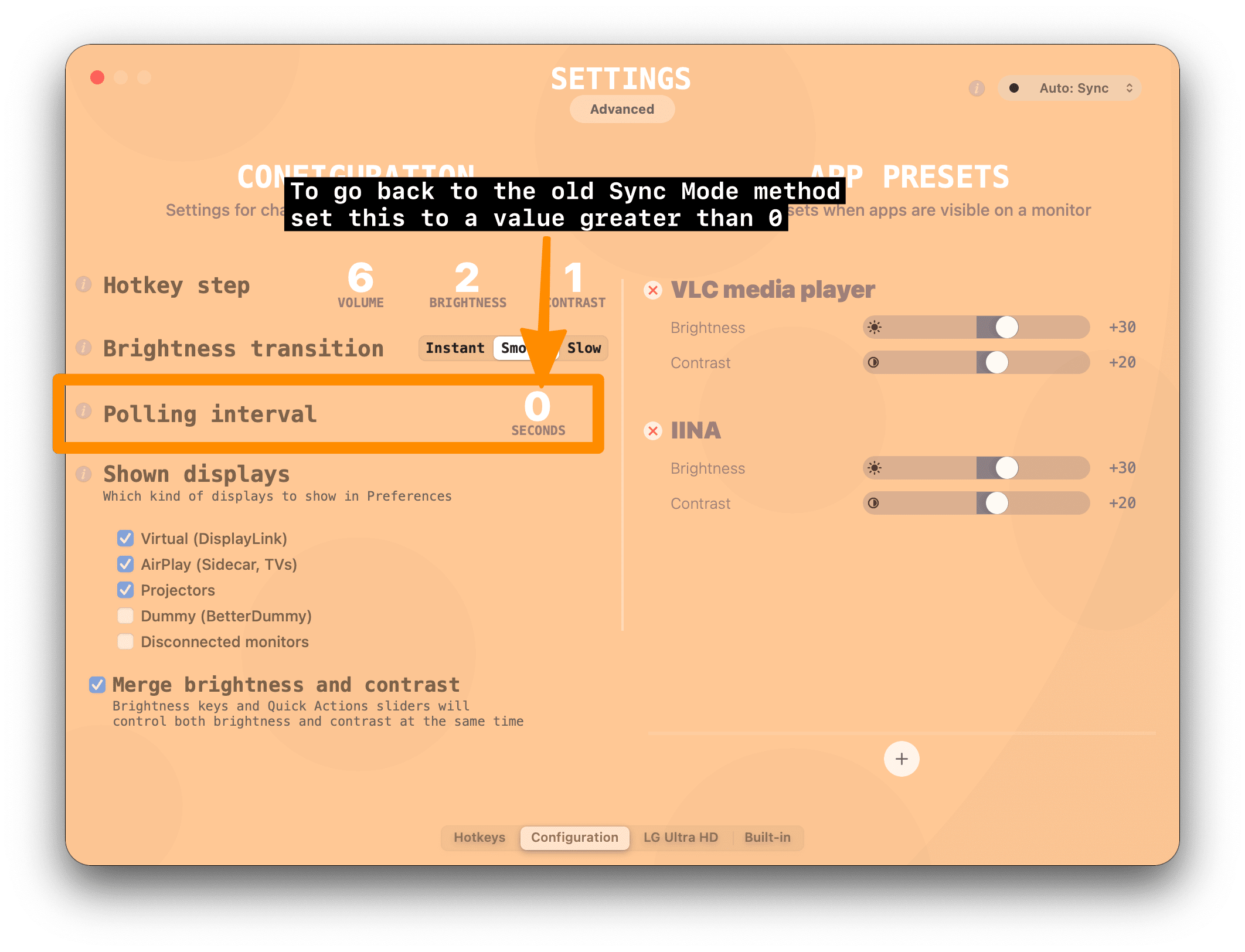
* Add `lunar blackout` command to CLI
* Add `lunar gamma --restore-color-sync` command for resetting to system default color settings
## Improvements
* Update `ddcutil-server` for Raspberry Pi OS 64-bit
* Improve Lunar CLI help
## Fixes
* Fix software dimming not going back to 100% after app restart on more recent macOS versions
* Fix BlackOut dialog appearing wrongly
# 5.4.1
## Fixes
* Fix sudden brightness changes because of brightness being read incorrectly on some monitors
* Delay when retrying sensor requests
* Fix radius value disappearing on editing
# 5.4.0
## Features
### Client-server architecture for the Lunar CLI
The `lunar` command can now control the running Lunar app directly instead of spawning a new instance.
If the Lunar app is not running, the CLI will automatically use the old method of running the command directly.
#### New arguments:
* `--remote` forces the `lunar` command to never spawn a new instance and fail if there's no Lunar app already running
* `--host` configures the hostname where to send the command
* This means you can now also control Lunar apps running on other Macs
* `--key` configures the API key for authenticating the `lunar` command against the Lunar app server
* This is only needed when controlling Lunar instances running on other systems
* `--new-instance` forces the `lunar` command to always run the command locally and spawn a new instance even if there's a Lunar app already running
### BlackOut improvements
Added **BlackOut without mirroring** on holding `Shift`.
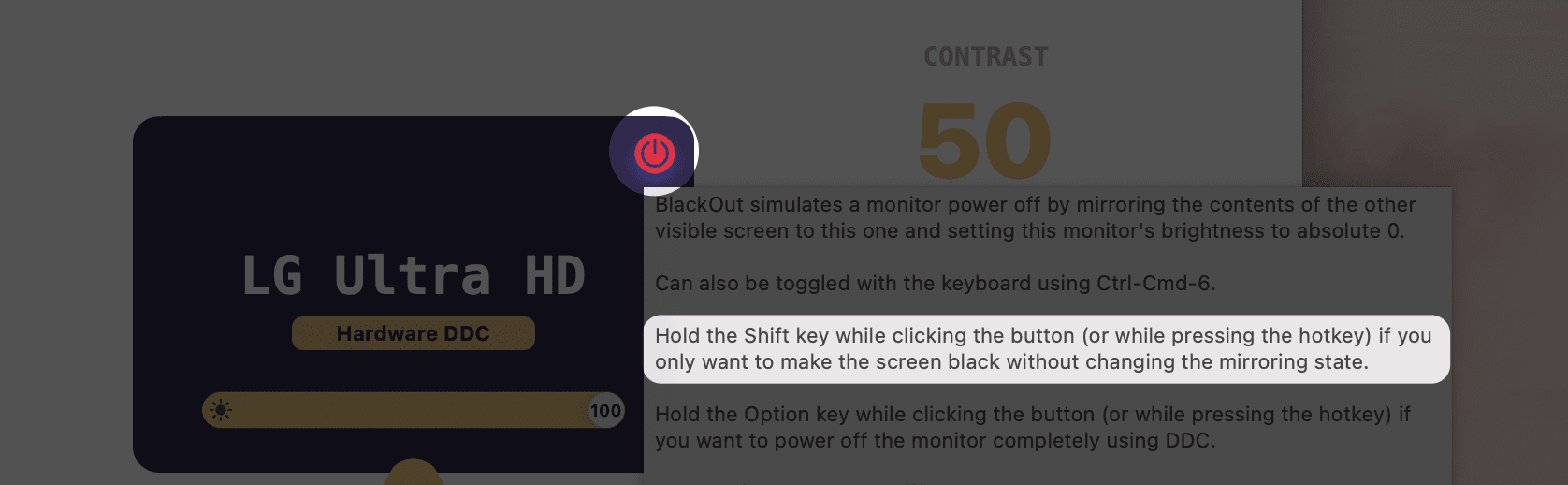
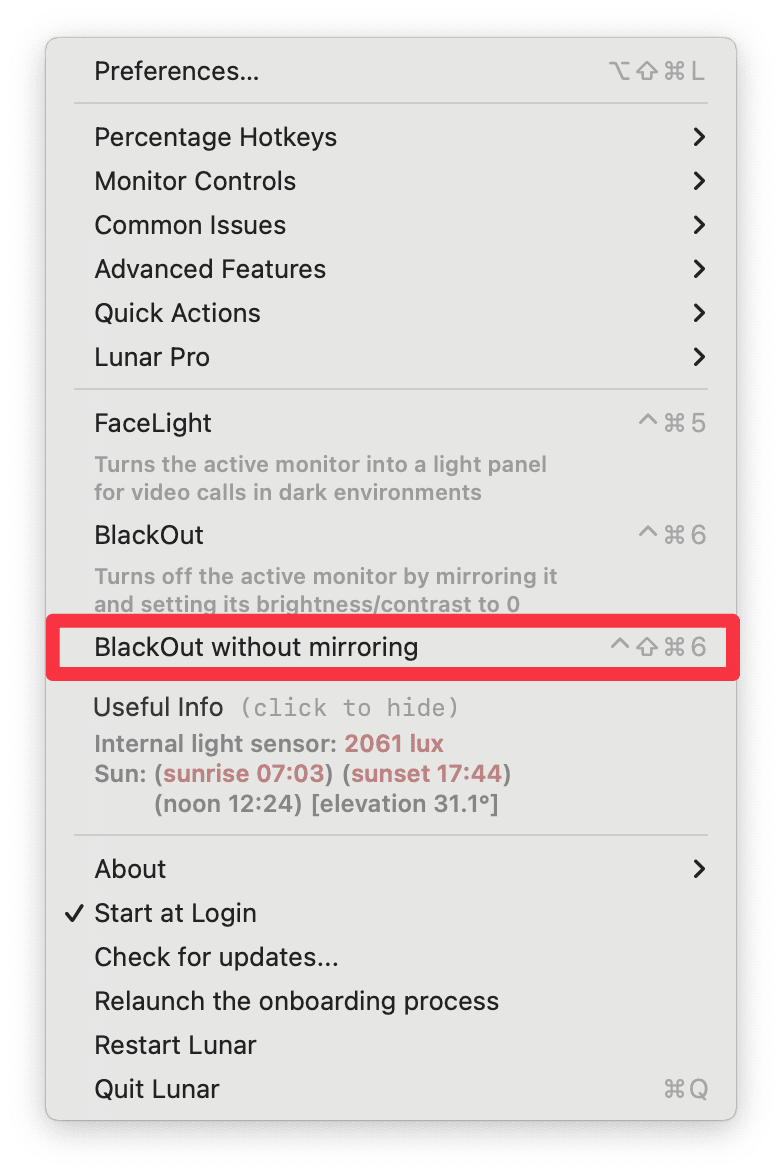
* Added logic to automatically disable BlackOut when monitors are disconnected and the only remaining display is blacked out
* Configured mirroring as `.appOnly` so that the system doesn't remember the BlackOut mirroring state after Lunar is quit
## Improvements
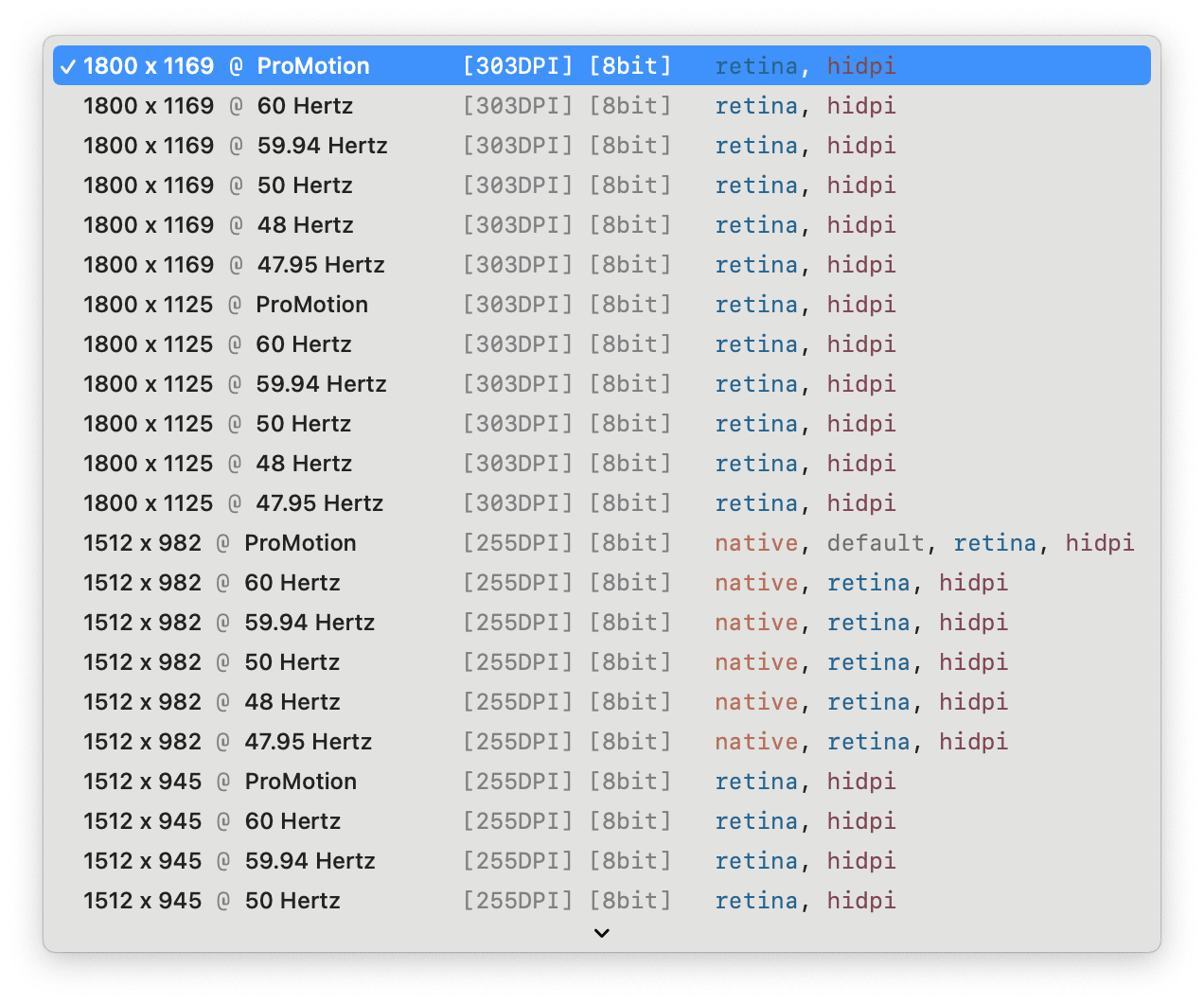
* Make the resolutions dropdown more useful with some formatting and pretty colors
* 
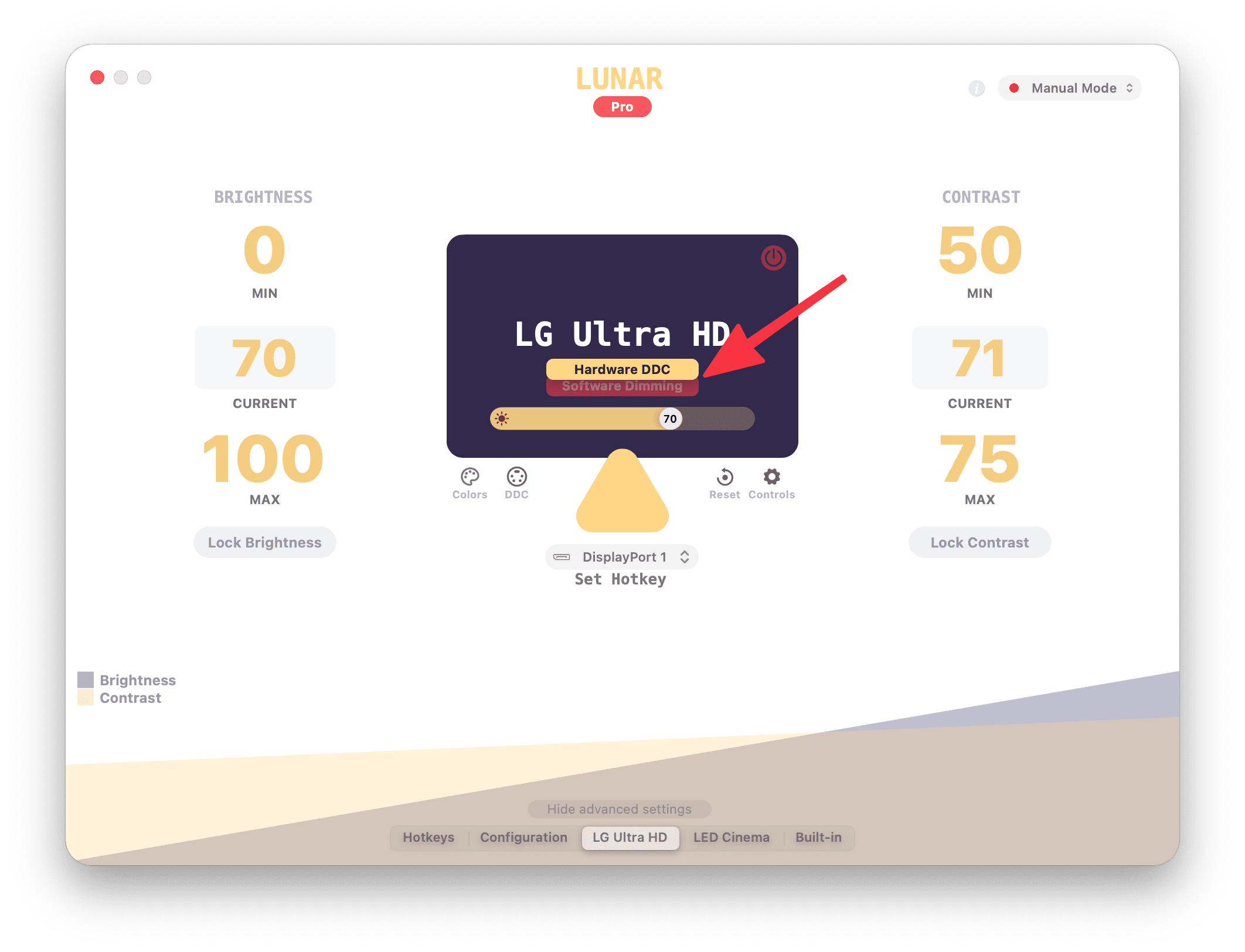
* Add a way to easily toggle between **Software Dimming** and **Hardware DDC**
* 
* Add a way to install Lunar CLI from the command-line
* `/Applications/Lunar.app/Contents/MacOS/Lunar install-cli`
* Allow 2-byte values for DDC commands because some monitors support wider ranges (e.g. ASUS PG32U)
# 5.3.4
## Fixes
* Fix BlackOut getting stuck in some rare cases
* Release leaking memory on Intel DDC implementation with AMD GPU
# 5.3.3
## Improvements
* Move the *Volume keys control all monitors* setting to make its effect clearer
## Fixes
* Fix crash caused by reading built-in brightness on a different thread
* Add 1 second delay between switching input and applying defined brightness on Input Hotkeys
# 5.3.2
## Improvements
* Move the **Auto Blackout** setting to the main preferences screen
## Fixes
* Fix crash caused by SimplyCoreAudio deadlock
# 5.3.1
## Improvements
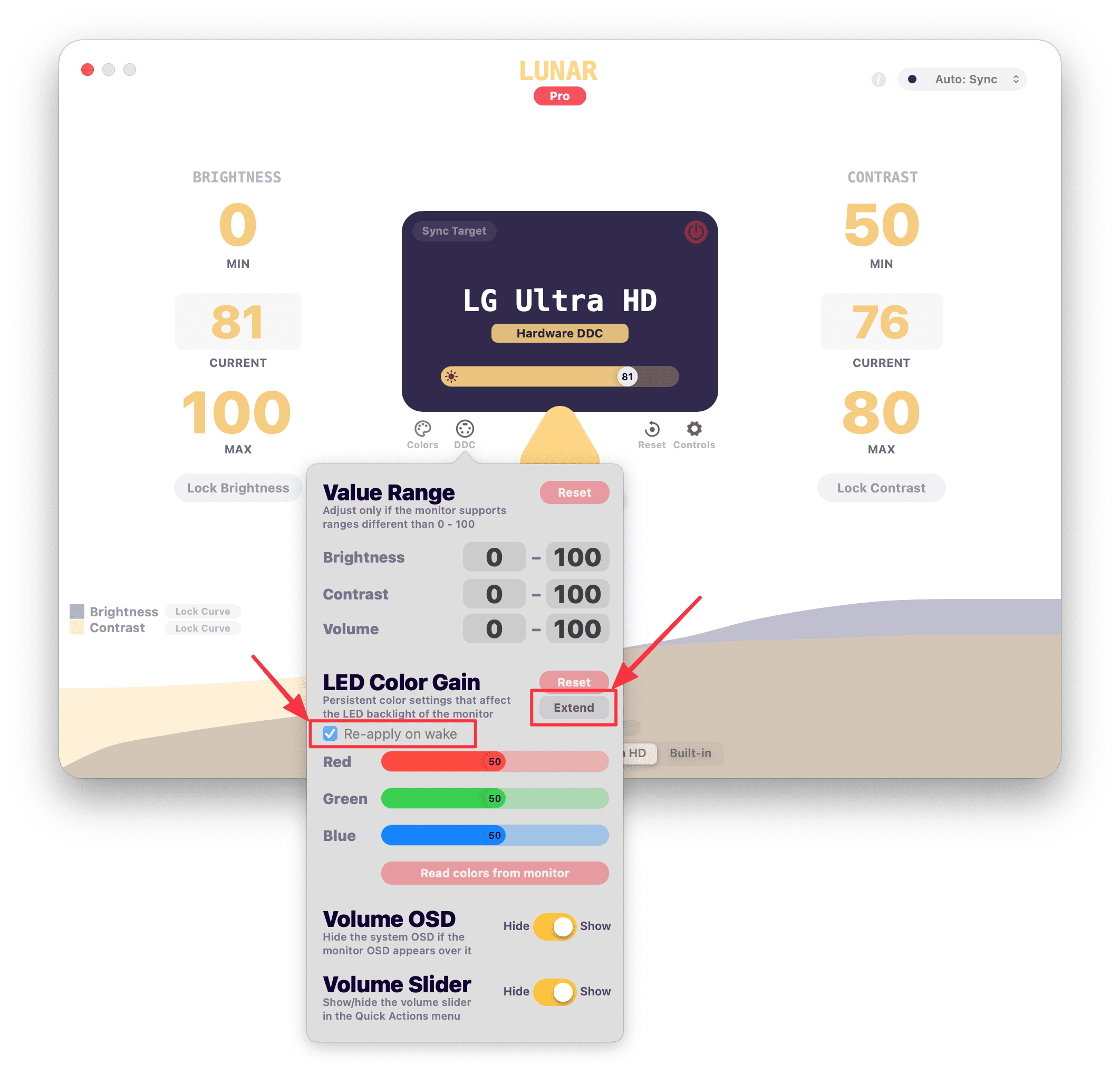
* Add a way to **extend the range** of Color Gain for professional displays like the **Wacom Cintiq Pro**
* Add a way to **disable re-apply on wake** for Color Gain
* Security updates to dependencies
## Fixes
* Fix colors being washed out because the Color Gain value of the monitor didn't match what Lunar had stored
# 5.3.0
## Improvements
* Show slider values on the knob
* Improve slider contrast
* Add glass material to QuickActions
* Detect HDMI port properly on the M1 Pro and M1 Max
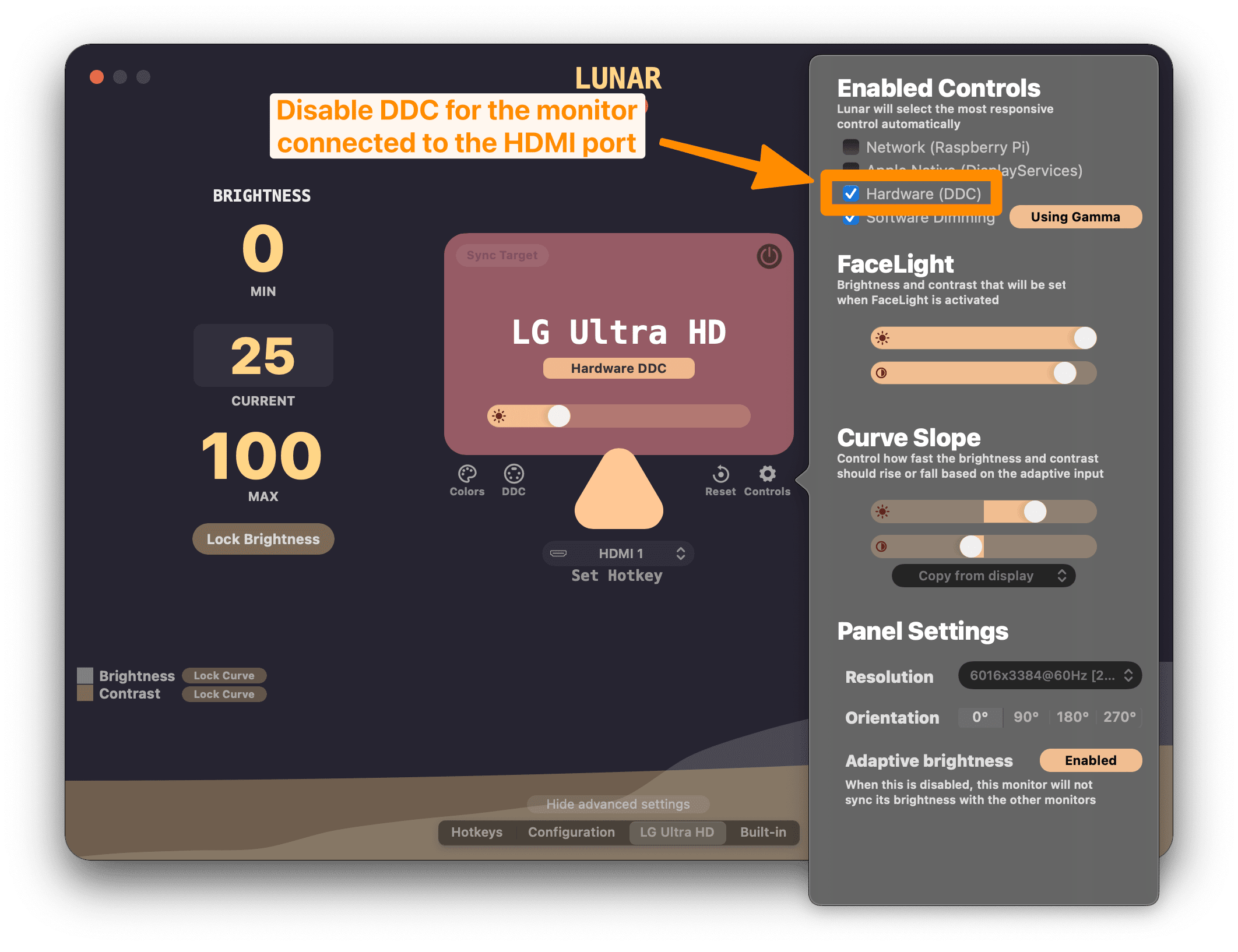
* This will disable DDC automatically for that port as there's still no way to send DDC commands through it
## Fixes
* Hide second background of QuickActions when Reduce Transparency is active
* Make sure to re-enable adaptive brightness on built-in after switching from Manual to other modes while in an App Preset
# 5.2.3
**Note: if you have a monitor connected to the HDMI port of the 2021 MacBook, disable DDC manually for that monitor**
## Fixes
* Make sure that monitors with Network Control disabled don't get matched with a Pi controller
* Remove the **Lunar Test** flashing text properly after onboarding
# 5.2.2
**Note: if you have a monitor connected to the HDMI port of the 2021 MacBook, disable DDC manually for that monitor**

## Improvements
* Add an IOService event detector to re-create the I2C service port cache when the IOKit tree changes
* This should help with cases when the monitor is not responding to Lunar's brightness/volume/input changes until app restart
## Fixes
* Fix fetching script dir in Lunar sensor install script
* Remove HDMI port detection logic for M1 Pro/Max because it causes false positives
* Will resume work on this when my MacBook arrives
# 5.2.1
## Improvements
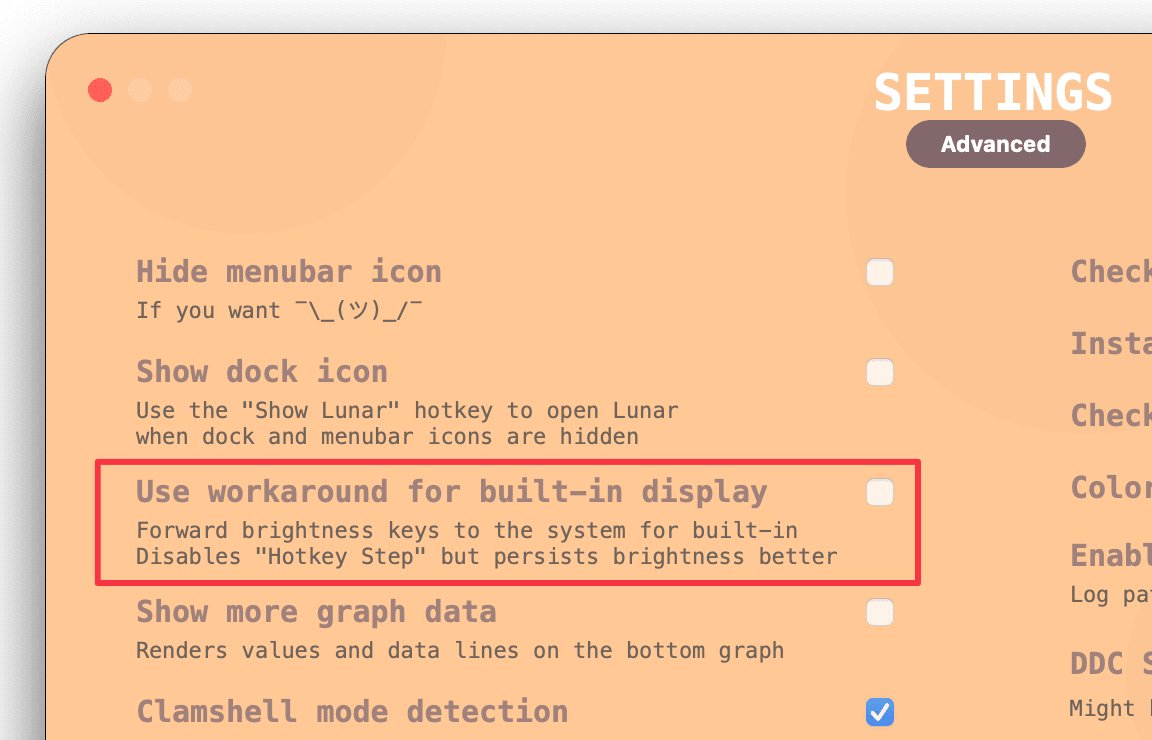
* Make brightness key forwarding optional in Advanced settings
* If the built-in display brightness is not persisting properly, try enabling this setting
## Fixes
* Reset BlackOut state if brightness is greater than 1
* Don't show OSD for built-in brightness when forwarding media keys to the system
* Fix crash because of wrong datapoints for the Location Mode chart
* Fix Input Hotkey dropdown in Dark Mode
# 5.2.0
## Features
* **Auto BlackOut**: turn off the built-in display automatically when an external monitor is connected
* Simpler visual design for **Quick Actions**
## Improvements
* Automatically switch to Gamma on the HDMI port of the M1 Pro/Max MacBook
* Don't re-apply brightness if App Presets is empty (avoids jittery brightness on some displays)
* Make sure we don't accidentally disable "Automatically adjust brightness"
## Fixes
* Fix option key being wrongly taken into account when pressing brightness keys
* Update Sparkle auto-updating framework to fix some GUI bugs
* Update diagnostics text to include the MacBook HDMI limitation
* Fix `checkSlowWrite` for DDC which could wrongly mark smooth transitions as unsupported
* Make sure to remove the **Lunar Test** marker when closing diagnostics/onboarding
# 5.1.2
## Features
* Add possibility to stream logs to the developer in real time for more efficient troubleshooting
## Improvements
* Make Gamma/Overlay changes faster when using sliders
* Make the Adaptive Mode dropdown easier to click
* Add note about how to adjust contrast independently on the Hotkeys page
* Make App Presets more reliable on single monitor setups by not caring about the window visibility
* Make Ultrafine AmbientLightCompensation detection more strict
* It seems there are some models that report that AmbientLightCompensation is enabled while HasAmbientLightCompensation is false
## Fixes
* Fix contrast media keys
* Fix internal sensor detection
* Fix contrast locking by itself when showing/hiding advanced settings
# 5.1.1
## Improvements
* Correctly set max DDC brightness to 255 on LED Cinema displays
## Fixes
* Fix clamshell mode detection for some special setups
* Fix brightness OSD not showing in some cases (missed some stuff)
* Fix brightness keys not working in previous release
# 5.1.0
## Features
* Add back the Adaptive Mode dropdown in the QuickActions menu
* Add more useful buttons at the bottom of the QuickActions menu:
* **Preferences**
* **Restart**
* **Quit**
## Improvements
* Add menu item to **Relaunch the onboarding process**
* Improve QuickActions menu height formula
* Add notice about how to relaunch onboarding if needed
* Improve brightness slider for built-in display
## Fixes
* Fix **Sync Source** button text being unreadable
* Fix overlay artifacts appearing when disconnecting iPad Sidecar
* Fix brightness OSD not showing in some cases
* Fix Clock Mode schedules being reverted to the current brightness on some occasions
* Fix App Presets window detection by intersecting the window frame with the raw display bounds
# 5.0.5
## Fixes
* Fix detection for Samsung U28E850
# 5.0.4
## Fixes
* Fix issue where adjusting brightness with keys would double the change for external displays
# 5.0.3
## Features
* Add **Volume Slider** show/hide toggle inside the [DDC menu](lunar://display/ddc) of external displays
* Add **Copy from display** for Curve Factors
* Add possibility to show slider values
* Separate brightness and contrast for app presets when *Merge brightness and contrast* is disabled
* Add **Jitter After Wake** function for monitors that wake up with dimmed brightness
* Can be activated from the terminal using `defaults write fyi.lunar.Lunar jitterAfterWake 1`
## Improvements
* Make contrast syncing snappier
* Make the CLI DDC values a bit smarter
* If the value is in the form of `0x1F`, `x1F` or `1Fh` it is parsed as hex
* Otherwise it is parsed as decimal
* Passing `--hex` will always parse values as hex
* Work around the system issue where the built-in display brightness is reverting automatically after a manual change
It seems that some MacBooks don't support brightness change event notifications which causes the manual adjustments to not be reflected in the system brightnesss curve.
In this update we try to detect if a MacBook is missing that support and instead of controlling its brightness, we forward the brightness key events to the system and let it do the brightness changing.
Using the sliders for changing the built-in brightness will still have the reverting problem though, because we can't forward those events to the system.
## Fixes
* Don't ask for permissions on every launch if the user doesn't need that functionality
* Don't force focus Lunar window if dark mode is toggled
# 5.0.2
## Fixes
* Fix lag and wrong monitor assignment when DDC was used for two identical monitors
* Fix crash when getting current resolution for some displays
* Fix Sync Mode for Ultrafines that report having ambient light adaptive brightness enabled when in fact they don't
## Improvements
* Add all MCCS VCP codes to `lunar ddc`
* Add **Use current brightness** button in Clock Mode
* Add **Merge brightness and contrast** checkbox on the Configuration page
* Allows for reverting to the previous behaviour of controlling brightness and contrast separately
# 5.0.1
## Fixes
* Fix crash in diagnostics/onboarding when closing the window
* Automatically restart app when memory usage goes above 1GB
* The **Advanced** button on the Configuration page was not clickable on the top part
# 5.0.0
## Features
* Support for **M1 Pro** and **M1 Max**
* **Onboarding** process on first launch
* Redesigned **Diagnostics**
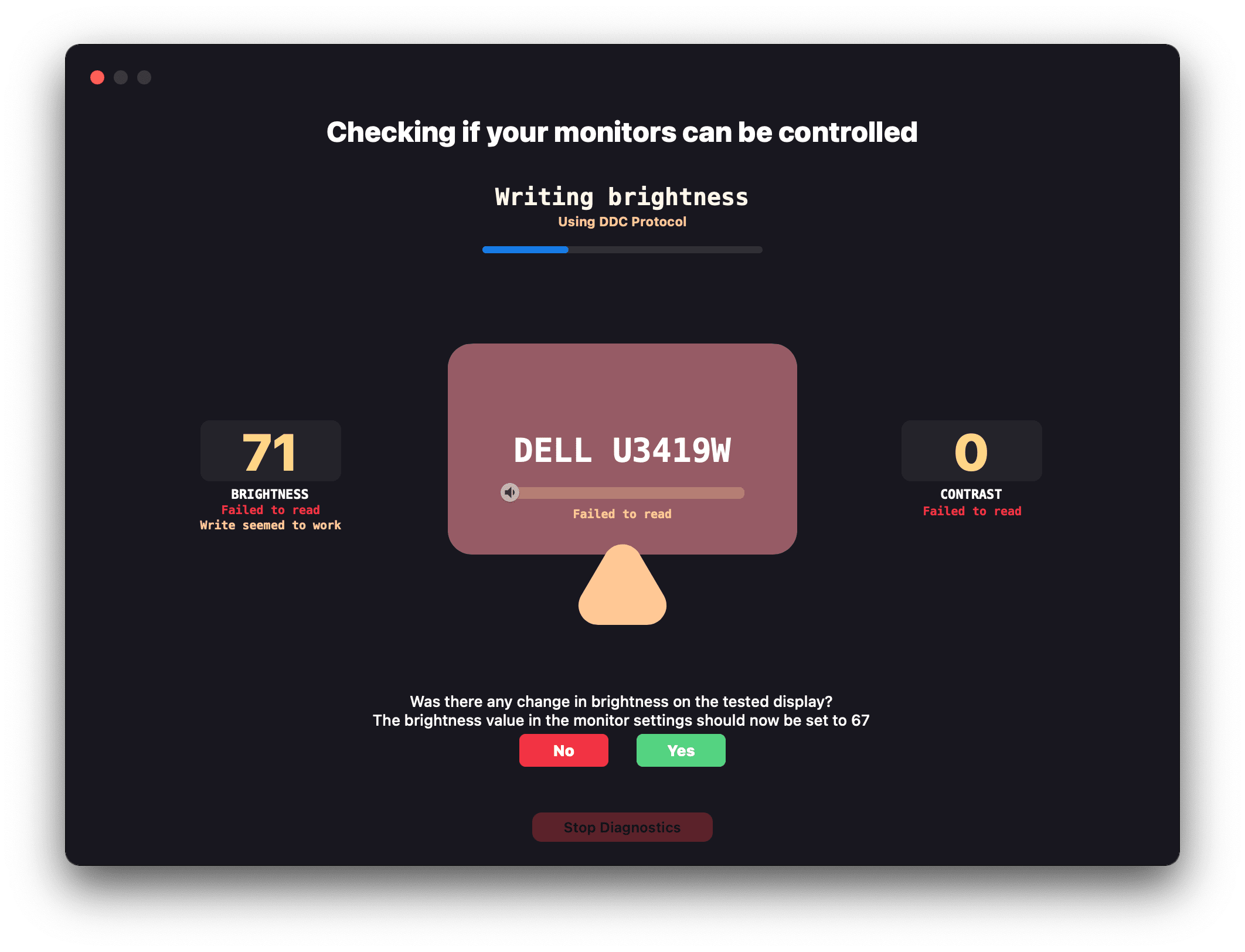
* Redesigned **Quick Actions** menu
* The menu appears on click instead of hover over the menu bar icon now
* The native menu can be shown using:
* Right click (or two finger Trackpad click) on the menu bar icon
* Click on the three dots icon in the top right of the Quick Actions menu
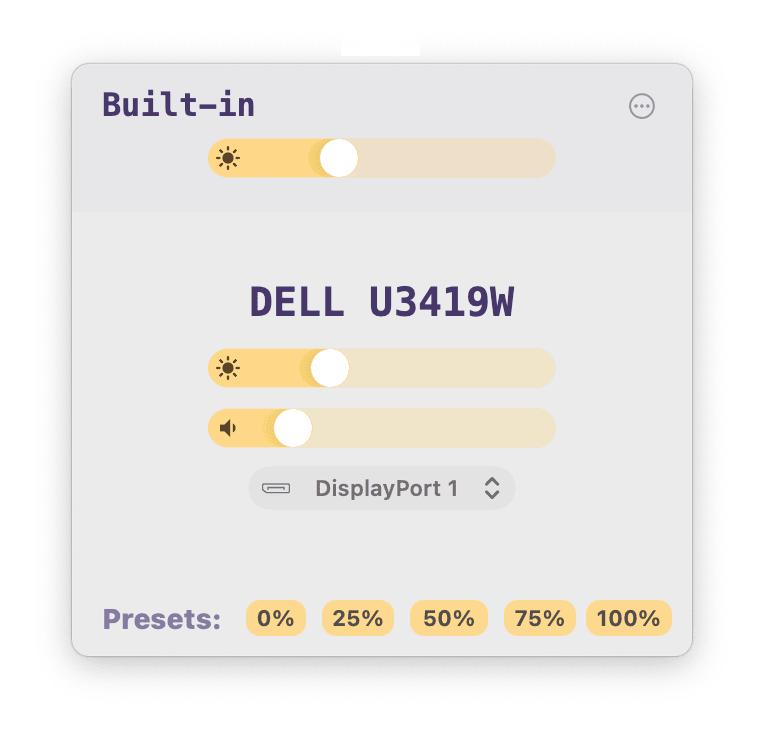
* **Sliders everywhere**
* Merged **brightness and contrast slider**
* Volume slider in the QuickActions menu
* *Only possible with the incredible help of [@waydabber](https://github.com/waydabber), maker of [BetterDummy](https://github.com/waydabber/BetterDummy)*
* Redesigned **Display Settings** menus
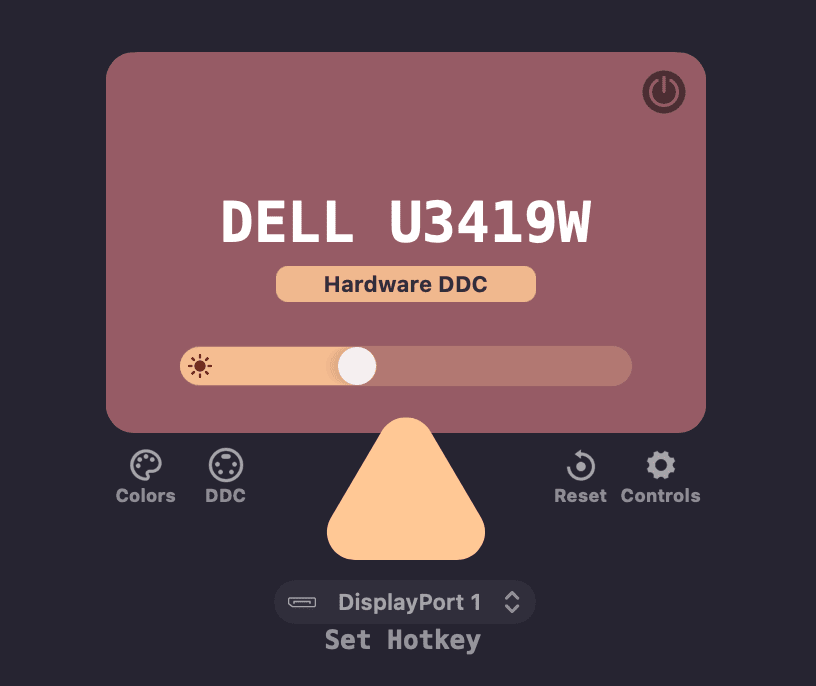
* **Restart Lunar** menu item and hotkey
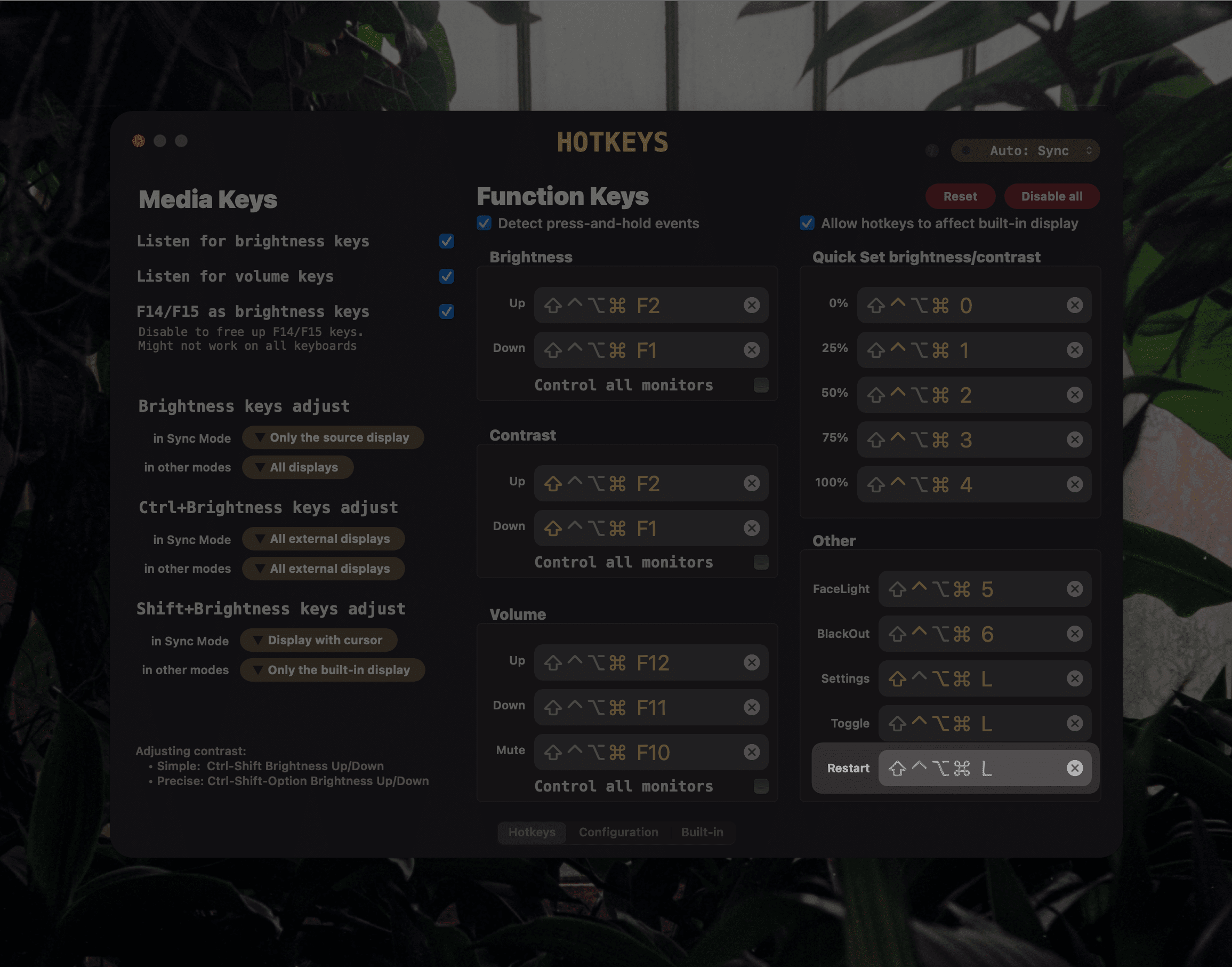
* **Overlay/Gamma switcher** button inside the Controls menu
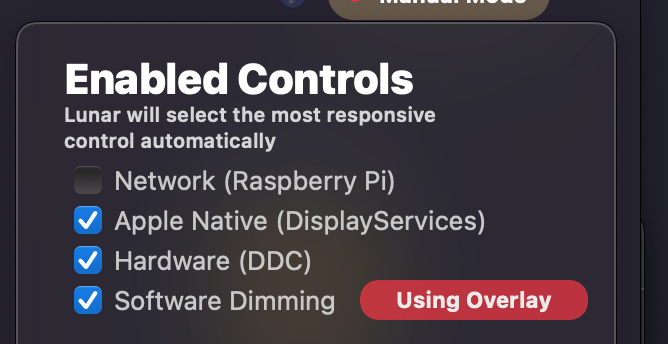
* **App presets** now work for the built-in display as well
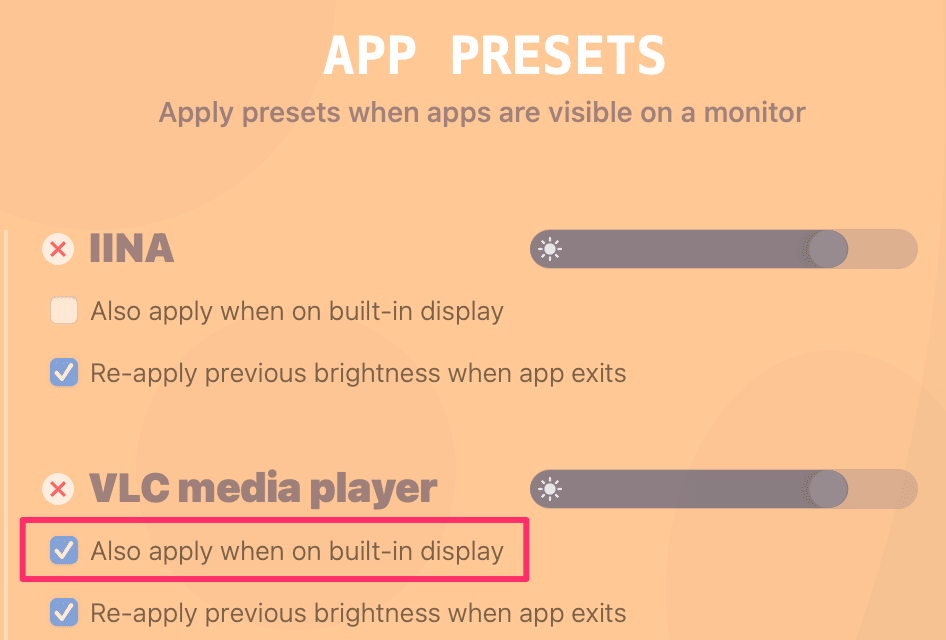
* Adding **Option** key to the **BlackOut** hotkey will turn off monitor completely through DDC
* Example: let's say you have configured BlackOut to activate on `Ctrl`-`Command`-`6`
* Then pressing `Ctrl`-`Command`-`Option`-`6` will allow you to turn off the monitor completely (*just like pressing its physical power button*) if the monitor supports that function
* **Rounded corners** for any display
## Improvements
* Enable the power button in the Lunar window to also work when the **Allow BlackOut on single screen** option is enabled
* Add *high memory usage checker* to aid in fixing memory errors in the future
* Use *Apple Native smooth transitions* using private macOS APIs on Apple vendored displays
* Smooth transitions can now happen in parallel if there are multiple displays with different controls
* Cut the memory usage in half by replacing large images in the UI with vector-drawn bezier paths
* Improved BlackOut logic when using a dummy display
* Filter checkbox for showing/hiding dummy displays
* Hotkeys changing the display with the cursor now affect all monitors in a mirror set
* This improves support for apps like [BetterDummy](https://github.com/waydabber/BetterDummy)
## Fixes
* Software overlay for Sidecar now appears correctly on first connection
* Notify the system when changing built-in brightness to allow the system curve to readapt
# 4.9.7
## Features
* **Onboarding**
* **Restart Lunar** menu item and hotkey

* **Volume slider**
* **Overlay/Gamma switcher** button inside the Display Settings menu
* Adding **Option** key to the **BlackOut** hotkey will turn off monitor completely through DDC
* Example: let's say you have configured BlackOut to activate on `Ctrl`-`Command`-`6`
* Then pressing `Ctrl`-`Command`-`Option`-`6` will allow you to turn off the monitor completely (*just like pressing its physical power button*) if the monitor supports that function
## Improvements
* Enable the power button in the Lunar window to also work when the **Allow BlackOut on single screen** option is enabled
* Add high memory usage checker to aid in fixing memory errors in the future
* Smooth transitions can now happen in parallel if there are multiple displays with different controls
* Cut the memory usage in half by replacing large images in the UI with vector-drawn bezier paths
## Fixes
* Software overlay for Sidecar now appears correctly on first connection
*And a little easter egg:*
# 4.9.6
## Features
* **Useful Info** menu item in menu bar that can also be hidden
* **Allow BlackOut on single screen** advanced setting for people that:
* mostly use BlackOut from the keyboard
* have the need to turn off the external monitor while the MacBook is in clamshell mode
* Option to show brightness and contrast of the active display beside the menu bar icon
* Option to hide the orientation switcher in the QuickActions menu
* Hide QuickActions when clicking anywhere outside of it

## Improvements
* Change **Apply Gamma** checkbox to an enable/disable button that also disables value editing
* Close Quick Actions menu faster when moving the cursor away from it
* Better *possible clamshell mode detection* to avoid setting external monitor brightness to 0 when closing the MacBook lid
## Fixes
* Fix crashes that happened because of accessing AVService/I2C cache from multiple threads
* Make sure to update some text fields that were not updated on launch
# 4.9.5
## Features
* **Clock Mode**: schedule brightness and contrast presets based on sunset/sunrise/noon or a specific time
* **Dark Overlay** dimming for displays that don't support Gamma or DDC (**DisplayLink** and **Sidecar** usually)
* **Curve Learning** now works with external brightness changes if **Refresh values from monitor settings** is enabled in [Advanced settings](lunar://advanced)
* Contrast does nothing when the overlay is used
* Sensor Mode can now use the internal light sensor of the M1 MacBooks
* Add option to disable checking for DDC responsiveness in [Advanced settings](lunar://advanced)
* Display filters for deciding what to show in the Preferences window:
* Virtual displays
* AirPlay displays
* Projectors
* Disconnected monitors
## Improvements
* Improve dynamic gain on the TSL2591 external light sensor by checking for overflows
* You will need to reinstall the ambient light sensor firmware to get this improvement
* Improve Gamma smooth transitions by removing unnecessary animations and allowing it to appear on Mission Control
* Thanks to [@waydabber](https://github.com/waydabber) for finding out this edge case and for suggesting that the window needs to be set as `stationary` to fix it
* Recover Facelight state after screen sleep/wake
* Improve smooth and slow transitions for Apple vendored displays that can use Native Controls
* Reset audio device cache on wake and on display reconnection to avoid volume controls not working in some cases
* Do network requests asynchronously where possible to improve responsiveness and fix some memory leaks
* Simplify menu bar icon menu
## Fixes
* Fix crash when the DDC faults storage was accessed from multiple threads
* Fix crash that happened on modifying the I2C controller cache when the IO registry tree changed
# 4.9.1
## Fixes
* Fix crash because of gamma smooth transition logic
* Fix crash when Sensor Mode would update brightness on a non-main thread
* Avoid app entering a not responding state when in Location mode and waking the screen
## Improvements
* Make sure Gamma never goes below `0.08` on brightness 0 to retain visibility
* Allow **press-and-hold** detection to be disabled for users that encounter problems with it
* Remove unused serial-port and volume-based sensor options
# 4.9.0
## Features
* Revamped Hotkeys page for easier configuration of how the keys should work
* Hotkeys now support press and hold for repeating actions
* Add configurable FaceLight brightness/contrast settings inside the [Lunar Display settings](lunar://display/settings)
* Add **Disable all hotkeys** button on the Hotkey page
* 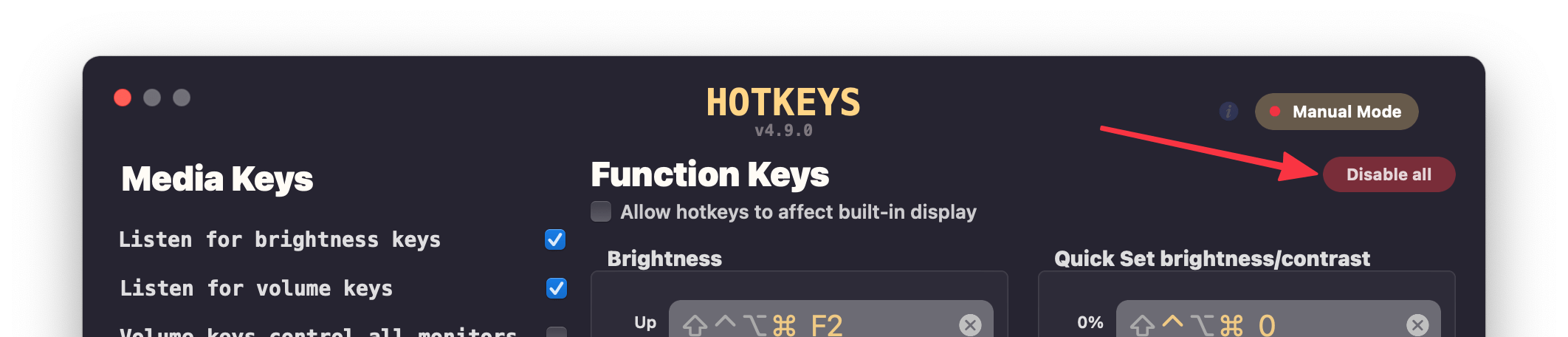
* Add **Slow** brightness transition option
* Change Lunar window pages using keys:
* Press **H** for the *Hotkeys* page
* Press **C** for the *Configuration* page
* Press **B** for the *Built-in display* page
* Press **1..9** for switching to the *Display* page with that number
## Improvements
* Re-apply BlackOut on screen wake to account for brightness being set to a non-zero value by the system
* This needs **Re-apply brightness on screen wake** to be enabled inside [Advanced settings](lunar://advanced)
* Make the Gamma smooth transition dot even less visible to avoid creating the perception of a dust speck on the screen
## Fixes
* Fix Lunar not responding in some cases when waking up from sleep
* Fix swipe being blocked on the Configuration page
# 4.8.5
## Fixes
* Fix BlackOut hotkey not reflecting in the menu bar item
* Fix Check for Updates not working on some occasions
## Features
* Add a way to hide the macOS volume OSD for monitors that have their own volume indicator
* 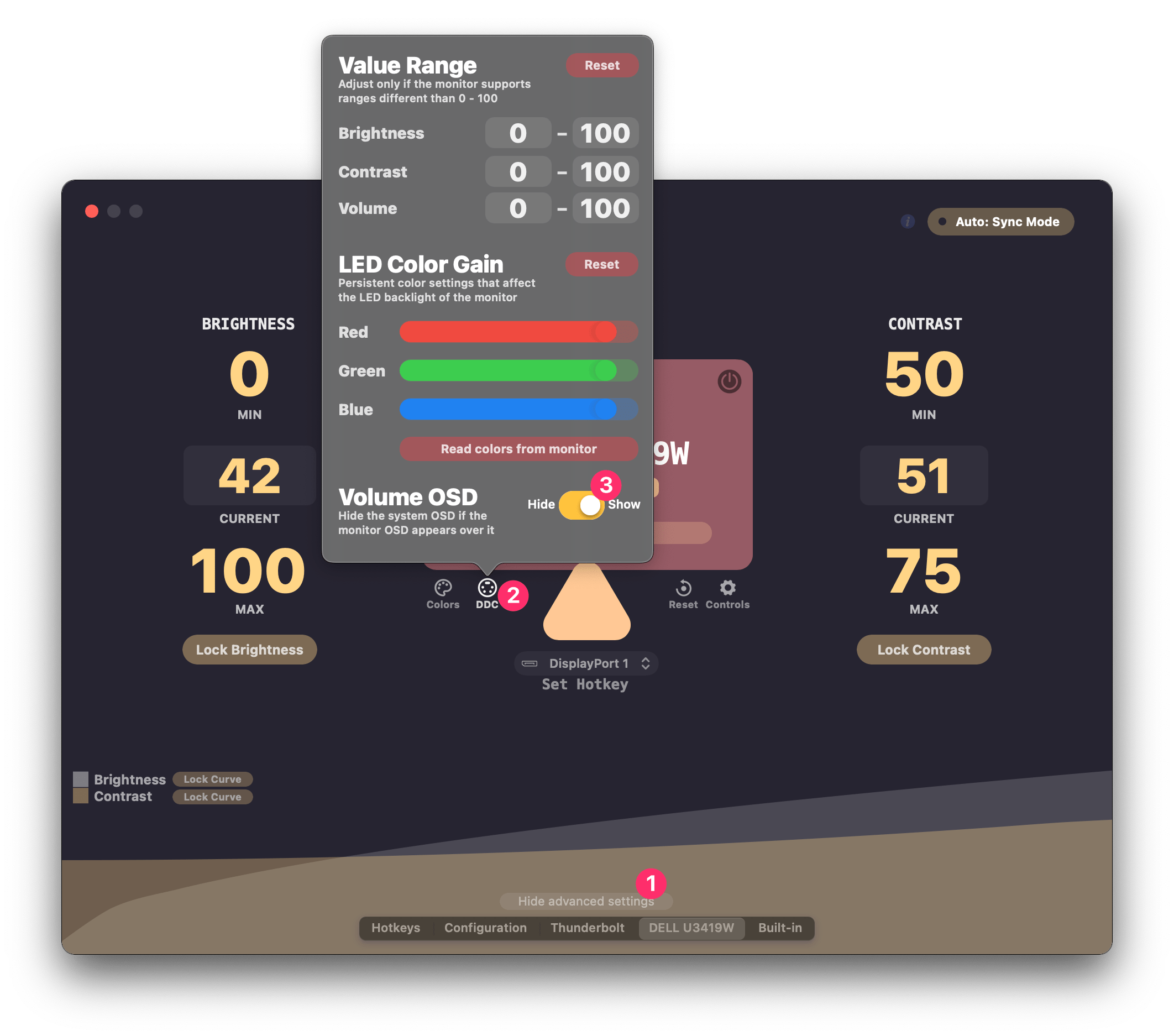
# 4.8.4
## Features
* Add navigation bar and remove left/right arrow buttons
* Simplify and smoothen brightness graph
* More complex data can be shown by enabling **Show more graph data** in [Advanced settings](lunar://advanced)
## Fixes
* Fix internal display being dimmed accidentally after the lid was opened
* Fix QuickActions popover closing accidentally right after opening
## Improvements
* Add **Continue** button for diagnostics instead of relying on pressing keyboard keys
* Improve Native Controls detection for the built-in display when closing/opening the lid
# 4.8.3
## Fixes
* Fix DDC for monitors that act as TVs when in fact they aren't
## Improvements
* Add contact form on lunar.fyi
* Allow fully offline installations
# 4.8.2
## Fixes
* Make Gamma ColorSync profile matching work on Intel as well
* Many thanks to [@waydabber](https://github.com/waydabber) for suggesting that a Gamma table of `256` values might fix this
* **Fix Hotkeys handling** after adding the built-in display page
* Add missing hotkeys for changing screen orientation in [Advanced settings](lunar://advanced)
* Fix `recursive locking` crash because of using `NSScreen` inside `MPDisplay`
# 4.8.1
## Fixes
* Fix stack overflow crash in detecting if a display is built-in
* Check for display ID to be online before reading Gamma
* Make ColorSync profile matching in Software Control mode M1 only
* This is because Apple's `CGGetDisplayTransferByTable` is buggy on Intel and crashes the app on some systems
# 4.8.0
## Features
* **Dark Mode UI**
* 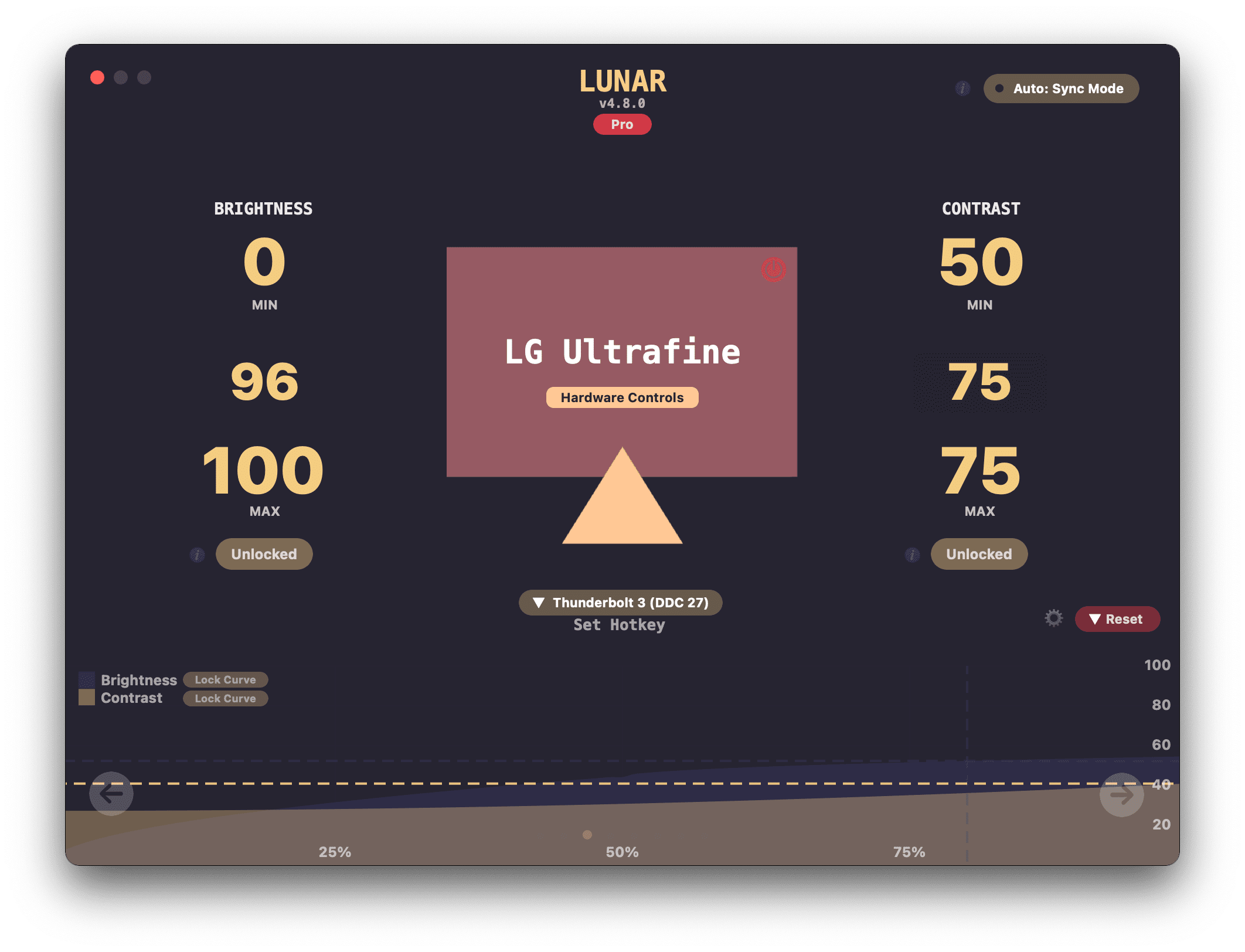
* Add **[Built-in Display page](lunar://display/builtin)**
* 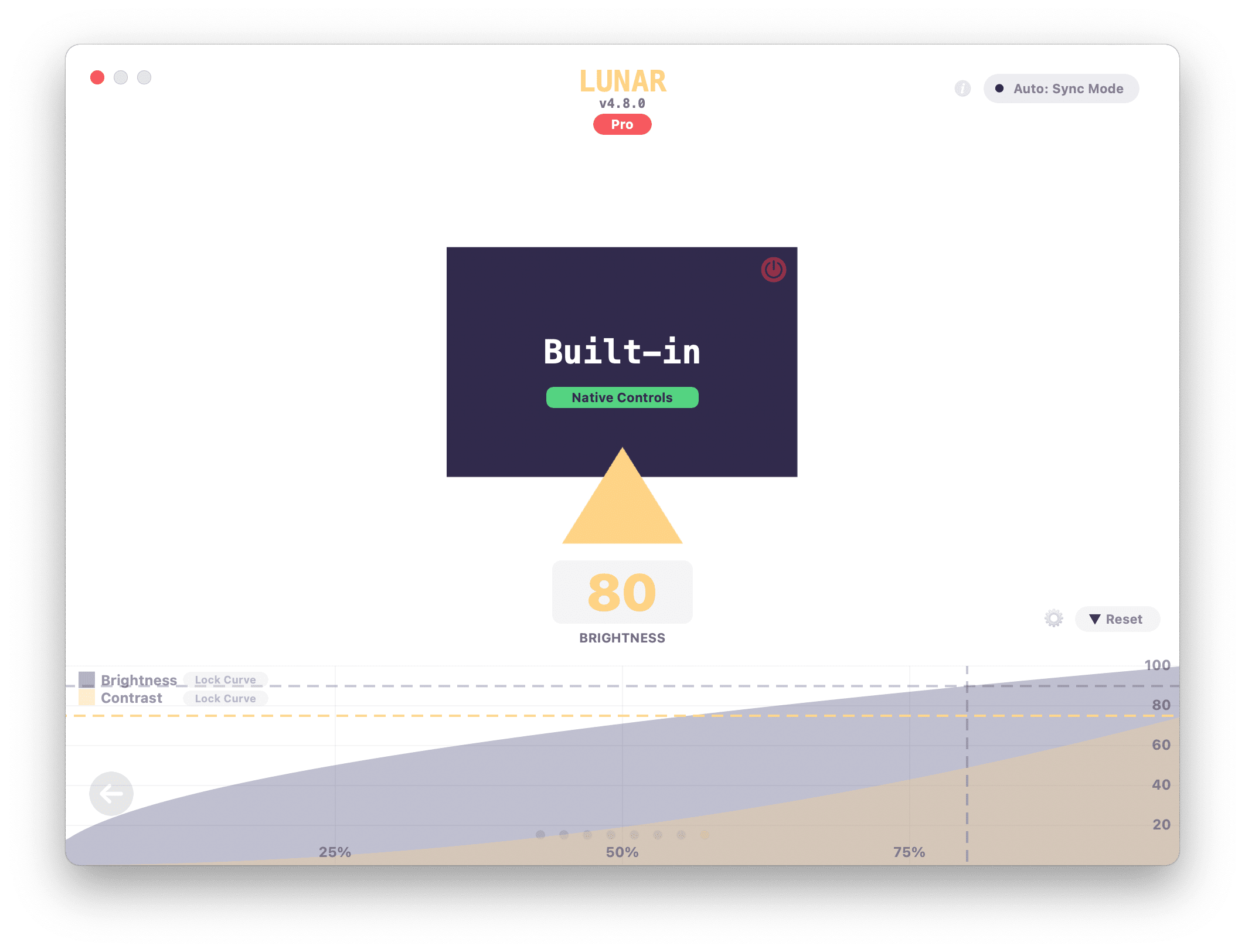
* **[BlackOut](https://lunar.fyi/#blackout)**: a feature that lets you selectively turn off displays by:
* Mirroring the main display contents
* Setting their brightness and contrast to 0
* **How to use:**
* Press `Ctrl+Cmd+6` to activate it and turn off the display where the cursor is
* You can also activate it by *clicking the power button* on the display page for the following cases:
* Built-in display
* External monitors that don't support DDC
* 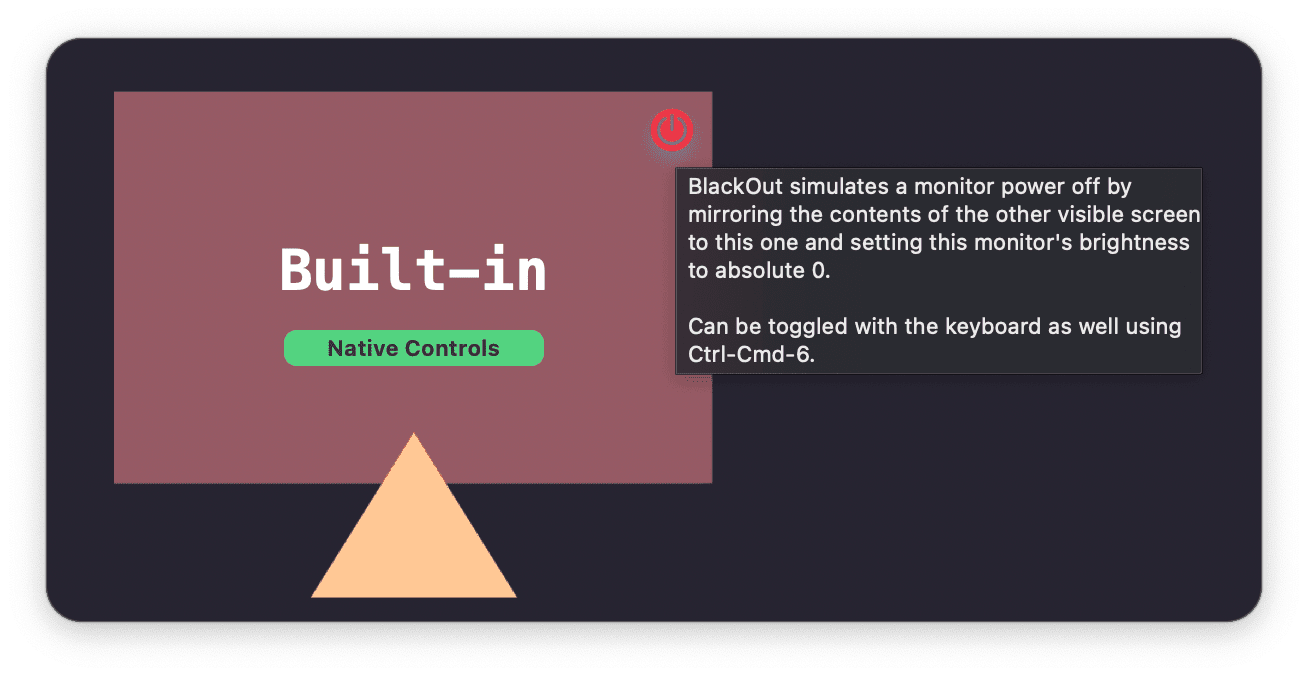
* Add *"Use Alternate Brightness Keys"* checkbox on the [Hotkeys page](lunar://hotkeys)
* Useful if you have a keyboard that has `F14`/`F15` keys and the Brightness keys can send special key codes
* Add *"Include Built-in Display"* checkbox on the [Hotkeys page](lunar://hotkeys)
* Useful if you use a Hackintosh with an external monitor set as a built-in display
* Add **Lock Curve** button for disabling the auto-learning curve algorithm when needed
* Add **Reset** buttons in the [gear icon menu](lunar://display/settings)
* Allow setting **minimum** values for **DDC Limits**
* Add more useful controls in the [gear icon menu](lunar://display/settings)
* **DDC Color Gain**
* **Resolutions** (including hidden resolutions)
* **Screen orientation**
* 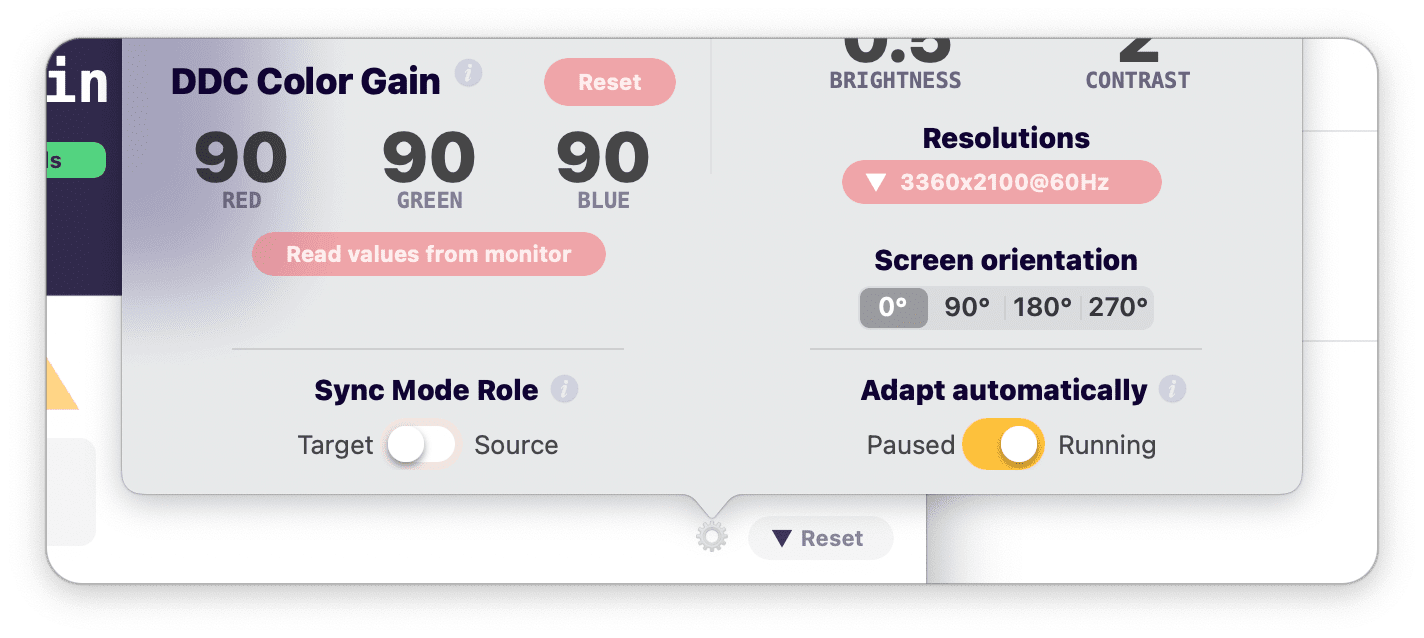
* 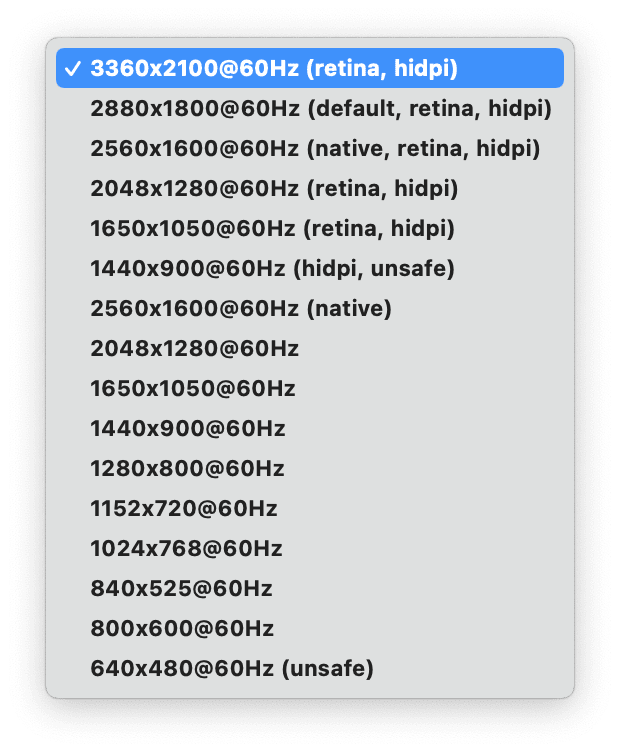
* Replace the Adaptive button with a more useful **input switch dropdown** in the QuickActions menu
* 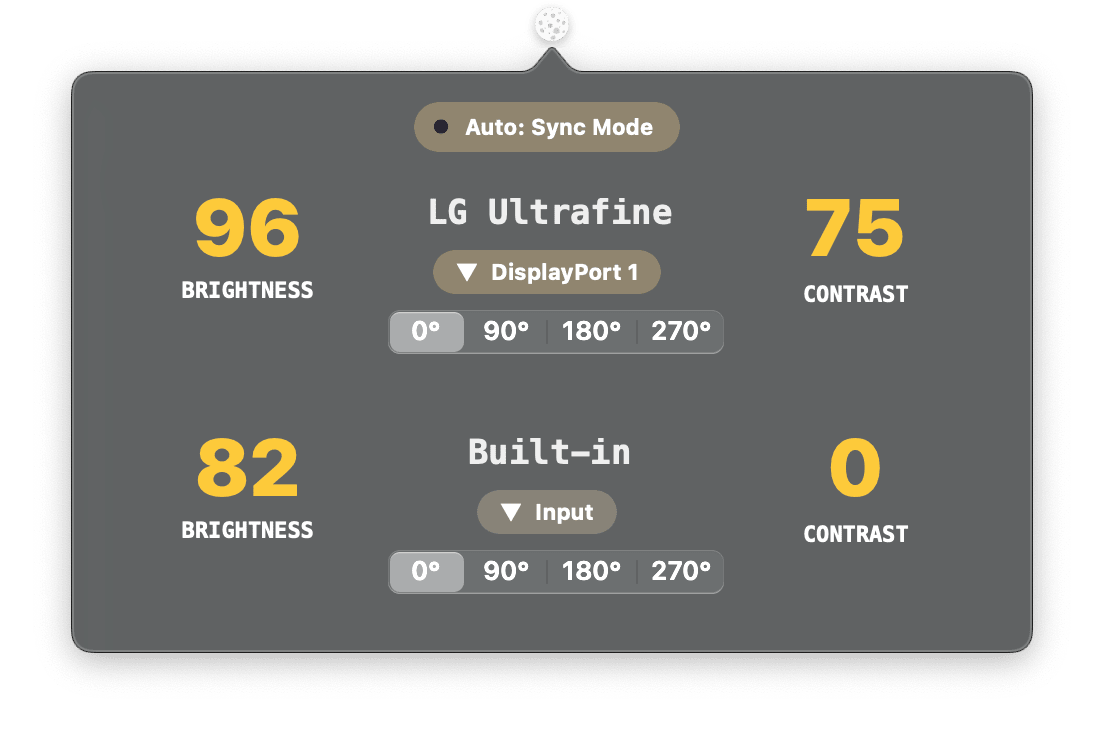
## Improvements
* **Respect custom color profiles when adjusting brightness using Gamma**
* Handle non-english locales in text fields
* Show error when CLI can't be installed and show a possible fix using chown and chmod
* Allow fuzzy display name matching in CLI
* Things like this should work now:
* Switch input to HDMI for LG UltraFine: `lunar displays ultrafine input hdmi`
* Read contrast of Dell U3419W: `lunar displays dell34 contrast`
* Switch to rounding the curve value in the auto-learning algorithm for more precise mappings
* Make transitions smoother on Apple displays
## Fixes
* Fix crash on Monterey beta 5 because of `Thread.private` not existing anymore
* Handle cases where app exceptions can't be added because their bundle doesn't contain `CFBundleName`
* Pin `TSL2591` library to a known working version
* Fix DDC limits not being applied correctly in Manual Mode
* Fix data race crash when iterating some dictionaries
* Allow brightness 0 in Sync Mode on iMacs
# 4.7.2
## Improvements
* Add SPI as lib dependency for sensor firmware to avoid compilation errors in the future
* Improve Network Control monitor matching in multi-monitor cases
* Quit older instances if a user launches Lunar while it is already running
* Always show Network Control prompt on the main monitor
* Check if new value is different from old value when listening for settings changes to avoid duplicating events
## Fixes
* Don't check for updates on launch to avoid annoying people who don't like updates as much as I do
* Fix typo which caused the monitor serial to be wrongly compared to the product ID when matching monitors
* Allow CLI to set properties that don't need an available control
# 4.7.1
## Improvements
* Remove the need for a yellow dot in Gamma and Network control
* Add **Show virtual displays** checkbox in [Advanced settings](lunar://advanced)
* Turns out DisplayLink monitors show up as virtual and you need this checked if you want Lunar to see the monitor
* Fix Gamma **(Software Controls)** curve calculation being skewed in the 0% to 10% range
* The zero point (no gamma changes) is now when BRIGHTNESS=100 and CONTRAST=75
* Lightness change between brightness values should be more consistent with the human eye response to light
## Fixes
* Don't check for updates on launch if **Check for updates automatically** is disabled in [Advanced settings](lunar://advanced)
* Fix some unexpected crashes
* Fix license being disabled erroneously on network problems
# 4.7.0
# Features
* Add support for ESP8266 sensor boards
* Implement auto-gain and adaptive integration time for light sensors
# Improvements
* Make firmware installer window appear faster by looking for serial devices in the background
* Highlight **Advanced** settings button
* Add URL for opening the gear icon menu directly: [lunar://display/settings](lunar://display/settings)
# Fixes
* Fix support for Adafruit Metro ESP32 S2
* Fix some unexpected crashes
* Keep Lunar Pro active when license fails verification with Paddle for the first few times
# 4.6.5
## Features
* `lunar://` URLs for easy access to specific parts of the UI
* Settings page: `lunar://settings`
* Advanced Settings page: `lunar://advanced`
* Hotkey page: `lunar://hotkeys`
* Display page: `lunar://displays`
* Specific display page: `lunar://displays/:number` (e.g. `lunar://displays/3` for third display)
## Fixes
* Fix Auto-learning for Location mode when the sun is below the horizon (negative degrees)
* Fix silent automatic updates
## Improvements
* Make the main window interaction smoother by removing unnecessary chart rendering
* Make the paid updates message clearer when the free updates period expires
# 4.6.3
## Fixes
* Fix [Auto-learning Curve](https://lunar.fyi/#curve) for **Location** and **Sensor** mode
* Move some UI operations on the main thread to keep the window visually consistent
* Check for possible clamshell mode while Sync Mode is adapting to avoid setting brightness to 0 before the `IsLidClosed` flag has been set
# 4.6.2
## Features
* **Tutorial completed for DIY Wireless Ambient Light Sensor:** [https://lunar.fyi/sensor](https://lunar.fyi/sensor)
* Add option to apply volume 0 on pressing mute in **Advanced** settings
* Some monitors don't accept the mute DDC control so this could be useful
* Curve factors separated by display and mode
* The curve factors are now found in the gear icon menu and are stored on a per-monitor and per-mode basis
* If you set some curve factors while Lunar is in Sync Mode and then change to Location Mode for example, there will be different curve factor values
## Improvements
* Re-apply brightness and contrast when the display control changes
## Fixes
* Correctly turn on/off the refresh values thread when checking/unchecking "Refresh values from monitor settings"
* Turn on Sync Mode correctly on Lunar launch
# 4.6.1
## Features
* Support for DIY Wireless Ambient Light Sensor
* Tutorial on how to create your own sensor is almost done
* Please check this page periodically for updates: [https://lunar.fyi/sensor](https://lunar.fyi/sensor)
## Improvements
* Update Paddle framework which fixes the creation of the file `default.profraw` on every run of the CLI
* Show current version under the Lunar logo in the main window
## Fixes
* Fix crashes because of thread unsafe hotkeys cache
* Fix crash because of accessing a nil variable
* Fix brightness being set to max after sleep
* Fix hotkey not being unregistered when clearing it using the `x` button
# 4.5.5
## Improvements
* Allow up to 3 input hotkeys per monitor
* Improve AVService detection to allow even more monitors to be controlled through DDC on M1 Macs
* Add configurable DDC Sleep Factor in Advanced Settings
## Fixes
* Fix crashes because of thread unsafe settings cache
* Remove scrolling from Quick Actions popover to fix all the disappearing issues
* Fix name being set to "Unknown" in some cases
* Fix "License Verification failed after 5 days" appearing incorrectly
* Fix input hotkeys not working anymore after a while
* Fix input dropdown not being updated with latest selected input by hotkey
# 4.5.3
## Improvements
* Disable Gamma by default in Hardware/Native/Network controls
* Add checkbox to enable Gamma in non-Software controls
* Improve Mac Mini HDMI port detection to allow USB-C-to-HDMI adapters to work with DDC on the USB-C port
## Fixes
* Fix Boolean value handling in the CLI integration
* Fix Quick Actions popover contents disappearing on some occasions
# 4.5.1
## Features
* **DDC support for M1 Macs** (beta)
* Only possible because of the great advice and example code from [Zhuowei Zhang](https://github.com/zhuowei) and the amazing work of [Davide Guerri](https://github.com/dguerri) and [Tao J](https://github.com/tao-j)
* **Mac Mini HDMI still not working**: [Mac Mini Github issue](https://github.com/alin23/Lunar/issues/125)
+ Add a way to set default gamma values when using Hardware/Native/Network controls
## Improvements
* Add "Hide yellow dot" checkbox in Advanced settings
* Reset DDC write/read faults when a successful read is detected to avoid the incorrect marking of monitors as *Non-reponsive DDC*
## Fixes
* Fix license not being activated without an app restart
* Fix Location Mode not fetching correct sunrise/sunset/noon when close to midnight
* Don't reset ColorSync settings and hopefully respect calibration profiles in Gamma mode
* Fix brightness flickering caused by Gamma controls kicking in faster than DDC/CoreDisplay/Network by adding a 5 second delay to the Gamma setter after:
* App launch
* System startup
* Login
* Wake from standby
* Display connection/reconnection
# 4.3.0
## Features
* Allow negative offsets for app exceptions
* Add separate curve factors for brightness and contrast
## Improvements
* Add a way to change the automatic check for updates interval in Advanced settings
* Isolate reset actions into a dropdown
* App exceptions logic rewrite
* Now the offsets are only applied if the app has any visible window on an external monitor (in the past the offsets were applied on app launch/quit)
* The offsets are also only applied to the monitor where the app is visible
## Fixes
* Always reset adjustment limit within 24 hours
* Fix diagnostics message saying the monitor supports DDC when in fact it didn't support it
# 4.2.3
## Fixes
* Shake window when trying to input an invalid field value
* Revert all changes to a field when pressing escape
* Pressing tab inside a field will commit the value
* Show Lunar window on the screen where the cursor is
* Hide yellow dot on operation end
# 4.2.2
## Fixes
* Make sure brightness/contrast is not changed automatically when it is marked as locked
* Make gamma operation highlighter async to avoid blocking the UI on rare occasions
# 4.2.1
## Fixes
* Fix flicker because of switching to/from fullscreen apps
* Fix app not responding on startup because of blocking the main thread too early in the startup process
# 4.2.0
## Fixes
* Fix curve factor going to `0.00` on some systems
## Improvements
* Improve DDC framebuffer detection logic by using the private `CGSServiceForDisplayNumber` API
* Add a way to enable verbose logging in Advanced settings
* Set DDC back to responsive if any read/write succeeds
# 4.1.4
## Fixes
* Fix changing modes would not stop/start the Sync/Location/Sensor listeners
## Improvements
* Show why Sync/Location/Sensor modes are disabled when Lunar Pro is not active
* Add **Join the community** menu item
# 4.1.3
## Improvements
* Use DisplayServices to read builtin brightness and fix the HDR issue
## Fixes
* Show correct builtin brightness in Lunar menu
# 4.1.2
## Fixes
* Fix built-in display detection logic
* Fix media key handler
# 4.1.1
## Fixes
* Fix crash because of launch at login empty list
# 4.1.0
## Features
* Make it possible to set Pro Display XDR and LG UltraFine monitors as source for Sync Mode
## Improvements
* Show tooltips with the reason why a specific Mode is disabled when hovering on it
* Allow controlling monitor with the cursor on it when **Send Keys To All Monitors** is unchecked
* Add useful reset buttons in the gear icon menu
* **Reset Network Control** for when the network controls aren't activated automatically because the system mDNS browser is stuck
* **Reset DDC** for when DDC is deemed unresponsive because the system has reported the monitor as active when it was in fact inactive
## Fixes
* Fix crashes because of gamma locking
* More UI accesses moved to Main Thread
* Fix display name edit not saving
* Fix network controller reset on wake and display reconnect
* Fix QuickActions floating window disappearing too quickly
# 4.0.5
## Improvements
* Add native support for old **Apple Cinema** and **Cinema HD** displays
* Add *Show Dock Icon* option under Advanced settings
## Fixes
* Ensure window is shown when launching Lunar while menubar icon is hidden
* Fix crash on NetServiceBrowser reset
* Fix crash because of settings observer being deallocated too soon
# 4.0.4
## Fixes
* Stop showing **Your period of free updates has expired** when the period of updates is still valid
# 4.0.3
## Fixes
* It seems Lunar needs macOS 10.15 or higher (even though Xcode compiles it just fine for 10.13) so I made that the minimum requirement
## Improvements
* Added *Advanced* setting for disabling brightness re-apply on screen wake
* Show Lunar window before showing Paddle licensing UI
# 4.0.2
## Fixes
* Fix valid updates checking logic
* Show window when menu bar icon is hidden and app is launched while already running
* Fix data race when ddcutil service is found on the network
* Fix setting brightness for Apple vendored displays
* Delay reset for mDNS browser when coming out of standby to avoid a recent CoreFoundation bug: [CFRunLoopSource type mismatch, found CFSocket](https://developer.apple.com/forums/thread/663772)
* Check for Catalina or higher before trying to get display info dictionary
## Improvements
* Added Sync Mode test inside diagnostics
# 4.0.1
## Fixes
* Show window when menu bar icon is hidden and app is launched while already running
* Fix data race when ddcutil service is found on the network
* Fix setting brightness for Apple vendored displays
* Delay reset for mDNS browser when coming out of standby to avoid a recent CoreFoundation bug: [CFRunLoopSource type mismatch, found CFSocket](https://developer.apple.com/forums/thread/663772)
* Check for Catalina or higher before trying to get display info dictionary
## Improvements
* Added Sync Mode test inside diagnostics
# 4.0.0
## Features
**Lunar 4 is released!**
Head over to [the official website](https://lunar.fyi) for more details.
# 3.2.3
## Improvements
- Show built-in brightness in menu
- Update hotkey libraries
- Use Swift Package Manager for most of the frameworks
- Use LaunchAtLogin framework to fix start at login
# 3.2.2
## Fixes
- Fix tooltip not closing when clicking on the display page
## Improvements
- Detect scrolling direction so that scrolling up always increases value
# 3.2.1
## Improvements
- Make display name editable
# 3.2.0
## Fixes
- Fix monitor volume restore
- Fix crashes because of using deallocated self
# 3.1.5
## Features
- Implement built-in brightness clipping limits for monitors with lower range of brightness/contrast
- Add a menu item to allow disabling volume key listener
## Fixes
- Fix Location Permissions prompt not showing up on macOS Catalina
## Improvements
- Add a bit more analytics data and route the requests through my own server
- Upload diagnostics to my own server instead of transfer.sh
- Reduce memory usage by manually deallocating unused views
# 3.1.4
## Fixes
- Hide buttons and labels properly when no display is connected
- Fix a ton of memory leaks
- Fix volume keys not being able to be disabled
## Improvements
- Show Lunar version in the menu
- Hide rarely used menu items under an **Advanced** submenu item
# 3.1.3
## Fixes
- Fix Sync mode thread not running on some occasions
## Improvements
- Disable Adaptive button in Manual mode
# 3.1.2
## Fixes
- Fix crash when there are displays with same UUID
- Fix crash on MediaKeyTap deinit
## Improvements
- Add a way to extend brightness range up to 255 for monitors that support this
# 3.1.1
## Fixes
- Fix some memory corruption bugs by improving concurrency
- Properly hide/show the `Non-responsive DDC` message
- Fix diagnostics encryption key missing
## Improvements
- Add _reset on click_ action to the `Non-responsive DDC` message
# 3.1.0
## Fixes
- Make active screen detection more reliable
- Only allow one thread at a time to use DDC to avoid race conditions
- Disable up/down value change hotkeys when Quick Actions disappear
- Embed all used Swift libraries to avoid crashes on some systems
## Improvements
- Increase brightness/contrast/volume hotkey step to 6
- Allow fine-adjustment hotkeys:
+ Use Option + hotkey for hotkeys assigned from the Lunar hotkey page
+ Use Option + Shift + hotkey for media keys
- Open System Preferences for displays/sound when pressing Option + media key
# 3.0.0
## Features
- Add support for changing monitor volume and mute state
- Show native OSD when changing monitor brightness, contrast and volume
- Implement listeners for media keys
* Lunar will ask for accessibility permissions to enable this functionality
* Instructions:
* Press keyboard brightness keys while the cursor is on an external monitor to change the brightness on that monitor
* Press Control + keyboard brightness keys to adjust contrast
* Press keyboard volume/mute keys while the audio output is set to the monitor audio device to adjust volume/mute
* In multi-monitor setups, Lunar can't detect which monitor audio device is selected so it will change the volume of the display that the cursor is on
- Many thanks to Hongfeng Xu (@Mic238) for helping me with extensive testing on these features!
## Improvements
- Detect non-responsive monitors and show that in the Quick Actions popover
- Automatic detection of GPU for adaptive DDC reply delay
- This should minimize kernel panics and system freezes when reading values from the monitor
- Add special brightness implementation for **LED Cinema** monitors
## Fixes
- Fixed a typo that was preventing smooth transition to be disabled for contrast
# 2.9.9
## Fixes
- Minimize non-null assertions
- Fix Day Length calculation in Location mode
- Fix "end scrolling" detection
# 2.9.8
## Features
- Add option to remove disconnected displays from the Quick Actions popover
- Better detection of builtin displays
## Fixes
- Fix a memory corruption bug
## Improvements
- Improve detection of slow DDC implementations
# 2.9.7
## Features
- Add special support for Apple Thunderbolt Display
- Add option to manually enable brightness monitoring (only for the brave)
## Fixes
- Filter out built-in and testing displays from saved data
## Improvements
- Make an attempt to detect slow DDC implementations and skip reading in those cases
# 2.9.6
## Features
- Show both connected and disconnected displays in Quick Actions
## Fixes
- Fix all kinds of crashes
## Improvements
- Move display and app exceptions from Core Data to User Defaults to avoid concurrency bugs
# 2.9.5
## Features
- Add option to disable Quick Actions popover
# 2.9.4
## Fixes
- Fix lid closed detection on iMacs and Mac Minis
## Improvements
- Add more crash data to allow me to better diagnose issues remotely
- Make transitions smooth by default on UltraFine displays
- Read brightness periodically by default on UltraFine displays
# 2.9.3
## Fixes
- Fix system freeze caused by trying to read monitor brightness using DDC
- Fix Manual mode values not respecting limits
## Improvements
- Show Quick Actions when changing brightness/contrast using hotkeys
# 2.9.10
## Improvements
- Clamshell mode detection toggle in menu
# 2.9.1
## Features
- Quick Actions popover when hovering over the menu item
- Add support for LG UltraFine displays
- Implement Clamshell Mode
- Keep Lunar in sync by reading the monitor's brightness and contrast periodically
- Remove all third party analytics and add a single request for counting unique users anonymously
- This request sends a SHA256 hash of your device serial number to my server through a pubsub service
- The serial number is impossible to deduce from the hash and the request is untraceable back to your device
## Fixes
- Fix left and right hotkeys not being registered sometimes
- Patch Magnet to disable Input Monitoring request
- Fix preferences saving permission
- Fix dictionary access race condition in DDC code
## Improvements
- Replace Fabric with Sentry for crash reporting because Fabric was acquired by Google
- Remove HotKey library and rely only on the Magnet framework
- Add sane defaults for brightness/contrast limits and offsets
- Improve speed and responsiveness by using concurrent tasks where possible
# 2.9.0
## Features
- Lunar is now notarized and signed with a certificate bought from your donations! Thanks everyone!
- Added a polling interval in the Sync mode to adjust how fast Lunar syncs the built-in display brightness
## Fixes
- Fix `Start at Login` functionality
- The available settings now change instantly when you change the mode
- Settings should save properly now
- Fix a few crashes in the C code for DDC (still a few to go, but new job, less time..)
## Improvements
- Change help popovers font to something more legible
- Make help links clickable (somewhat)
# 2.8.3
## Fixes
- Fix data store merge policy
## Improvements
- Add help buttons with popovers for explaining settings and modes
# 2.8.2
## Fixes
- Fix memory management of EDID data
# 2.8.1
## Fixes
- Fix another case where UUID can't be allocated
- Fix display name detection
- Allow new monitor data to overwrite cached db rows
# 2.8.0
## Features
- Make the UI larger to allow for more info and settings
- Add more annotations on the brightness chart
## Fixes
- Fix cases where the UUID can't be allocated
# 2.6.0
## Features
- Add customizable location coordinates
- Move updates to new domain: [lunar.fyi](https://lunar.fyi)
# 2.5.0
## Fixes
- Revert DDC to C implementation with added multi-monitor support
- Fix 2.4.0 regression where only some types of connectors worked
# 2.4.0
## Features
- Add diagnostic tools
- You can now open Lunar menu and click on *Open Lunar diagnostics* to send me Lunar logs
- Complete multi-monitor support
## Fixes
- Use system generated UUID to store settings per display
## Improvements
- Convert to DDC handling code to Swift
- Store min/max settings as soon as they are changed
# 2.3.3
## Fixes
- Use all EDID data to encode monitor IDs
- this should allow Lunar to support multiple monitors of the same kind
## Improvements
- Convert to Swift 5
# 2.3.2
## Fixes
- Don't send DDC/CI request for locked value
# 2.3.1
## Fixes
- Check chart entries bounds before updating
## Improvements
- Move to edDSA key for signing updates
# 2.3.0
## Fixes
- Use brightness/contrast offsets only in Sync mode
## Features
- Smooth Transition option **[Thanks to Tim Traversy! [@timtraversy](https://github.com/timtraversy) [PR #14](https://github.com/alin23/Lunar/pull/14)]**
- This makes the brightness/contrast change smoothly from a value to another, instead of jumping directly to that value
- Check settings page to enable the option
- I left it off by default because some monitors have a slow response time and smooth transitions end up not being so smooth
- Configurable interpolation factor for Location mode
## Improvements
- Improve charts speed and efficiency with SIMD
- Smoother chart curves
# 2.2.2
## Fixes
- Don't cap brightness/contrast on manual mode
# 2.2.1
## Fixes
- Make the display page white when swiping back from settings
- Reflect hotkey changes on the menu items
## Improvements
- Add button for going to hotkeys page
# 2.2.0
## Fixes
- Make sure user can always swipe to settings page
## Features
- Add page for configuring hotkeys
- Add menu item for toggling "Start at Login"
# 2.1.1
## Fixes
- Remove SwiftyBeaver dependency from LunarService
# 2.1.0
## Features
- Add hotkeys for increasing/decreasing brightness/contrast **[Thanks Hua Duong Tran! [@duongel](https://github.com/duongel) [PR #2](https://github.com/alin23/Lunar/pull/2)]**
- Add individual Lock Buttons for brightness and contrast
## Improvements
- Offsets now work in Location mode too
- Manually adjusting brightness doesn't force Manual mode anymore
## Fixes
- The Adaptive toggle below each monitor now works properly
- App Exceptions were not always working, fixed those cases
# 2.0.3
## Improvements
- Set offset limits to [-100, 90]
- Adjust offsetting formula to get more symmetrical values
# 2.0.2
## Fixes
- Fix a few crashes caused by backing layers and subviews not being available on load
# 2.0.1
## Fixes
- Try not to insert nils in the database
# 2.0.0
## Features
- Sync mode
- The external monitor's brightness/contrast will be kept in sync with the brightness/contrast of the built-in display
- The external monitor's brightness/contrast will still be kept within the configured per-monitor limits
- There are new configurable offsets on the settings page to make the synchronization perfect
## Fixes
- Disable adaptive brightness when no monitor is connected to get to zero energy impact
- Fix interpolation formula
- Disable configurable values when Manual mode is on
# 1.1.1
## Fixes
- Make sure Adaptive activity isn't scheduled more than once so that percent hotkeys work as expected
- Fix an error that prevented the settings to persist in the database
# 1.1.0
## Fixes
- Fix stupid mistake that caused the app to crash for all users
# 1.0.7
## Dev
- Add temporary remote logging to help fix some annoying crashes
# 1.0.6
## Fixes
- Cap interpolated values between 0 - 100
- Fallback to generated display names as it is impossible to extract the real name
## Dev
- Add more logging
# 1.0.5
## Fixes
- Fix a crash when monitor serials aren't unique
## Dev
- Add more context to help debugging errors
# 1.0.4
## Fixes
- Fix compatibility with macOS 10.11
# 1.0.3
## Additions
- Donation link
## Fixes
- Try to get rid of crashes when readapting to max brightness change
# 1.0.2
## Improvements
- Use sunrise/sunset instead of civilSunrise/civilSunset
# 1.0.1
## Fixes
- Fixed crash on missing time for sunrise
- Better check cases where Add App button layer isn't initialized
- Make sure brightness/contrast changes contain both old and new values