What’s New
- PickList (jqxPickList)
A new dual-list widget for moving items between an available and a selected list, with optional search boxes, checkbox selection and a reorderable selected list. Available for jQuery, Angular, React and Vue 3, with demos for each.
- All Vue demos migrated to Vue 3
The Vue demo set now targets Vue 3 and builds with webpack 5. Every demo previously used Vue 2 with webpack 3; Vue 2 reached end of life in December 2023. Demo components now import the Vue 3 wrappers from jqwidgets-scripts/jqwidgets-vue3 and bootstrap with createApp. Vue 2 demos are no longer provided.
- Server-side rendering support for React and Vue 3
jQWidgets components can now be imported in Next.js and Nuxt applications without the build failing. Previously every React wrapper accessed window at module scope and every Vue 3 wrapper called JQXLite in setup(), so importing a component threw “ReferenceError: window is not defined” during a server build.
- Component teardown in all framework wrappers
React, Angular and Vue 3 components now unbind their event handlers and destroy the underlying widget when unmounted. Previously each mount/unmount cycle leaked a widget instance, which surfaced under React StrictMode, hot reload and route changes.
- Model Context Protocol server (jqwidgets-mcp-server)
Lets AI coding assistants generate correct jQWidgets code for jQuery, Angular, React and Vue 3 from the same API definitions that drive the documentation.
- Documentation
A full README covering installation, framework quick-starts, the widget and theme inventory, and the server-side rendering constraint. Release notes for v11 through v24 have also been restored; this file previously ended at v10.1.0.
Accessibility
- ARIA grid semantics in jqxGrid, jqxTreeGrid and jqxDataTable
Row and column counts and 1-based row and column indices are now published. This matters most for virtualised data: previously a screen reader announced “row 3 of 30” while the user was on record 4,312 of 50,000, because only the rendered window existed in the DOM.
- Accessible names now reach the element that carries the grid role
Setting aria-label or aria-labelledby on a grid, tree grid or data table had no effect, because the role sits on an inner element. Several grids on one page were all announced simply as “grid”.
- Hierarchy in jqxTreeGrid
Rows publish their level, expanded state and selected state, under a treegrid role.
- Dialog support in jqxWindow
Modal windows are labelled from their header, described by their content, marked aria-modal while open, contain keyboard focus, and restore focus to the element that opened them.
- Keyboard access to Scheduler appointments
Appointments are now focusable, reachable by Tab, announced with subject, location and time range, and activatable with Enter. Previously they were plain positioned elements that assistive technology did not report at all.
- Status message announcements
Grid filtering, sorting and paging, and validation messages, are announced through shared ARIA live regions. New localizable strings filterresultsstring, sortappliedstring and pagechangedstring were added to the grid localization object.
- Visible keyboard focus indicator in the base theme
The base stylesheet suppressed focus outlines in 92 places and defined no replacement, so keyboard users had no visible indication of focus. A focus-visible indicator is now applied, without showing an outline on mouse interaction.
- Colour contrast in the base theme
Text and placeholder colours that fell below the WCAG AA 4.5:1 threshold were corrected, and low-opacity label and disabled-state text was raised.
- Tab order no longer hijacked
Positive tabindex values were removed from jqxGrid and its filter and pager rows, and from jqxExpander, jqxNavigationBar, jqxListBox and jqxTree. Positive values pull elements to the front of the page tab sequence; tab order now follows document order.
- Correct roles and states across the suite
Includes tab semantics in jqxTabs, accordion semantics in jqxNavigationBar, range semantics in jqxSlider, jqxProgressBar and jqxGauge, group labelling in jqxRadioButtonGroup, and decorative images correctly hidden in jqxRating.
- Verified with the NVDA screen reader
Grid, tree grid, tabs, scheduler and dialog were tested with NVDA on Windows. A draft conformance report and the reproducible test suite are included under accessibility/.
Security
- CVE-2026-78178: prototype pollution in the deep-merge helper (JQXLite.extend / jqxBaseFramework.extend)
CVSS 3.1 7.3 (High). Affects every version before 27.0.0. The public CVE record lists 24.0.1 as the last affected version because that is what the reporter tested; the vulnerable path was unchanged through 26.0.0, so customers on 25.x and 26.x are affected and should upgrade. An object carrying an own “__proto__” key – which is what JSON.parse produces for {“__proto__”: …} – could write properties onto Object.prototype when deep merged. Every widget applies its options through a deep merge, so any application that built widget options from untrusted input reached the vulnerable path without calling extend itself. The key is now rejected before the destination object is read. Reported as jqwidgets/jQWidgets#764 and assigned CVE-2026-78178; the same class of defect as CVE-2019-11358 in jQuery before 3.4.0.
What’s Fixed
- jqxScheduler getJQXAppointmentByElement returned the wrong appointment. The lookup mixed an appointment’s id with its internal key, so it returned a neighbouring appointment.
- jqxScheduler appointment text colour used an approximation to decide between light and dark text; it now uses the WCAG relative luminance formula, so text on custom appointment colours stays readable.
- jqxScheduler could trap keyboard focus: Tab cycled between appointments and never left the widget.
- Seven framework wrappers did not compile or parse and could not be used at all: jqxLinkButton for React, and jqxBarcode, jqxQRCode, jqxDragDrop, jqxLinkButton, jqxForm and jqxGantt for Vue 3.
- The React package declared “sideEffects”: false while its only link to the runtime is a side-effect import. Aggressive bundlers dropped it, so production builds failed at runtime with “JQXLite is not defined” while development builds worked.
- The Vue tree navigation demo contained two unclosed list items. Vue 2 tolerated the markup; the stricter Vue 3 template compiler rejected the file outright.
- jqxDataTable rendered a plain table inside a grid role, which is not a valid structure for assistive technology.
- jqxLinkButton forced a button role onto an anchor, hiding it from users navigating by link.
- The MCP server generated import paths that do not resolve, so AI-assisted React and Vue users received code that failed on the import line. It also targeted Vue 2, which reached end of life in December 2023, and now targets Vue 3.
Breaking Changes
- The vendored jquery.js (jQuery 1.8.3) is no longer included in the SDK download. It was a 2012 release subject to four upstream XSS advisories (CVE-2012-6708, CVE-2015-9251, CVE-2020-7656, CVE-2020-11023) that could not be patched locally, and nothing in the product or its documentation referenced it. jQWidgets does not require it: load the jQuery of your choice (3.5.0 or later is advised) or use the bundled JQXLite runtime. Applications whose script tags pointed at jqwidgets/jquery.js need to point at a current jQuery instead.
- Angular 12 through 18 are no longer supported. The minimum supported version is Angular 19, which is required for the standalone component output. Customers on Angular 18 or earlier should remain on v26.
- jqxTabs publishes the tablist role on its list element rather than the container. Stylesheets or scripts that select the container by that role need updating.
- jqxNavigationBar is exposed as an accordion rather than a tab set, which changes the roles and states published to assistive technology. Its API and visual appearance are unchanged.
- jqxLinkButton no longer overrides the anchor role.
- The base theme now draws a visible focus ring on keyboard focus. Applications that supply their own focus styling may want to override it.
- Two visually hidden live-region elements are appended to document.body on page load, to carry status announcements.
- The Vue demos target Vue 3 and webpack 5. Anyone building the demo projects needs to reinstall dependencies; the Vue 2 demo sources are replaced, not kept alongside.
- Tab order in jqxGrid follows document order rather than the previous positive tabindex values. Pages that relied on the grid appearing early in the tab sequence will see a different order.
At jQWidgets we have been building data grids since 2011, for jQuery, Angular, React,
Vue, and Blazor. Svelte 5 is the newest addition to that lineup, and it changed how we think
about data-heavy interfaces. Runes give you fine-grained, signal-style reactivity, which is
exactly what a fast, editable grid needs. If you are building admin panels, dashboards, or
line-of-business tools in SvelteKit, a good Svelte data grid
is often the single most important component on the screen. Here is what to look for.
Why data grids are hard
A data grid is deceptively complex. It has to stay smooth with tens of thousands of rows,
support sorting and filtering without freezing the UI, let users edit cells inline with
validation, and remain fully keyboard accessible. Do it naively and the browser repaints the
entire table on every keystroke. The trick is to render only what is visible and to update
only the cells that actually changed. It is the same engineering discipline behind our
jqxGrid demos, applied to a new
framework.
Svelte 5 runes are a natural fit
Because runes track reactivity at a granular level, a grid built for Svelte 5 can update a
single edited cell without re-rendering its neighbours. That is the difference between a grid
that feels instant and one that stutters. It is also why a grid designed from the first line
for Svelte 5 tends to beat a grid ported from another framework and wrapped in a Svelte shim.
A minimal example
This is a complete, working grid. Sorting, filtering, virtualization, and inline editing
switch on with a single prop each.
<script lang="ts">
  import { SvGrid, type ColumnDef } from '@svgrid/grid'

  const data = [
    { firstName: 'Ada',   age: 36, status: 'active' },
    { firstName: 'Linus', age: 54, status: 'active' },
    { firstName: 'Grace', age: 85, status: 'inactive' },
  ]
  const columns: ColumnDef<{}, (typeof data)[number]>[] = [
    { field: 'firstName', header: 'First name' },
    { field: 'age',       header: 'Age' },
    { field: 'status',    header: 'Status' },
  ]
</script>

<SvGrid {data} {columns} />
Install it with npm install @svgrid/grid, or scaffold a ready-to-run app with
npm create @svgrid@latest.
Features that actually matter
- Virtualization. Row and column virtualization keep 100k rows (and a
1M-row demo) scrolling smoothly.
- Filtering. An Excel-style filter menu, an inline filter row, and
locale-aware text matching.
- Editing. Built-in cell editors for text, numbers, dates, selects, and
more, plus a slot for anything custom, with per-cell validation.
- Selection. Cell-range selection with copy and paste as TSV and an
Excel-style fill handle.
- Structure. Row grouping with aggregation, tree data, master/detail
rows, and a native Kanban board view over the same data.
- Accessibility. WAI-ARIA grid roles, full keyboard navigation, and
right-to-left support.
Already using jqxGrid, and now planning Svelte?
The concepts carry straight over. The main shift is from an imperative jQuery call to a
declarative Svelte component: instead of selecting an element and initialising it, you render
a component and let Svelte keep it in sync with your data. Here is the same grid in both.
jqxGrid (jQuery):
<div id="grid"></div>

<script>
  var source = {
    localdata: [
      { firstName: 'Ada',   age: 36, status: 'active' },
      { firstName: 'Linus', age: 54, status: 'active' },
      { firstName: 'Grace', age: 85, status: 'inactive' }
    ],
    datatype: 'array'
  };
  var adapter = new $.jqx.dataAdapter(source);

  $('#grid').jqxGrid({
    source: adapter,
    sortable: true,
    filterable: true,
    columns: [
      { text: 'First name', datafield: 'firstName' },
      { text: 'Age',        datafield: 'age' },
      { text: 'Status',     datafield: 'status' }
    ]
  });
</script>
SvGrid (Svelte 5):
<script lang="ts">
  import { SvGrid, type ColumnDef } from '@svgrid/grid'

  const data = [
    { firstName: 'Ada',   age: 36, status: 'active' },
    { firstName: 'Linus', age: 54, status: 'active' },
    { firstName: 'Grace', age: 85, status: 'inactive' },
  ]
  const columns: ColumnDef<{}, (typeof data)[number]>[] = [
    { field: 'firstName', header: 'First name' },
    { field: 'age',       header: 'Age' },
    { field: 'status',    header: 'Status' },
  ]
</script>

<SvGrid {data} {columns} sortable filterable />
The mental model maps almost one to one:
| jqxGrid | SvGrid |
|---|
source + $.jqx.dataAdapter | data (a plain array, or a server row model) |
columns[].text | columns[].header |
columns[].datafield | columns[].field |
sortable: true | sortable prop |
filterable: true | filterable prop |
column editable | editorType on the column |
$('#grid').jqxGrid({ ... }) | the <SvGrid /> component |
There is no dataAdapter to wire up and no manual refresh: assign a new array
and the grid re-renders itself. For a field-by-field walkthrough, see the
jqxGrid to SvGrid migration
guide.
Headless when you need it
Sometimes you want the grid to look exactly like the rest of your design system. A
headless-first architecture gives you a small engine you can compose with your own markup,
plus a drop-in render component for when you just want it to work out of the box. You are not
locked into one or the other.
Built for the AI era
Modern teams build with AI editors. SvGrid ships an MCP
(Model Context Protocol) server, so tools like Claude, Cursor, and Zed answer with accurate,
version-pinned APIs and real example sources as grounding. In practice that means the grid
code the assistant writes actually runs, instead of hallucinating props that do not exist.
Try it
The community core is MIT-licensed and free for commercial use, with no row-count cap and
no watermark. Browse the 280+ live demos to see every
feature in action, or drop it into your next SvelteKit project and see how it feels.
jQWidgets ver. 26.0.0, July-09-2026
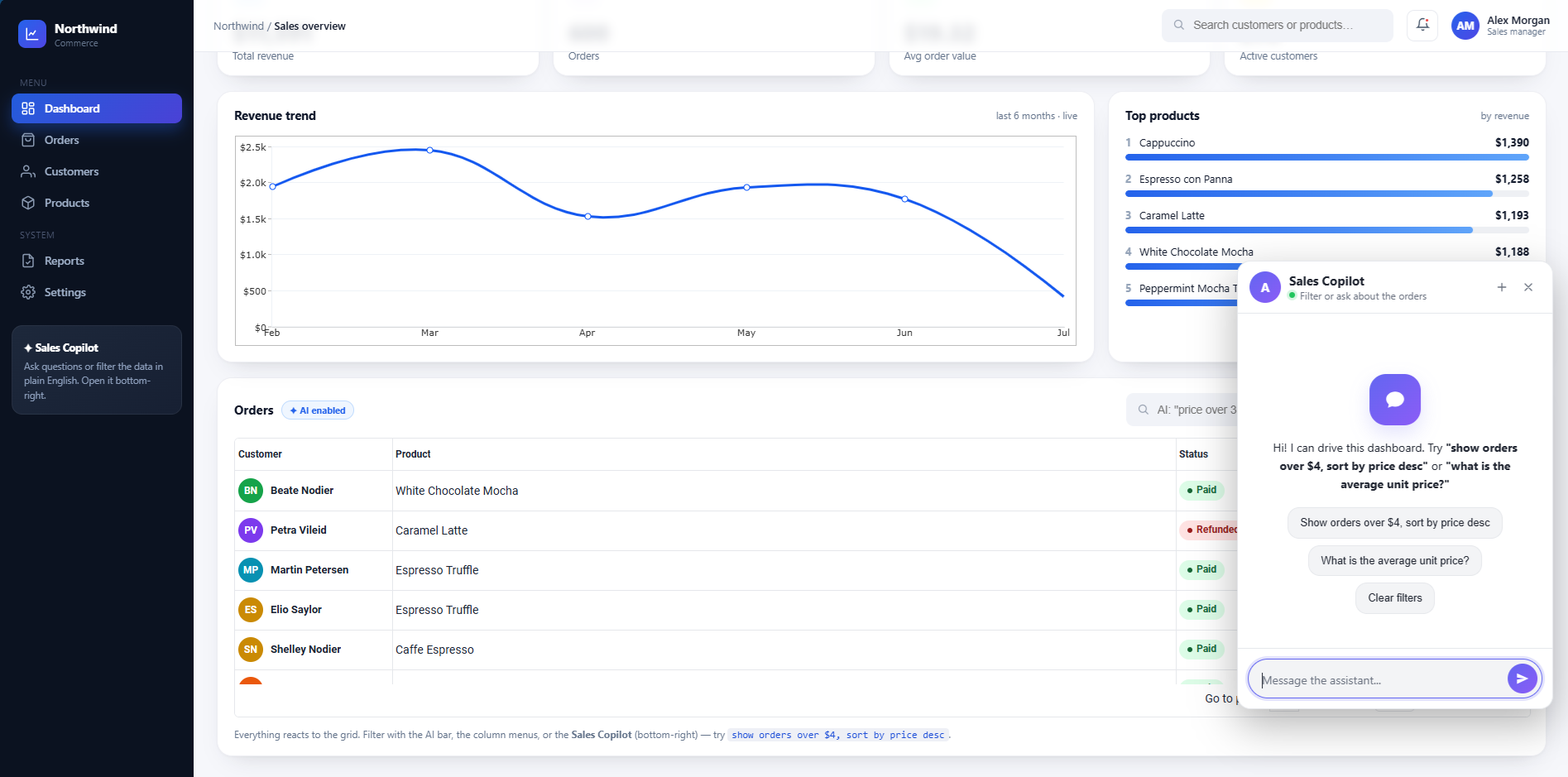
- New: jqxChat widget
- Brand-new AI chat/assistant widget (
jqxchat.js with a provider-agnostic transport supporting Anthropic, OpenAI, and other adapters
- Streaming responses, typing indicator, avatars, timestamps, and a themeable “modern skin” independent of the jqWidgets theme
- Demos under
demos/Javascript & JQuery/jqxchat/ (including defaultfunctionality.htm)
- Full integration kit (
jqxchat-integration/) with server-side streaming proxies (PHP + Node/Express) so API keys stay off the client, plus TypeScript typings
- New API docs (
jqxchat-api.htm and pages for chatColorScheme, chatMode, chatProvider, chatRole, etc.)
- New: jqxGrid AI features (
jqxgrid.ai.js)
aiCommand() — natural language → filter/sort/groupaiAsk() — conversational analytics over the (filtered) dataaiSummarize() — summarize selected/visible rowsaiExplainRow() — explain a row vs. the datasetaiClassifyColumn() — AI-generated label per row- New grid options:
aiProvider, aiModel, aiProxyUrl, aiHeaders, aiSendRequest, aiMaxRows
- Results fire as
gridaiResult/gridaiError events; actions are validated against real columns before being applied (never executed as code)
- New demos:
ai-ask-data.htm, ai-classify-column.htm, ai-command-bar.htm, ai-summarize.htm (JS and Angular versions)
- New: jqxGrid cell templates (
jqxgrid.celltemplates.js)
- Declarative
cellTemplate column property (badge, avatar, moustache-style string templates, or a function)
- Compiles to a standard
cellsrenderer, so sort/filter/page/export keep working unchanged
- Demo:
cell-templates.htm
- Core widget fixes
- jqxgrid.js — accessibility pass:
role/aria-label/aria-haspopup added to the column-menu button and header filter/sort icons so screen readers announce them properly; new columnmenustring localization key
- jqxgrid.filter.js — AI-assisted filter now uses the configurable
aiModel option instead of a hardcoded gpt-4
- jqxgrid.selection.js — fixed a bug where unselecting filtered rows in checkbox-selection mode left holes in
selectedrowindexes (via delete), which kept the header checkbox stuck “checked” even with nothing selected; now rebuilds the array cleanly
- jqxgrid.sort.js — classic (image-based) themes now get the sort-priority number applied to the asc/desc arrow elements too (previously only the general sort icon), and it’s cleared correctly when sorting is removed
- Styles (
jqx.base.css, jqx.darkblue.css, jqx.tailwind.css) — substantial additions (theme updates in darkblue/tailwind) for jqxChat and the new cell templates
Posted in:
ANGULAR, ANGULAR GRID, Chart, Grid, html elements, JavaScript, JavaScript Plugins, JavaScript UI, JavaScript UI Plugins, JavaScript UI Widgets, jQuery UI, jQWidgets, Pivot Grid, React, react grid, React Javascript Library, REACTJS
Tagged:
ai assistant, ai chat, grid, jQWidgets
Introducing SvGrid: A Svelte 5-Native Data Grid, From the jQWidgets Team

Today we are releasing SvGrid 1.0 – a data grid built specifically for Svelte 5, from the team behind jQWidgets and Smart UI.
For over fifteen years we have shipped UI components trusted in production by more than 5,000 companies across jQuery, Angular, React, Vue, and standard Web Components. One framework has been missing a truly first-class option from us: Svelte. SvGrid fills that gap – not a React grid wrapped in a Svelte shim, but a grid written on Svelte 5 runes from the first line.
Why another grid, and why Svelte
Svelte 5 introduced a new reactivity model built on runes ($state, $derived, $effect) and snippets. A grid that simply wraps another framework cannot take advantage of it. SvGrid was designed for that model directly, which means smaller bundles, idiomatic APIs, and rendering that feels native to a Svelte app instead of bolted on.
Headless core plus a drop-in component
SvGrid ships two layers in one library:
- A headless engine (
createSvGrid) that owns sorting, filtering, grouping, pagination, and virtualization with no DOM assumptions – bring your own markup when you need full control.
- A render component (
<SvGrid>) that gives you a production-ready grid in a single prop pass: virtualization, Excel-style column filters, inline editing, cell-range selection, and keyboard navigation, all working out of the box.
Use the component for speed; drop down to the headless core for custom layouts. You are never boxed in.
Built for real applications
- Row and column virtualization – smooth at 100,000 rows and tested to a million.
- Grouping with aggregation, tree data, and master-detail rows.
- Server-side data: row models, cursor pagination, GraphQL and REST adapters, websocket live updates, optimistic updates.
- Inline editing with typed editors, validation, undo/redo, and Excel-style fill.
- Integrated charts, conditional formatting, sparklines, and a full theming system via
--sg-* CSS variables with first-class Tailwind support.
- Accessibility: WAI-ARIA grid semantics, full keyboard support, and a high-contrast mode.
- 150+ live, editable examples and a complete documentation site.
AI-native by design
SvGrid ships a built-in MCP (Model Context Protocol) server and published llms.txt, so assistants like Claude, Cursor, and Zed answer accurately about the grid instead of hallucinating its API. There are also natural-language filtering and smart-paste demos. This continues the AI-forward direction you have already seen across our component suites.
Free core, optional Enterprise
The core, @svgrid/grid, is MIT-licensed and free for commercial use – no license key, no row cap, no upsell pop-ups. The optional @svgrid/enterprise pack adds Excel/PDF/CSV/HTML export, spreadsheet import, pivot tables, a print view, and AI helpers, with direct support. It is licensed per developer, starting at $599, as a perpetual license with a year of updates and support.
Get started
npm install @svgrid/grid
<script lang="ts">
  import { SvGrid, type ColumnDef } from '@svgrid/grid'
  const rows = [
    { firstName: 'Ada',   age: 36, status: 'active' },
    { firstName: 'Linus', age: 54, status: 'active' },
  ]
  const columns: ColumnDef<{}, (typeof rows)[number]>[] = [
    { field: 'firstName', header: 'First name' },
    { field: 'age',       header: 'Age' },
    { field: 'status',    header: 'Status' },
  ]
</script>

<SvGrid data={rows} columns={columns} />
Explore the live demos, docs, and pricing at svgrid.com. We would love your feedback as we build out the roadmap.
Get started ·
Browse 150+ demos ·
Pricing ·
npm
Posted in:
Grid
Tagged:
grid, headless data grid, headless svelte data grid, headless svelte grid, mit, mit grid, mit svelte grid, open source, open source grid, open source grid table, OSS, svelte, svelte 5, svelte 5 data grid, svelte 5 grid, svelte 5 grid table, svelte5
Alliance combines senior-led consulting expertise and battle-tested UI technology into a ‘powerhouse’ solution for modernizing complex software systems.

Sofia, Bulgaria — June 9, 2026 — Smart UI, a provider of enterprise-grade UI components and frameworks for modern web applications, today announced a strategic partnership with
Resolute Software, a senior-led boutique consultancy helping enterprise teams modernize
legacy platforms. The partnership combines Smart UI’s enterprise-grade UI component
technology with Resolute Software’s expertise in complex modernization and integration
projects, particularly in highly regulated industries such as healthcare, public safety, and
aerospace.
Smart UI’s comprehensive library of advanced UI components can be used to build modern web
applications such as data grids, scheduling tools, Gantt charts, pivot tables, charts, and Kanban
boards. These components save organizations massive amounts of development time, ensuring
robust and accessible user interfaces for complex web applications. The platform is used across
organizations of all sizes, including 30+ Fortune 500 companies across industries such as
technology, aerospace, finance, and manufacturing. A key enterprise engagement includes work
with National Instruments, demonstrating adoption in complex, engineering-grade software
environments.
Under the partnership, Resolute Software will serve as Smart UI’s exclusive consulting partner
for enterprise customers requiring architectural modernization, legacy system integration, UX
redesign or custom software development to support Smart UI implementations. In turn,
Resolute is formally endorsing Smart UI as a trusted, high-performance UI component library
that has been validated through real-world enterprise deployments.
“Our customers rely on Smart UI to build highly sophisticated applications, often in engineering
and data-intensive environments,” said Boyko Markov, Co-Founder & CTO, Smart UI.
“However, as organizations modernize older platforms and move toward more secure, AI-ready
systems, they need experienced implementation and architectural guidance. Resolute brings that
level of expertise, enabling us to stay focused on product excellence while giving customers
ready access to trusted modernization services.”
Partnership Bridges the Execution Gap
While modernization is a foundational step towards responsible AI adoption, clean architecture,
modern UX, and accessibility are critical prerequisites for deploying AI-powered capabilities
safely and effectively. Unfortunately, many organizations still struggle to integrate modern UI
technology into aging or highly customized legacy software environments. For Smart UI
customers, Resolute Software will bridge that execution gap by providing expert-level consulting
in architectural redesign and modernization strategy, along with implementation support.
“We are highly selective about the technologies we recommend to our clients,” said Hristo
Georgiev, Co-Founder and CEO of Resolute Software. “Our senior engineers have implemented
Smart UI in demanding enterprise environments where performance, reliability, accessibility, and
security are non-negotiable. What impressed us most was how well the components performed in
complex modernization projects involving legacy systems and regulated environments. This
partnership gives enterprise clients a proven UI platform and an experienced team that can
successfully execute modernization initiatives, end-to-end.”
Resolute Software and Smart UI will join forces to promote their partnership online, directly
with customers, and through dedicated service resources.
About Smart UI
Smart UI is a provider of enterprise-grade UI components and frameworks for modern web
applications. Since 2011, the company has helped more than 300,000 developers build
responsive, mobile-ready applications with high-performance user interface components,
including data grids, schedulers, charts, Gantt charts, and other advanced tools. Smart UI
specializes in platform-independent technologies designed to streamline development, reduce
project complexity, and support modern application experiences across devices and industries.
For more information, visit https://www.htmlelements.com/.
About Resolute Software
Resolute Software is a boutique consulting partner modernizing mission-critical systems in
healthcare and regulated industries. We exist at the intersection of complex software engineering
and responsible AI adoption. We’re not a staff augmentation firm. We’re a senior-led team of
engineers and strategists who take real ownership, work with high autonomy, and build solutions
based on deep domain expertise. We partner with leading global enterprises, including Fortune
500 companies, across regulated industries such as healthcare, public safety, finance, and
manufacturing, ensuring compliance with domain-specific standards and requirements. From
legacy architecture redesigns to deploying secure AI solutions, we help ambitious organizations
navigate uncertainty with confidence. For more information, visit
https://www.resolutesoftware.com/
Turning a UI Library into an AI-Ready Development Layer
Modern frontend development often breaks down not because tools are lacking – but because complexity
scales faster than documentation can be navigated.
The jQWidgets MCP Server addresses this by transforming the entire jQWidgets ecosystem
into a structured, AI-readable interface.
Instead of manually browsing docs for every widget behavior, developers can now ask questions in
natural language and get precise, runnable output.
From UI Library to Structured Intelligence
jQWidgets includes 80+ widgets, each with properties, events, and data bindings that are typically
scattered across documentation.
With MCP, this becomes machine-queryable. AI assistants can now answer questions like:
- What events does jqxScheduler fire during edit mode?
- How do I enable filtering, sorting, and paging in jqxGrid?
- How do I build a themed dashboard layout?
From Prompt to Working UI Code
One of the most powerful features is multi-framework code generation.
Example prompt:
Create a React grid with sorting, filtering, and pagination
This produces:
- Complete React (TSX) component
- Correct imports and initialization
- Fully working jQWidgets configuration
Supported frameworks:
How It Works
The MCP server acts as a structured bridge between AI tools and jQWidgets.
- API metadata index
- Widget behavior mappings
- Framework templates
- Dependency resolution logic
Zero Setup Experience
npx jqwidgets-mcp-server
No repos. No manual documentation parsing. No setup friction.
Why This Matters
- Discovery: No more searching docs
- Accuracy: Code matches real APIs
- Speed: Full UI scaffolds in seconds
Who It’s For
- Frontend engineers
- Dashboard builders
- AI-assisted developers
- Teams standardizing UI frameworks
🔐 Licensing
Requires a valid jQWidgets license for production use. Trial usage is available for evaluation.
Closing Thought
The jQWidgets MCP Server changes how UI libraries are consumed: from documentation-driven to
intent-driven development.
We’re excited to announce Smart UI v26.0.0, a major release focused on
performance improvements, modular architecture, and enhanced developer experience.
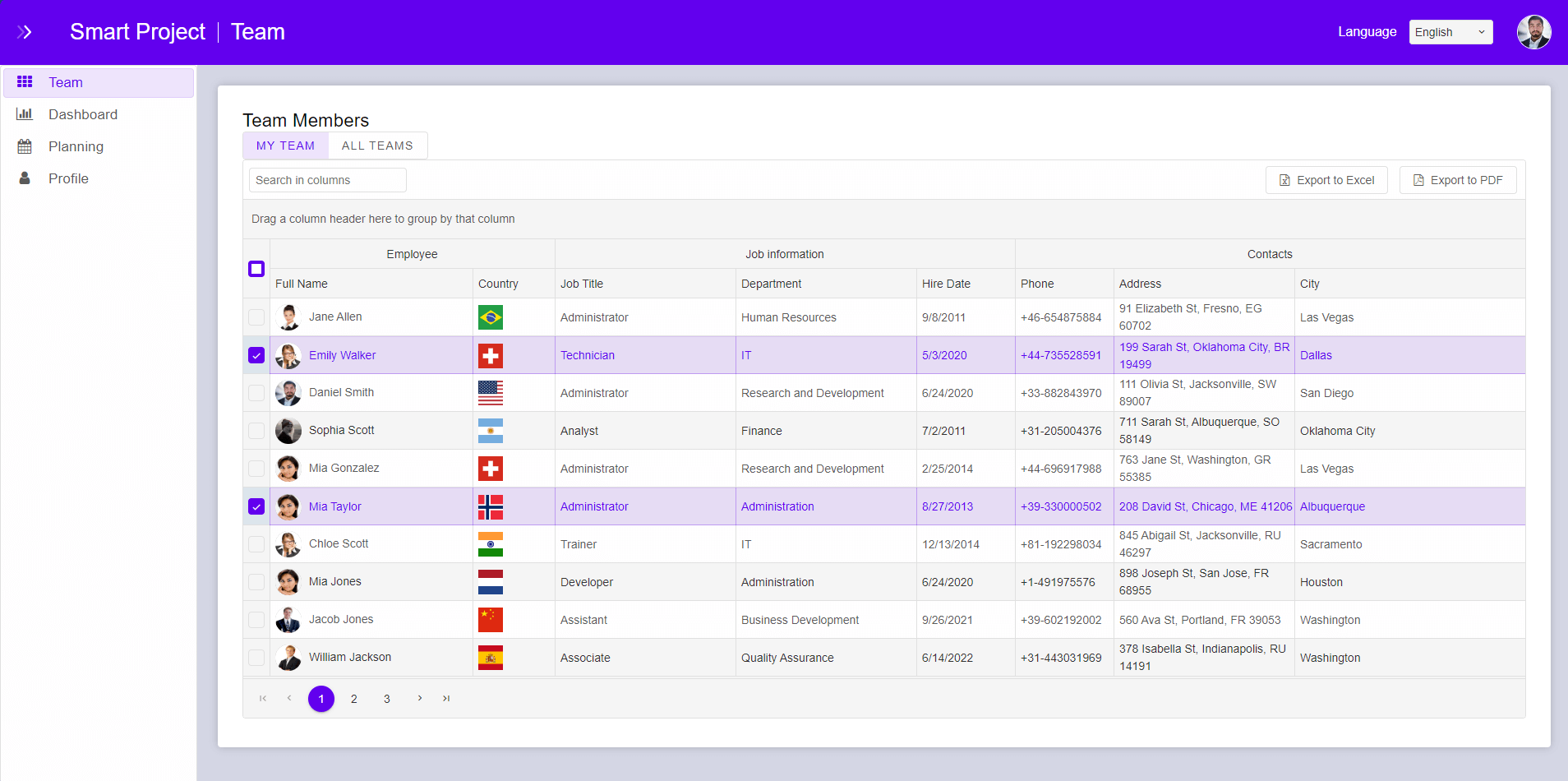
Highlights
New Pro Themes
- Material 3 – Modern Material Design system
- Fluent – Microsoft-style UI experience
- Strata – Minimal shadcn-inspired design
- Tabula – Enterprise spreadsheet-style UI
Smarter Data Grid
- Fully modular architecture for smaller bundle sizes
- Simplified API (sorting, filtering, grouping, pagination, and more)
- Native cell comments for collaboration
- Optimized performance for large datasets
- Improved editing experience
- Accessibility enhancements (ARIA + screen readers)
AI-Enhanced Documentation
Context-aware documentation with examples and smarter navigation for faster development.
Performance & Architecture
- ~500KB reduction in Data Grid bundle size
- Delayed component initialization for dynamic rendering
- Faster rendering and smoother interactions
Stability & Fixes
- Resolved Data Grid selection and clipboard issues
- Improved filtering, validation, and input components
- Fixed Scheduler, Tree, Dropdown, and List behaviors
- Enhanced PDF export reliability
Smart UI v26.0.0 is built for modern applications that demand speed, scalability, and a refined developer experience.
Learn more: https://www.htmlelements.com/
Finding the perfect JavaScript data grid with built-in data export can make or break your web application. Users expect one-click downloads to Excel, PDF, CSV, and other formats — without extra plugins or complicated code.
In this 2026 comparison, we review the top data grids known for seamless data grid Excel export, PDF export, and CSV export capabilities. As the team behind jQWidgets (jqwidgets.com) and Smart UI (htmlelements.com), we highlight real-world performance, ease of use, and export flexibility so you can choose the best fit for your project.
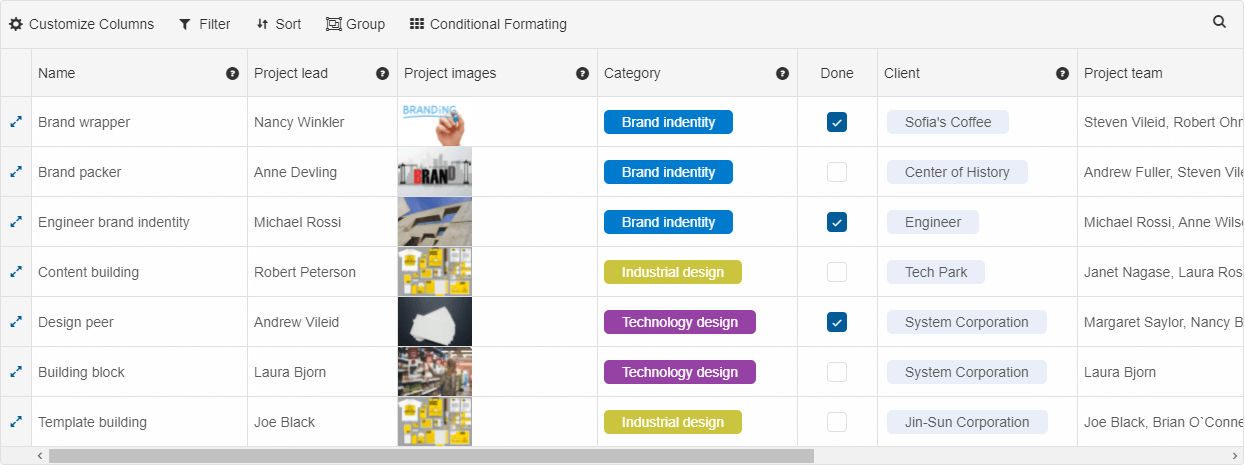
1. Smart UI – Smart.Grid — Modern Web Component Data Grid with Advanced Multi-Format Export
The Smart UI Grid from htmlelements.com is a high-performance, standards-based JavaScript data grid built as a native Web Component. It delivers enterprise-level data export while respecting your current view: sorting, filtering, grouping, and hidden columns are all preserved.
Smart.Grid supports export to Excel (XLSX), CSV, TSV, XML, PDF, JSON, PNG, and JPEG. You get full customization options including styles, custom headers, selected rows only, multiple sheets, and page orientation — perfect for professional reporting.
Best for
- Modern Angular, React, Vue, or Web Component applications
- Projects needing data grid Excel export of filtered, grouped, or hierarchical data
- Teams wanting maximum flexibility without third-party libraries
- High-performance dashboards and business intelligence tools
Considerations
- Web Component architecture (excellent for future-proof apps)
- Commercial licensing unlocks the full Smart UI toolkit
- Custom cell renderers can be styled via
dataExport.style
Example (Export to Excel)
<smart-grid id="grid"></smart-grid>


<script>
const grid = new Smart.Grid("#grid", {
    dataSource: new Smart.DataAdapter({ /* your data */ }),
    columns: [ /* your columns */ ]
});

// One-line export of current view
grid.exportData('xlsx');
</script>
Learn more: Smart.Grid – Data Grid with Excel, PDF & CSV Export
2. jQWidgets jqxGrid — Feature-Rich Data Grid with Extensive Export Options
The jQWidgets jqxGrid remains a trusted enterprise JavaScript data grid used in thousands of production applications. It offers simple yet powerful data export methods that work across all major browsers.
jqxGrid exports to Excel (.xls / XLSX), PDF, CSV, TSV, XML, JSON, and HTML. The exportdata API lets you export the full dataset, visible rows, or selected records while preserving formatting and column order.
Best for
- Applications requiring many export formats including XML and HTML
- Teams prioritizing simplicity and broad browser compatibility
- Business tools with frequent data grid Excel export and reporting needs
Considerations
- jQuery-based (easy drop-in for older codebases)
- Excel export uses modern XLSX in current versions
- Commercial license required for full feature set
Example (Export to Excel)
$("#jqxgrid").jqxGrid({ /* grid config */ });

$("#btnExport").click(function () {
    $("#jqxgrid").jqxGrid('exportdata', 'xls', 'MyReport');
});
Learn more: jQWidgets jqxGrid – Data Export Demo
3. Webix DataTable — High-Performance Data Grid with Built-in Multi-Format Export
Webix DataTable is a fast JavaScript data grid designed for data-intensive applications. It includes native export functionality covering the most common business formats without extra dependencies.
It supports Excel (XLSX), CSV, PDF, and PNG export while preserving column order, headers, and basic styling.
Best for
- Applications that require multi-format data export out of the box
- Data-heavy tools where users frequently download reports
- Teams looking for a balanced mix of performance and built-in features
- Use cases where export customization (columns, headers, selection) is needed
Considerations
- Advanced customization may need extra config
- Webix-specific API
- Commercial licensing
webix.ready(function () {
 const grid = webix.ui({
   view: "datatable",
   autoConfig: true,
   url: "/api/data"
  });

webix.toExcel(grid);
});
Learn more: Webix DataTable
4. Kendo UI Grid — Enterprise Data Grid with Professional Styled Export
The Kendo UI Grid from Telerik excels at polished, professional-looking Excel and PDF exports, including grouping, aggregates, and footers.
Best for
- Enterprise apps inside the Kendo ecosystem
- Styled reports with complex data
Learn more: Kendo UI Grid
5. DevExpress DataGrid — Advanced Grid with Pixel-Perfect Export Control
DevExpress DataGrid (DevExtreme) offers outstanding client-side Excel (XLSX) and PDF export with full formatting preservation.
Best for
- Complex enterprise applications needing export of selected rows and heavy formatting
Learn more: DevExpress DataGrid
Quick Comparison Table: Data Export Capabilities
| Data Grid |
Excel |
PDF |
CSV |
JSON/XML |
Image |
Hierarchical Export |
Best For |
| Smart.Grid |
Yes |
Yes |
Yes |
Yes |
Yes |
Excellent |
Modern web components |
| jqxGrid |
Yes |
Yes |
Yes |
Yes |
No |
Good |
jQuery & broad compatibility |
| Webix DataTable |
Yes |
Yes |
Yes |
No |
Yes |
Good |
Modern web components |
| Kendo UI Grid |
Yes |
Yes |
Yes |
No |
No |
Good |
Styled enterprise reports |
| DevExpress DataGrid |
Yes |
Yes |
Yes |
No |
No |
Excellent |
Complex formatting |
Which JavaScript Data Grid with Data Export Should You Choose?
- Need modern web components and maximum export flexibility? → Smart UI’s Smart.Grid
- Need a lightweight Grid with broad format support? → jQWidgets jqxGrid
Both products come from the same team and are built for real-world performance and developer happiness.
Frequently Asked Questions about Data Grid Export in 2026
Can these grids export filtered or grouped data?
Yes — Smart.Grid, jqxGrid, Kendo, and DevExpress all respect the current grid state (filters, sorting, grouping) during export.
Which grid has the best hierarchical/expandable export?
Smart.Grid and DevExpress DataGrid currently lead with excellent support for tree/hierarchical data and expandable groups in Excel.
Do I need extra libraries for Excel export?
No. All five grids in this list include built-in export. Smart.Grid and jqxGrid require zero additional dependencies.
Which is better for modern frameworks (React, Angular, Vue)?
HTMLElements Smart.Grid — native Web Components with official wrappers for all major frameworks.
Is there a free version?
Yes — Smart UI offers a generous Community edition. jQWidgets also provides a free trial.
Ready to add powerful data export to your app?
Try the fastest modern data grid with enterprise-grade export today.
Explore Smart.Grid →
Try jqxGrid →
Need help choosing or implementing? Our team answers within 24 hours.
Published April 2026 • Updated with latest export features from Smart.Grid, jqxGrid, Webix 11.4, Kendo UI, and DevExpress.
What’s your biggest requirement for a data grid export? Drop a comment below and we’ll help you decide.
Posted in:
jQuery, jQuery Plugins, jQuery UI, jQuery UI Plugins, jQuery UI Widgets, jQWidgets, jqxGrid, Pivot Grid, react grid
Tagged:
datagrid export data, datagrid export to xlsx, datagrid with export to excel
We’re happy to announce the release of jQWidgets v25.1.0, bringing several fixes and improvements across
core components such as Grid, PivotGrid, Calendar, Scrollbar, and DateTimeInput.
This update focuses primarily on stability, rendering consistency, and improved compatibility with
modern themes like Fluent and Tailwind.
Below is a summary of the issues resolved in this release.
Bug Fixes and Improvements
Grid & Filtering
- Resolved an issue with jqxDateTimeInput filtering in jqxGrid that caused incorrect theming of the component.
- Fixed a filter row rendering issue in jqxGrid when using the Fluent and Tailwind themes.
- Corrected a problem affecting Grid cell pinning styling in the Dark, Light, Fluent, and Tailwind themes.
- Fixed an issue with Pager rendering in jqxGrid when the pager’s Go To input was re-rendered.
PivotGrid
- Fixed a positioning issue in jqxPivotGrid where the itemsRenderer function could behave incorrectly and render elements in the wrong position.
Calendar
- Addressed a re-rendering issue in jqxCalendar when used with the Tailwind theme, ensuring consistent behavior during dynamic updates.
Scrollbar
- Fixed a Content Security Policy (CSP) related issue in jqxScrollbar introduced during previous refactoring.
Summary
Version 25.1.0 is a maintenance release focused on improving rendering behavior,
theme compatibility, and component stability across the framework. These fixes ensure smoother
integration when using modern UI themes and improve reliability in dynamic rendering scenarios.
We recommend upgrading to v25.1.0 to take advantage of these fixes.
Updated for 2026 • JavaScript Scheduling Components
Top JavaScript Scheduler Libraries in 2026
Compare the best JavaScript schedulers and calendar components for enterprise planning, resource timelines, recurrence, and real-time updates—across React, Angular, and Vue.
Why JavaScript Scheduling Matters in 2026
Scheduling UIs have evolved beyond simple date grids. Modern products often need
resource-based planning (people, rooms, equipment), timeline views,
recurrence rules, drag-and-drop workflows, and increasingly, real-time collaboration.
This guide is written to be vendor-neutral and practical: it highlights strengths, common tradeoffs,
and typical best-fit scenarios, so teams can choose a scheduler that matches their product requirements and constraints.
What to Look for in a JavaScript Scheduler (2026 Checklist)
- Scheduler vs. Calendar: Do you need resource timelines (scheduler) or mainly date-based event display (calendar)?
- Performance at scale: How does it behave with thousands of events or hundreds of resources?
- Views: Day/Week/Month, Agenda, Timeline Day/Week, Vertical timeline, Multi-resource timelines.
- Recurrence: Support for complex repeating patterns, exceptions, and time zones.
- Editing UX: Drag/drop, resize, inline editing, validation, conflict detection.
- Framework support: Official React/Angular/Vue wrappers or Web Components; TypeScript coverage.
- Accessibility: Keyboard navigation, screen reader support, focus management.
- Integration: API hooks for loading, persistence, and real-time updates (WebSockets/SignalR).
- Customization: Templates, render hooks, theming, layout rules, custom editors.
- Licensing & TCO: Open-source vs. commercial features, support, and long-term upgrade path.
Best JavaScript Scheduler Components in 2026 (Ranked List)
1) jqxScheduler — Enterprise Scheduling for Resource Planning
jqxScheduler is positioned for teams building complex scheduling workflows:
resource allocation, multiple views (including timeline variants), recurrence, and deep customization.
It’s typically considered when scheduling is a core feature rather than an add-on.
Best for
- Resource scheduling (rooms/people/equipment)
- ERP, operations dashboards, workforce planning
- Heavier customization requirements
Considerations
- Commercial licensing may be required depending on use
- Evaluate integration approach per framework (wrappers vs. direct)
Example (Basic Setup)
<div id="scheduler"></div>

<script>
  const appointments = [{
    id: 1,
    subject: "Project Kickoff",
    start: new Date(2026, 0, 15, 9, 0),
    end: new Date(2026, 0, 15, 11, 0),
    resourceId: 1
  }];

  $("#scheduler").jqxScheduler({
    date: new Date(2026, 0, 15),
    source: appointments,
    resources: {
      dataField: "resourceId",
      source: [{ id: 1, name: "Conference Room A" }]
    },
    view: "weekView",
    showLegend: true
  });
</script>
Learn more: jqxScheduler
2) Smart.Scheduler — Web Components Scheduler for Framework-Agnostic Apps
Smart.Scheduler takes a Web Components approach, which can be attractive for
multi-framework environments, micro-frontends, or design systems that want reusable UI without tight coupling.
Best for
- Micro-frontends and multi-framework stacks
- Teams prioritizing native Web Components
- TypeScript-heavy codebases
Considerations
- Web Component patterns differ from typical React-only libraries
- Validate theming strategy across Shadow DOM / CSS variables
Example (Web Component Setup)
<smart-scheduler id="scheduler"></smart-scheduler>

<script>
  const scheduler = document.getElementById('scheduler');
  scheduler.dataSource = [{
    label: "Design Review",
    dateStart: "2026-01-20T10:00",
    dateEnd: "2026-01-20T12:00",
    resourceId: "team-a"
  }];

  scheduler.resources = [{ id: "team-a", label: "Design Team" }];
  scheduler.view = "timelineDay";
</script>
Learn more: Smart.Scheduler
3) Bryntum Scheduler — Premium Timeline & Resource Scheduling
Bryntum Scheduler is frequently shortlisted for timeline-centric products.
It’s known for a refined timeline UI and strong resource scheduling capabilities, often used in
logistics, field operations, and advanced planning tools.
Best for
- Resource timelines and planning-heavy UIs
- Advanced scheduling interactions
- Products where timeline is the primary view
Considerations
- Commercial licensing
- Confirm scaling approach and server-side patterns for very large datasets
Learn more: Bryntum Scheduler
4) FullCalendar — Popular JavaScript Calendar (Great for Event Calendars)
FullCalendar remains one of the most widely used calendar libraries.
It’s an excellent choice for classic calendar experiences (month/week/day views, event lists, drag/drop).
For deeply resource-based scheduling (many resources, long timelines, heavy constraints), teams may prefer a dedicated scheduler.
Best for
- Event calendars, booking-style UIs, content calendars
- Teams wanting quick adoption and a large ecosystem
- React/Angular/Vue integrations
Considerations
- Evaluate resource scheduling needs carefully
- Confirm performance approach for high event volume
Learn more: Fullcalendar
5) Webix JavaScript Scheduler — Flexible Scheduling for Data-Driven Apps
Webix Scheduler is designed for teams building interactive scheduling features tightly integrated with business data. It supports multiple calendar views (day, week, month, timeline, agenda), recurring events, and rich UI customization, while fitting naturally into complex enterprise interfaces.
Scheduler installation code example:
Best for
- Data-driven scheduling (projects, teams, assets, appointments)
- Enterprise dashboards, admin panels, internal tools
- Apps that need tight integration with grids, gantt charts, kanban boards and forms
Considerations
- Commercial licensing
- Confirm scaling approach and server-side patterns for very large datasets
Learn more: Webix Scheduler
6) Kendo UI Scheduler — Strong Suite Option for Enterprise Teams
Kendo UI Scheduler is often selected by teams already invested in the broader Kendo UI component suite.
It provides a cohesive ecosystem and consistent UX patterns across grids, charts, forms, and scheduling.
7) Syncfusion Scheduler — Feature-Rich Enterprise Alternative
Syncfusion Scheduler is another suite-driven option with extensive features and broad framework coverage.
It’s frequently considered when teams want a unified UI toolkit across many application areas.
Comparison Table: JavaScript Scheduler Features at a Glance
This table summarizes common decision points. Exact capabilities vary by edition and configuration, so use it as a starting point for evaluation.
| Scheduler |
Resource Scheduling |
Timeline Views |
Recurrence |
Framework Support |
Typical Best Fit |
| jqxScheduler |
Yes |
Yes |
Advanced |
Multi-framework |
Enterprise scheduling + deep customization |
| Smart.Scheduler |
Yes |
Yes |
Advanced |
Web Components (framework-agnostic) |
Micro-frontends, design systems, modern web stacks |
| Bryntum Scheduler |
Yes |
Excellent |
Advanced |
Multi-framework |
Timeline-first, premium planning UIs |
| FullCalendar |
Limited / add-ons |
Basic / add-ons |
Strong |
Multi-framework |
Event calendars, bookings, simple scheduling |
| Webix Scheduler |
Yes |
Excellent |
Advanced |
Multi-framework |
Suite-based enterprise apps |
| Kendo UI Scheduler |
Yes |
Yes |
Strong |
React / Angular / Vue |
Teams using a UI suite with consistent components |
| Syncfusion Scheduler |
Yes |
Yes |
Strong |
React / Angular / Vue |
Suite-based enterprise apps |
How to Choose the Right JavaScript Scheduler in 2026
Choose a scheduler (not just a calendar) if you need:
- Resources (people/rooms/equipment) and allocation logic
- Timeline views for operational planning
- High-volume performance with many events and resources
- Advanced workflows (constraints, validation, conflict handling)
Choose a calendar-focused library if you mainly need:
- Classic month/week/day event views
- Simpler scheduling requirements and faster implementation
- A broad ecosystem and common patterns
Practical evaluation steps
- List your required views (timeline? agenda? multi-resource?).
- Define scale targets (events/day, resources on screen, timeline length).
- Prototype your hardest workflow (drag/drop + rules + persistence).
- Validate accessibility and keyboard navigation early.
- Confirm licensing, support, and upgrade path for 12–24 months.
FAQ: JavaScript Scheduler & Calendar Libraries
What is a JavaScript scheduler?
A JavaScript scheduler is a UI component for managing time-based events—often with
resources and timeline planning. It typically includes drag-and-drop editing,
recurring events, multiple views, and integration hooks for backend persistence.
What’s the best FullCalendar alternative for resource timelines?
If you need resource timelines and advanced planning, evaluate dedicated schedulers that prioritize
resource models, timelines, and high-volume performance. Your best choice depends on UX requirements,
framework constraints, and licensing preferences.
Which scheduler is best for enterprise applications?
Enterprise teams usually prioritize: performance at scale, deep customization, long-term support,
access controls, and predictable upgrade paths. Suite-based products and specialized schedulers can both be
strong fits depending on ecosystem needs.
Note: Feature availability can vary by edition and configuration. Always confirm exact capabilities,
licensing terms, and framework compatibility during evaluation.
Posted in:
ANGULAR, JavaScript, JavaScript Plugins, JavaScript UI, JavaScript UI Plugins, JavaScript UI Widgets, JavaScript Widgets, jQWidgets
Tagged:
Calendar, scheduler, scheduler component, scheduling, top javascript scheduler
|
|